Laserschneiden

Laserschneidvorgang
Die Programmierung eines Werkzeugwegs für den Laserschnitt erzeugt im Wesentlichen einen Schneidzyklus, d. h. eine Operation, die aus drei Abschnitten besteht:

Annäherung (außerhalb des Prozesses)
Schneidprozess (im Prozess)
Rückzug (außerhalb des Prozesses)
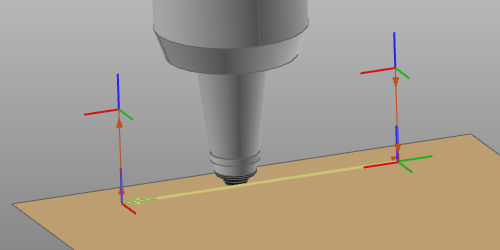
Der Schneidzyklus wird durch die Programmierattribute und -ereignisse berechnet und gesteuert.
Schneidzyklen
Neben den globalen Programmierattributen und Ereignissen, die den berechneten Werkzeugweg bestimmen, gibt es einige zusätzliche Funktionen und Routinen, die für eine maximale Optimierung, Effizienz und Leistung des Laserschnittzyklus angewendet werden können.
| Regelmäßige Formen | Geometrische Grundkonturen wie Kreise, Rechtecke, Dreiecke und dergleichen werden mit vordefinierten Zyklen für diese jeweilige Grundform programmiert. Diese Zyklen können einige andere Attribute außer Kraft setzen. | 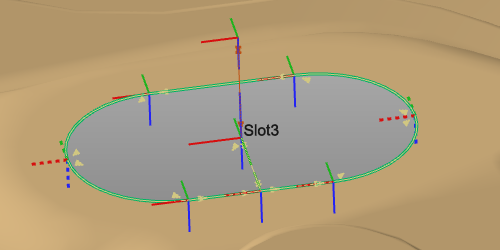 |
| Prozessausrichtung | Funktioniert nur in Situationen, in denen ein 1- oder 2-Rotationsachsen-Positionierer das Werkstück trägt und der Positionierer (Bewegung) mit der Steuerung verbunden ist. An jeder Werkzeugwegposition werden die Positionierachsen so gesteuert, dass der Laserstrahlkopf in einer vordefinierten (in der Regel nach unten gerichteten) Position gehalten wird. Als Beispiel dient diese vordefinierte Position aus Sicherheitsgründen dazu, den Laserstrahl stets nach unten gerichtet zu halten. | 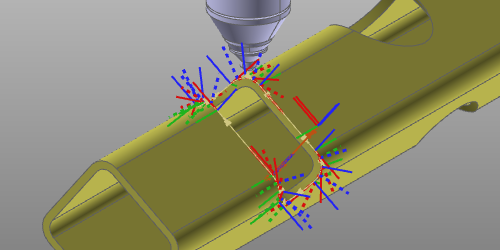 |
| Seitentangente | Konturschnittzyklus, bei dem die Schnittrichtung durch die Tangentialfläche bestimmt wird. | 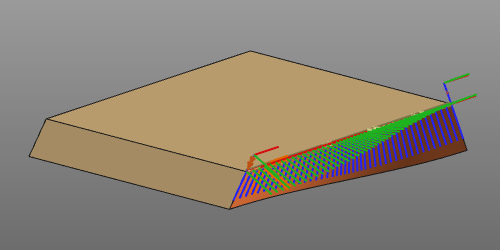 |
Werkzeugwinkel
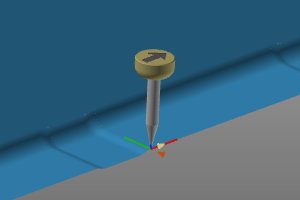
Im Allgemeinen gibt es drei Werkzeugwinkel, um die Ausrichtung des Laserstrahlkopfs ausgehend von seiner Nennposition zu definieren.
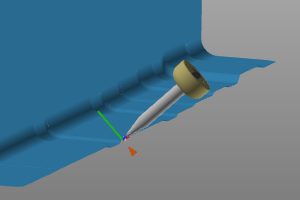 | 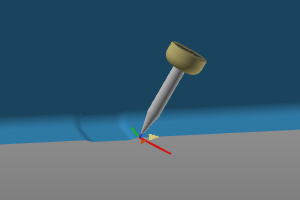 | 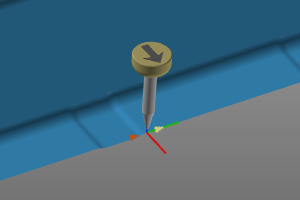 |
| Arbeit | Verfahrweg | Werkzeug |
Abhängig von der Marke und der Konfiguration der Lasermaschine können die Attribute zur Definition dieser einzelnen Werkzeugwinkel möglicherweise nicht zur Bearbeitung angezeigt werden. Falls dies nicht der Fall ist, wird das Werkzeug mit seiner Nennposition programmiert.
Werkzeugausrichtung
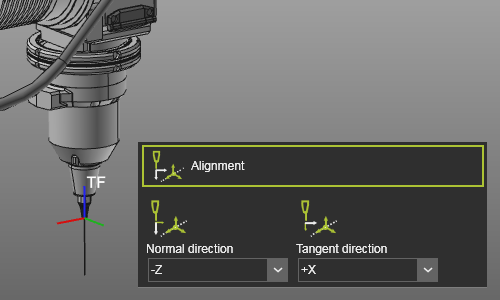
Jedes Werkzeug verfügt über einen Werkzeugrahmen, der verwendet wird, um es auf dem Werkzeugweg in der korrekten Position und Ausrichtung zu platzieren. Es ist entscheidend, dass dieser Rahmen mit der Ausrichtung der Prozessgeometrie abgeglichen wurde, um ein korrektes Ergebnis zu erzielen. Diese Ausrichtung ist die Zuordnung zwischen dem Werkzeugrahmen und der Prozessgeometrie.
Bei der Erstellung der Prozessgeometrie wurden eine Normalrichtung (lila Pfeile) und eine Tangential- oder Fahrtrichtung (roter Pfeil) definiert.
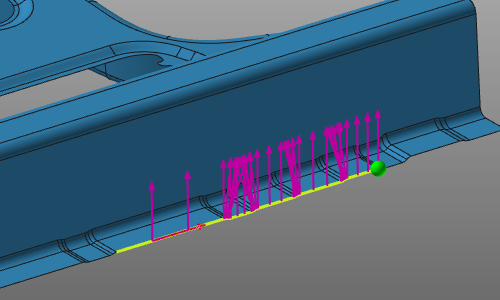
Mit den Ausrichtungsattributen müssen die Achsen des Werkzeugrahmens mit diesen Richtungen abgeglichen werden.
 | 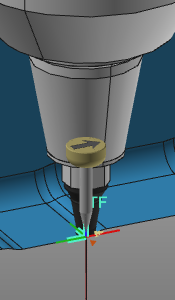 |
Programmierungsattribute
Die Anzeige der Programmierattribute in den Dashboards Programmierstandards und Aktives Programm wird in einer Settings.xml-Datei definiert. Bei einer Standardinstallation befindet sich eine Standarddatei im Pfad <install>\E2Plugin\Technologies\LaserCuttingTechnology\Standard\ControllerSettings.
Für den Standardcontroller sind die folgenden Attribute definiert.
| Technik-Registerkarte | Behälter | Attribut | Beschreibung |
|---|---|---|---|
 Program base Program base | |||
 Tool data Tool data | |||
 Manufacturing geometry Manufacturing geometry | |||
 Toolpath calculation Toolpath calculation | |||
| Technology base | |||
 Contour Contour | |||
 Regular shape Regular shape | |||
 Tangential cutting Tangential cutting | |||
 Operation linking Operation linking | |||
| Für die automatische Generierung von Verbindungswegen | |||
 Toolpath quality Toolpath quality | |||
 Automatic path optimization Automatic path optimization |
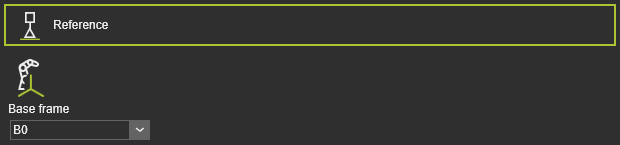 | Die Programm-Referenzinformationen. |
| Basisrahmen | Der Bezugsrahmen des Programms. |
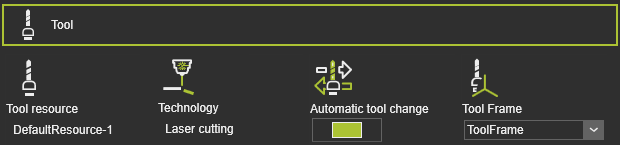 | Werkzeuginformationen. |
| Werkzeugressource | Der Name des Werkzeugs. |
| Technologie | Die angewandte Technologie. |
| Automatischer Werkzeugwechsel | |
| Werkzeugrahmen | Der Werkzeugrahmen, der den Werkzeugweg ausführt. |
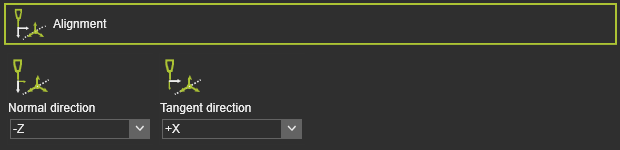 | Die Zuordnung der Werkzeugachsen zu den entsprechenden Vektoren der Prozessgeometrie. |
| Normale Richtung | Die Ausrichtung der Z-Achse des Werkzeugkoordinatensystems mit der Normalenrichtung der Prozessgeometrie. |
| Tangentialrichtung | Die Ausrichtung der X-Achse des Werkzeugkoordinatensystems an der Tangentialrichtung der Prozessgeometrie. |
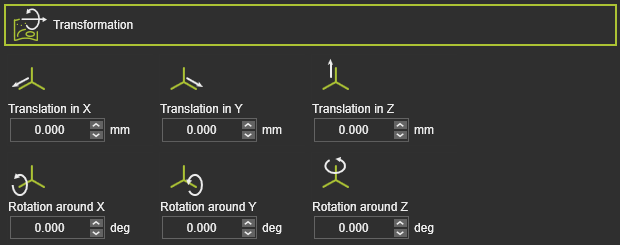 | Die globale Transformation der Fertigungsgeometrie. |
| Translation in X,Y,Z | Die globale Verschiebung in X-, Y- oder Z-Richtung. |
| Rotation um X, Y, Z | Die globale Rotation um die X-, Y- oder Z-Achse. |
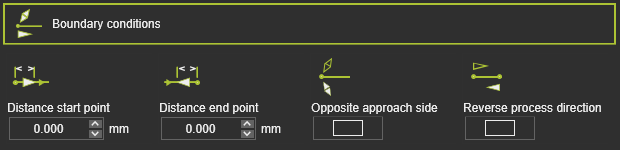 | Die Randbedingungen an der Fertigungsgeometrie zur Berechnung des Werkzeugwegs. |
| Abstand Startpunkt | Der Abstand des ersten Bearbeitungspunkts von der Startposition der Prozessgeometrie. |
| Abstand Endpunkt | Der Abstand des letzten Bearbeitungspunkts zur Endposition der Prozessgeometrie. |
| Gegenüberliegende Anfahrseite | Um die Anfahrtsseite an der Herstellungsstartposition umzukehren. |
| Richtung des Prozesses umkehren | Um die Fertigungsprozessrichtung umzukehren, d.h. Start- und Endposition werden vertauscht. |
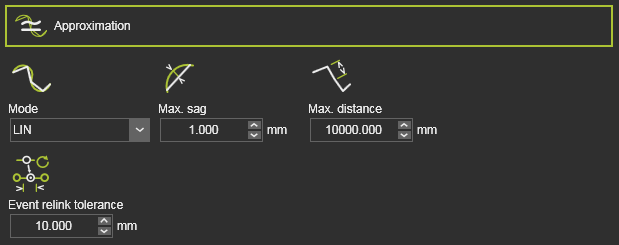 | Die Annäherung des Fertigungskonturs zur Berechnung des Werkzeugpfads. |
| Modus | Der Modus zur Annäherung an die Kontur. |
| Max. Durchbiegung | Die maximal zulässige Abweichung zwischen der Geometrie und dem berechneten Werkzeugweg. |
| Max. Abstand | Die maximale Entfernung zwischen zwei Werkzeugweg-Elementen im Prozess entlang des Konturs. |
| Toleranz für Ereignis-Neuverknüpfung | Die Toleranz, um das nächstgelegene TPE nach einer Neuberechnung des Werkzeugwegs zu finden, dem das vorhandene Ereignis zugewiesen wird. Dieses Attribut ist standardmäßig ausgeblendet. |
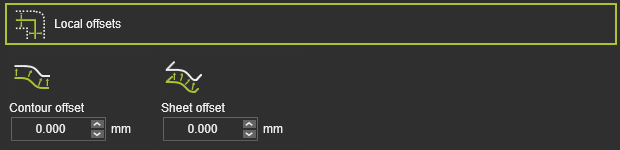 | Der Versatz des Werkzeugweg-Elements von seiner ursprünglichen Position auf der Fertigungsgeometrie. |
| Konturoffset | Die Verschiebung in bi-tangentialer Richtung. |
| Blechversatz | Der Versatz in (Oberflächen-)Normalenrichtung. |
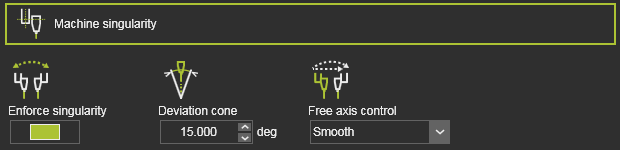 | Maschinensingularitätsattribute, die bei der Berechnung des Werkzeugwegs angewendet werden, d. h. die Algorithmen werden vor jeglicher weiterer manueller Optimierung, wie Teach, angewendet. |
| Singularität erzwingen | Erzwungene Singuläritätsoptimierung der A- und B-Achse (auch als C- und A-Achse bezeichnet) einer NC-Maschine. |
| Abweichungskegel | Achse mit Werten innerhalb des angegebenen Kegelwinkels werden optimiert. |
| Feste Achsensteuerung | Methode, wie beide Achsen optimiert werden. |
 | Laserzuschnitt-Rezepte. |
| Regshape verwenden | Schalter zum Umwandeln (geschlossener) Konturen in vordefinierte regelmäßige Formen wie Kreise, Rechtecke, Sechsecke usw. |
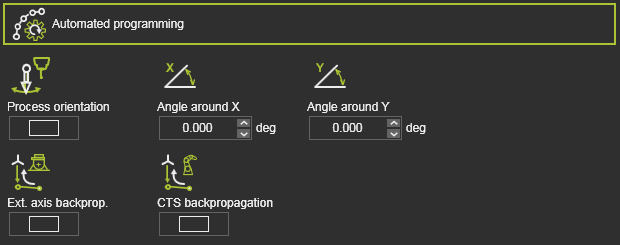 | Zusätzliche (Optimierungs-)Bedingungen zur Berechnung des Werkzeugwegs. |
| Prozessausrichtung | Ein Schalter zur Optimierung jedes Werkzeugweg-Elements unter Verwendung der Positionierachsen, um die Werkzeugachsen in Abwärtsrichtung zu halten. Die Bedingung ist nur verfügbar, wenn ein 1-2-Achsen-Positionierer, der das Werkstück trägt, an die Steuerung angeschlossen ist. |
| Ext. Achsenrückführung (Externe Achsenwerte im Anfahrbereich) | Die Achsenwerte einer externen Ressource, wie einer Vorrichtung, die an der ersten Position des Bearbeitungspfads eingestellt wurden, werden rückwärts bis zum Anfahrpunkt dieses Bearbeitungspfads propagiert. |
| CTS Rückpropagation | Die Konfiguration, Drehung und Singularitätszustand der Fertigungsressource, wie einer Lasermaschine, die an der ersten Position des Bearbeitungspfads eingestellt wurden, werden rückwärts bis zum Annäherungspunkt dieses Bearbeitungspfads propagiert. |
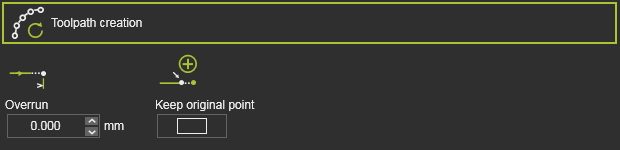 | Der Überlauf (Extrapolation) am Konturenende bei der Programmierung einer Operation. |
| Überlauf | Der Wert der Überlänge. Ein negativer Wert ist möglich. |
| Originalpunkt beibehalten | Umschalten, um festzulegen, ob das ursprüngliche Pfadelement (Position) zur Überlänge verschoben wird oder an seiner ursprünglichen Position verbleibt. Im letzteren Fall wird ein neues Pfadelement an der Überlängenposition erstellt. |
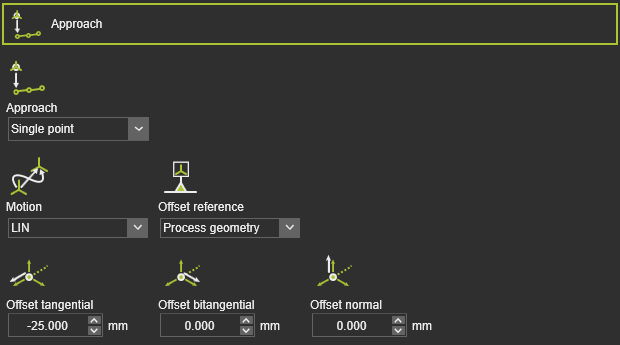 | Um eine Annäherungsbewegung an den laufenden Werkzeugpfad zu definieren. |
| Annäherung | Die Anzahl der Annäherungsschritte. |
| Bewegung | Der Bewegungstyp für die Annäherung. |
| Offset-Referenz | Die Referenz zur Bestimmung der Versatzrichtungen. |
| Tangentialer / bitangentialer / normaler Versatz | Der lokale Versatz des Anfahr-Schritts vom Start-Element des laufenden Werkzeugpfads. |
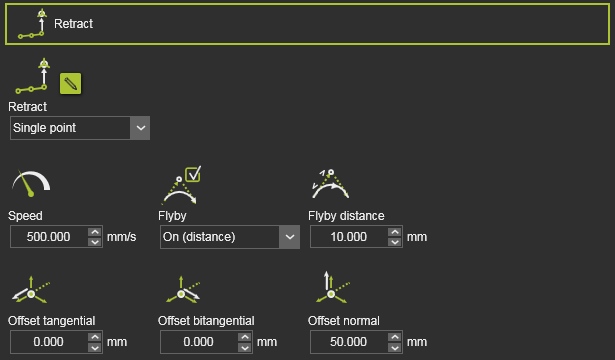 | Um eine Rückzugsbewegung vom aktuellen Werkzeugweg zu definieren. |
| Zurückziehen | Die Anzahl der Rückzugsschritte. |
| Geschwindigkeit | Die Geschwindigkeit des Rückzugs. |
| Durchflug | Erlauben Sie der Bewegung, die Flyby-Genauigkeit (Bei Entfernung) zu nutzen, oder erzwingen Sie die Bewegung zur Rückzugsposition (Aus). |
| Flyby-Distanz | Die Bewegungsgenauigkeit auf dem Rückzugsweg. |
| Tangentialer / bitangentialer / normaler Versatz | Lokaler Versatz des Rückzugsschritts vom Endelement des laufenden Werkzeugpfads. |
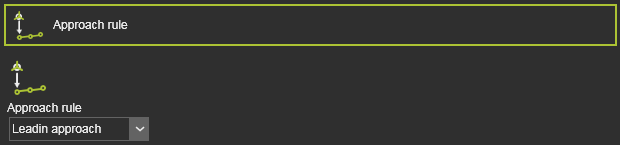 | Um eine Annäherungsbewegung an den laufenden Werkzeugpfad zu definieren. |
| Anfahrregel | The predefined approach. 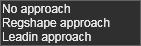 |
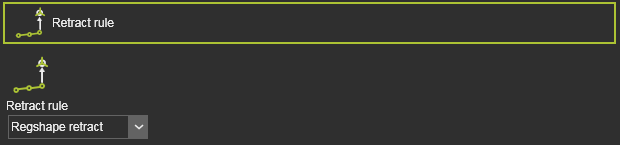 | Um eine Rückzugsbewegung vom aktuellen Werkzeugweg zu definieren. |
| Rückzugsregel | The predefined retraction motion. |
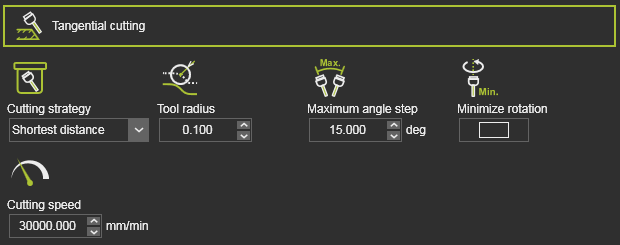 | Die Definition des tangentialen Schneidens. |
| Schneidstrategie | Die Strategie zur Berechnung des seitlichen tangentialen Werkzeugpfads. |
| Werkzeugradius | Die Anzahl der Steppnähte. |
| Maximaler Winkelabschnitt | Die maximal zulässige Änderung der Werkzeugwinkel entlang des berechneten Werkzeugpfads. |
| Rotation minimieren | Schalter zum Aktivieren der Berechnung mit minimaler Werkzeugwinkelrotation. |
| Schnittgeschwindigkeit | Die Geschwindigkeit entlang des Werkzeugpfads. |
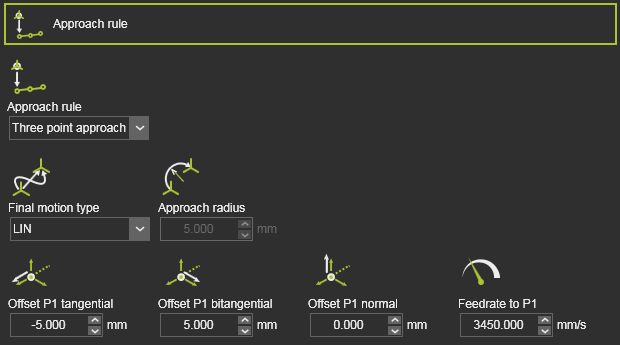 | Um eine Annäherungsbewegung an den laufenden Werkzeugpfad zu definieren. |
| Annäherung | Die Anzahl der Schritte oder die Methode des Annäherns. |
| Endgültiger Bewegungstyp | Der Bewegungstyp für den Annäherungsschritt zur Startposition im Prozess. |
| Anfahrtsradius | Der Radius des oben genannten Annäherungsschritts. Gilt, wenn der Endbewegungstyp kreisförmig ist. |
| Tangentialer / bitangentialer / normaler Versatz | Zum lokalen Versatz der Anfahrstufe(n) vom Start-Element des laufenden Werkzeugpfads. |
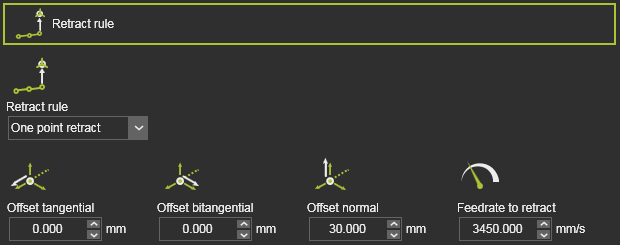 | Um eine Rückzugsbewegung vom aktuellen Werkzeugweg zu definieren. |
| Rückzugsregel | Die Anzahl der Schritte oder die Methode des Rückzugs. |
| Tangentialer / bitangentialer / normaler Versatz | Lokaler Versatz des Rückzugsschritts vom Endelement des laufenden Werkzeugpfads. |
| Vorschubgeschwindigkeit für Rückzug | Die Geschwindigkeit des Rückzugs-Schritts. |
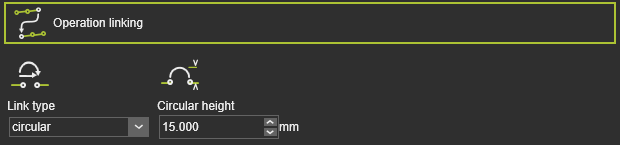 | Die Art und Weise, wie zur nächsten Operation gewechselt wird. |
| Verbindungstyp | The motion type to link the operations. 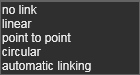 |
| Kreisförmige Höhe | Die Höhe des Durchgangspunkts zur Berechnung einer kreisförmigen Verknüpfung. |
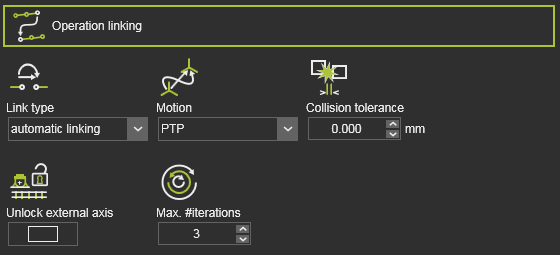 | Die Art und Weise, wie zur nächsten Operation für die automatische Verknüpfungspfaderzeugung gewechselt wird. |
| Verbindungstyp | Der Bewegungstyp wurde auf Automatische Verknüpfung eingestellt. |
| Bewegung | Der Bewegungstyp entlang des Pfades. |
| Kollisions-Toleranz | Definiert den Sicherheitsabstand bei der Erzeugung des Verbindungswegs. |
| Externe Achse entsperren | Verwendung des gesamten Bereichs der Werte der externen Achse für die Generierung des Verknüpfungspfads. Aus: Der Wert der externen Achse kann nur innerhalb des Intervalls geändert werden, das durch Start- und Endpunkt des Verknüpfungspfads vorgegeben ist. Ein: Die Werte der externen Achse sind im gesamten Bereich jeder Achse zu berücksichtigen (d.h. sie sind freigegeben). |
| Max. Anzahl der Iterationen | Definiert die maximale Anzahl von Iterationen, die der Pfadsuchalgorithmus ausführen wird. |
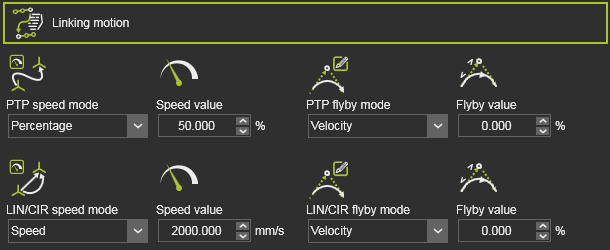 | Die Art und Weise, wie zur nächsten Operation gewechselt wird. Nur gültig für die automatische Verknüpfungspfaderzeugung. |
| Geschwindigkeitsmodus | The motion speed. 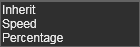 |
| Geschwindigkeitswert | Der Geschwindigkeitswert der Bewegung. |
| Flyby-Modus | The flyby motion, i.e. the accuracy to move along the link path positions. 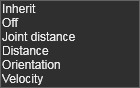 |
| Flyby-Wert | Der Wert der Flyby-Genauigkeit (sofern zutreffend). |
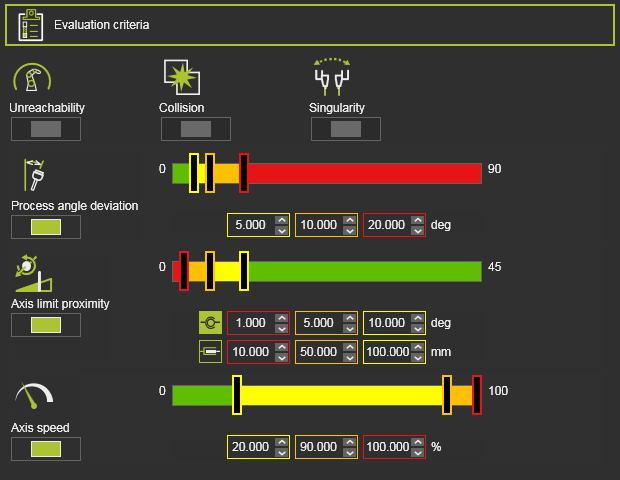 | Die Bewertungskriterien für die Werkzeugwegqualität. Der genaue Inhalt kann je nach Technologie variieren. |
| Unerreichbarkeit | Bewertet unerreichbare Situationen des Roboters oder der Maschine. |
| Kollision | Bewertet Kollisionen. |
| Singularität | Bewertet Singularitätssituationen des Roboters oder der Maschine. |
| Abweichung des Prozesswinkels | Bewertet die Abweichung des Prozesswinkels von seinem Referenzwert. |
| Achsnäherung an die Grenzwerte | Bewertet die Annäherung an die Grenzen der angetriebenen Achse. Getrennter Bewertungswertbereich für lineare und rotatorische Gelenkachse. |
| Achsgeschwindigkeit | Bewertet die Achsgeschwindigkeit aller angetriebenen Achsen als (absolute) Differenz zwischen dem Start- und dem Endpunkt der Bewegung zwischen Positionen. |
 | Die Parameter der automatischen Pfadoptimierung. |
| Variationsraum | Definiert, welche Änderungen an den Werkzeugweg-Elementen vorgenommen werden können, um die optimale Lösung, d. h. minimale Kosten, zu suchen. |
| Optimierungssteuerung | Attribute zur Steuerung des Optimierungsprozesses. |
Programmeignisse
Die generische Lichtbogenschweißtechnologie verfügt über die folgenden Programmierereignisse:
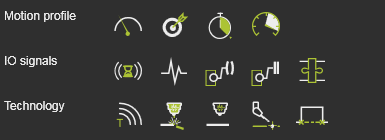
| Bewegungsereignisse | |
|---|---|
 Speed Speed | Legt die Geschwindigkeit für die nachfolgenden Bewegungen fest. |
 Accuracy Accuracy | Legt die Genauigkeit für die nachfolgenden Bewegungen fest. |
 Dwell Dwell | Legt eine Wartezeit am Pfadelement fest, während der das Werkzeug an der Position verbleibt, bevor es weiterbewegt wird. |
 Acceleration Acceleration | Legt die Beschleunigung für die nachfolgenden Bewegungen fest. |
| IO-Signalevents | |
|---|---|
 Wait for signal Wait for signal | Fügt ein Ereignis zum Warten auf ein Eingangssignal des aktiven Controllers hinzu. |
 Set signal Set signal | Fügt ein Ereignis zum Setzen eines Ausgangssignals des aktiven Controllers hinzu. |
 Synchronize robots Synchronize robots | Legt ein Ereignis fest, um kooperierende Roboter zu synchronisieren. |
 Set resource port Set resource port | Legt einen Port einer Ressource fest. |
 Wait for resource port Wait for resource port | Wartet auf einen Port einer Ressource. |
 Adapter actor Adapter actor | Setzt ein Signal eines mechanischen übergeordneten Adapters, um während der Simulation eine mechanische Verbindung zu erstellen oder zu löschen. |
| Technologieereignis | |
|---|---|
 Text Text | Fügt einen Kommentar ein. |
 Laser on Laser on | Schaltet den Laserstrahl ein. |
 Laser off Laser off | Schaltet den Laserstrahl aus. |
 Inspection data Inspection data | Legt eine Inspektionsposition fest. |
 Micro tab Micro tab | Erstellt eine Mikro-Vorrichtung an der Position. |
Hilfsbefehle
Die Standard-Lichtbogenschweißtechnologie liefert einige Hilfsbefehle, die auf der Programm-ID ausgeführt werden können, wie im Programm-Manager-Dashboard aufgeführt.