Öffnen Sie den Optimierungsbericht

Der Befehl Open existing optimization report öffnet den Bericht des zuletzt ausgeführten automatischen Werkzeugwegoptimierungsschritts.
Der Bericht wird in einem separaten Fenster geöffnet und zeigt eine Zusammenfassung der Optimierung, wie im folgenden Beispiel.
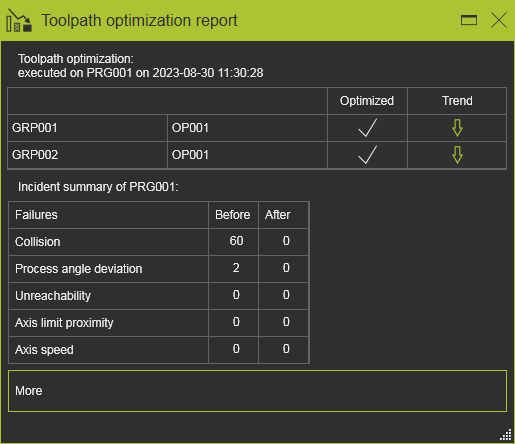
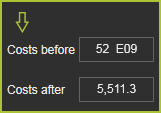
Das Schweben über dem Trendpfeil öffnet ein kleines Panel mit der Kostenbewertung vor und nach den Optimierungsschritten.
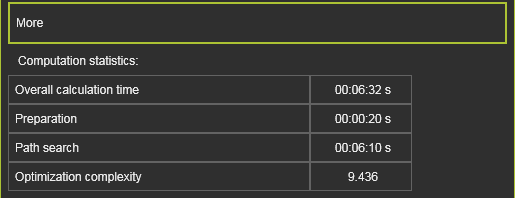
Im Container „Mehr“ werden einige Informationen über den Optimierungsprozess selbst angezeigt.
Weitere Informationen zur Werkzeugwegqualität und Optimierung

Was this page helpful?