Einstellungen zur Kollisionssimulation

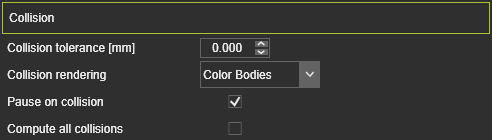
| Kollisions-Toleranz (mm) | Die Toleranz zwischen zwei Gruppen, wenn eine Kollision erkannt wird. Der Wert ist der Abstand zwischen den Gruppen. Ein Wert von 0 entspricht einem Kontakt. |
| Kollisionsdarstellung | Option if the colliding geometry has to be colored or not when collision is detected. 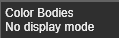 |
| Pause bei Kollision | Kontrollkästchen, um eine Bewegungsbildsimulation an der Position zu stoppen, an der eine Kollision erkannt wurde. Zum Fortsetzen muss die Wiedergabetaste erneut gedrückt werden. |
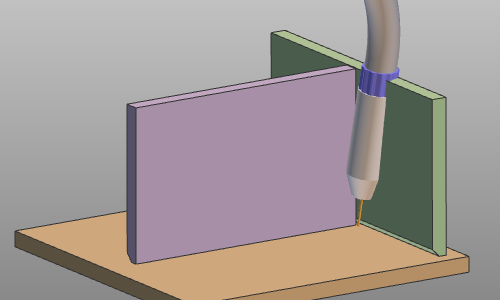
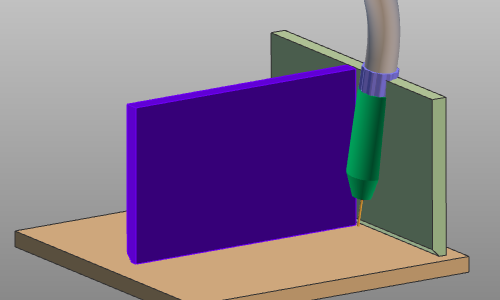
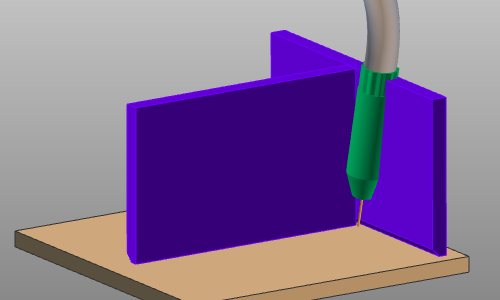
| Alle Kollisionen berechnen | Bei jedem Schritt der Simulation werden die Kollisionsprüfungen durchgeführt, und es können mehrere mögliche Kollisionen an beliebigen Positionen der simulierten Körper (d. h. Kollisionsgruppen) auftreten. Ist diese Option deaktiviert, wird die Kollisionsanalyse im Simulationsschritt sofort beendet, sobald eine Kollision erkannt wurde, unabhängig davon, ob gleichzeitig weitere Kollisionen auftreten können. Ist die Option aktiviert, wird die Kollisionsberechnung fortgesetzt und alle Kollisionen angezeigt, die in diesem Simulationsschritt auftreten. Siehe das folgende Beispiel. |
| Situation | Alle Kollisionen berechnen: Aus | Alle Kollisionen berechnen: Ein |
|---|---|---|
 |  |  |
Weitere Kollisionsreferenzinformationen

Was this page helpful?