Sequenzierungsfeld
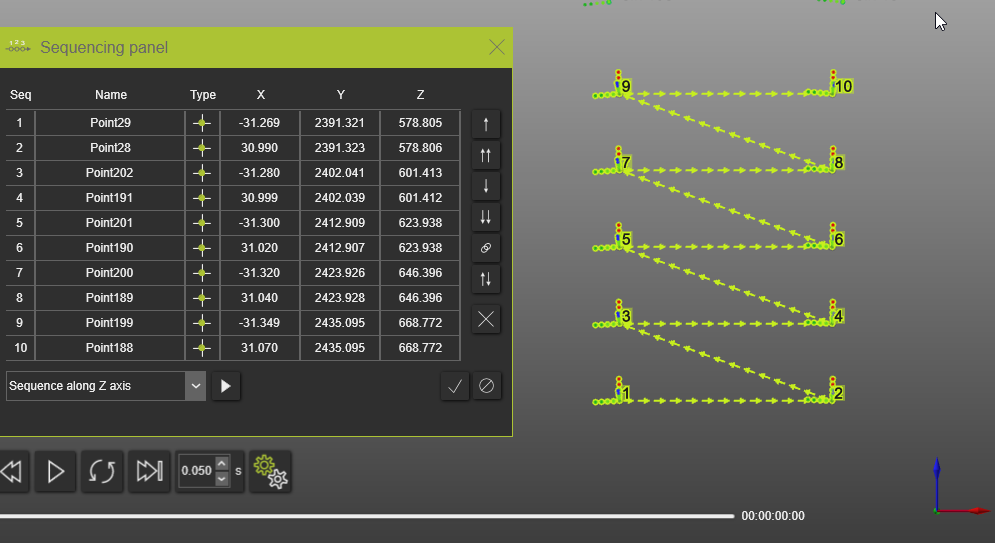
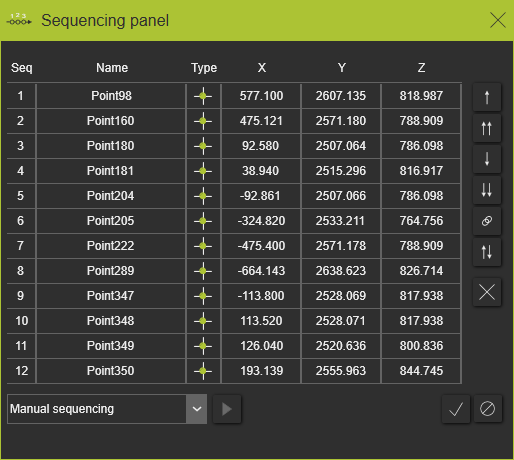
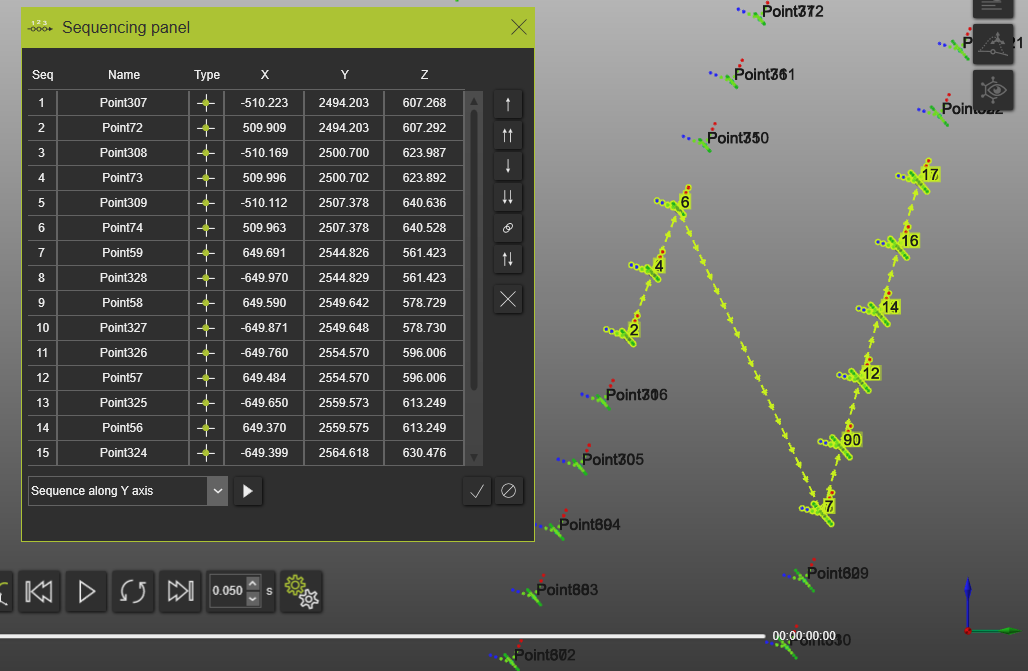
Der Sequencing panel-Befehl öffnet ein Panel, das eine Liste aller ausgewählten Prozessgeometrien aus der 3D-Ansicht oder vom Process geometry dashboard enthält.
Die Listen der ausgewählten Prozessgeometrien enthalten Informationen zur Reihenfolge der Prozessgeometrien in der Sequenz, zum Namen der Prozessgeometrie, zum Typ der Prozessgeometrie sowie zu den X-, Y- und Z-Koordinaten.
Sequenzierungsbefehle
 Verschieben Sie die Auswahl um eine Position nach oben
 Verschieben Sie die Auswahl an den Anfang der Liste
 Verschieben Sie die Auswahl um eine Position nach unten
 Auswahl an das Ende der Liste verschieben
 Gruppenauswahl
 Sequenz umkehren
 Aus der Sequenz Entfernen
 Programmiersequenz
 Fenster schließen
 Ausgewählten Algorithmus ausführen
Sequenzierungsalgorithmen
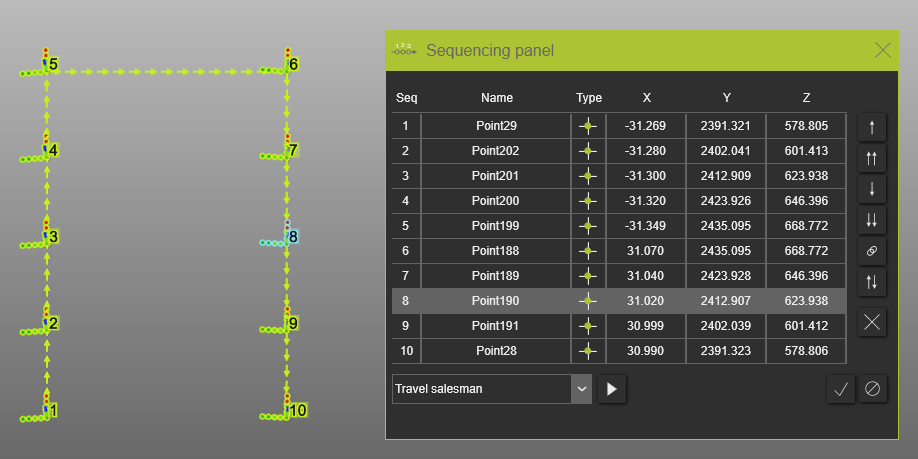
Reisender Handelsvertreter
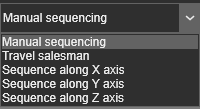
Mit dem Travel salesman-Algorithmus wird die Route des Werkzeugwegs, d. h. die Reihenfolge der Operation, neu berechnet. Definieren Sie die erste und die letzte Prozessgeometrie, die benötigt wird, indem Sie diese per Drag & Drop oder mit den Befehlen „Nach oben“ und „Nach unten“ in die Sequenzliste einfügen. Drücken Sie den Befehl „Ausgewählten Algorithmus ausführen“, nachdem die Start- und Endprozessgeometrie in der Sequenzliste festgelegt wurde.
Vorher:
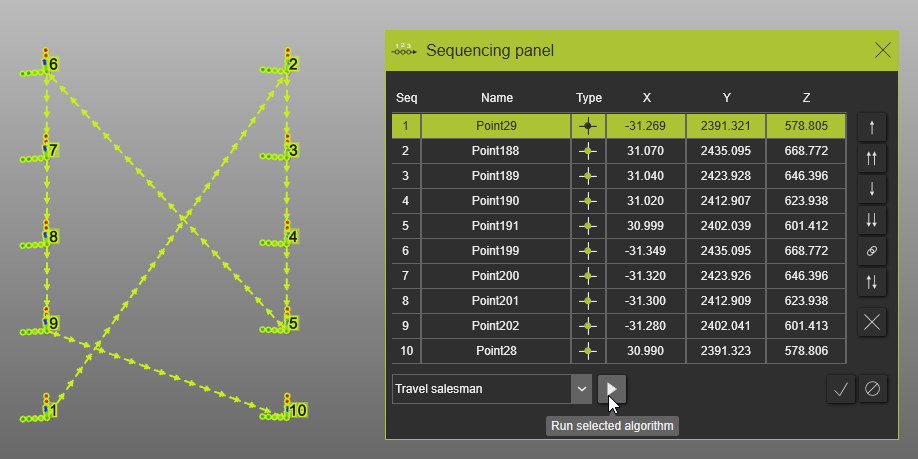
Nachher:
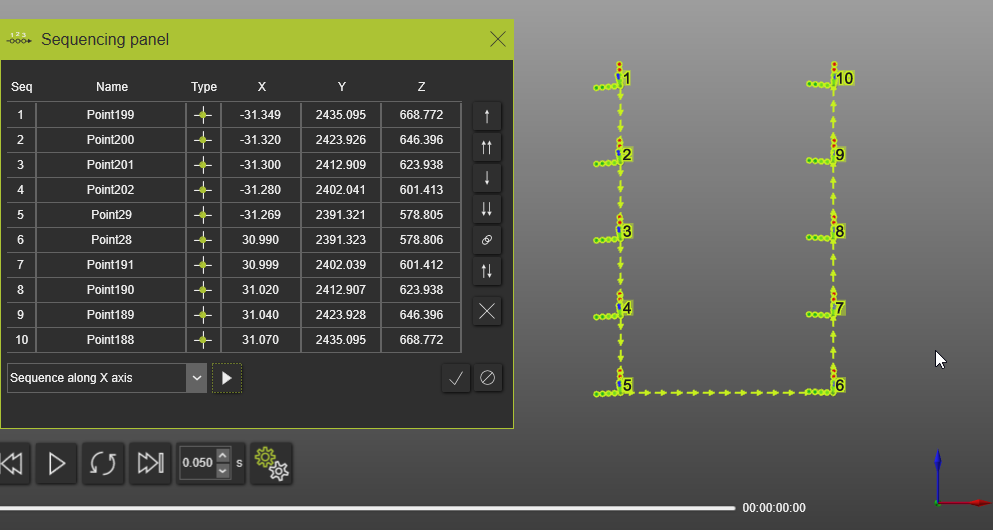
Sequenzierung entlang der X-Achse
Mit dem Sequence along X axis-Algorithmus wird die Sequenz vom ersten bis zum letzten Prozessgeometrieelement im Sequenzierungsfenster in Richtung der X-Achse (roter Kompasspfeil) des Weltkoordinatensystems ausgeführt.
Vorher:
Nachher:
Sequenzierung entlang der Y-Achse
Mit dem Sequence along Y axis-Algorithmus wird die Sequenz vom ersten bis zum letzten Prozessgeometrieelement im Sequenzierungsfenster in Richtung der Y-Achse (grüner Kompasspfeil) des Weltkoordinatensystems ausgeführt.
Vorher:
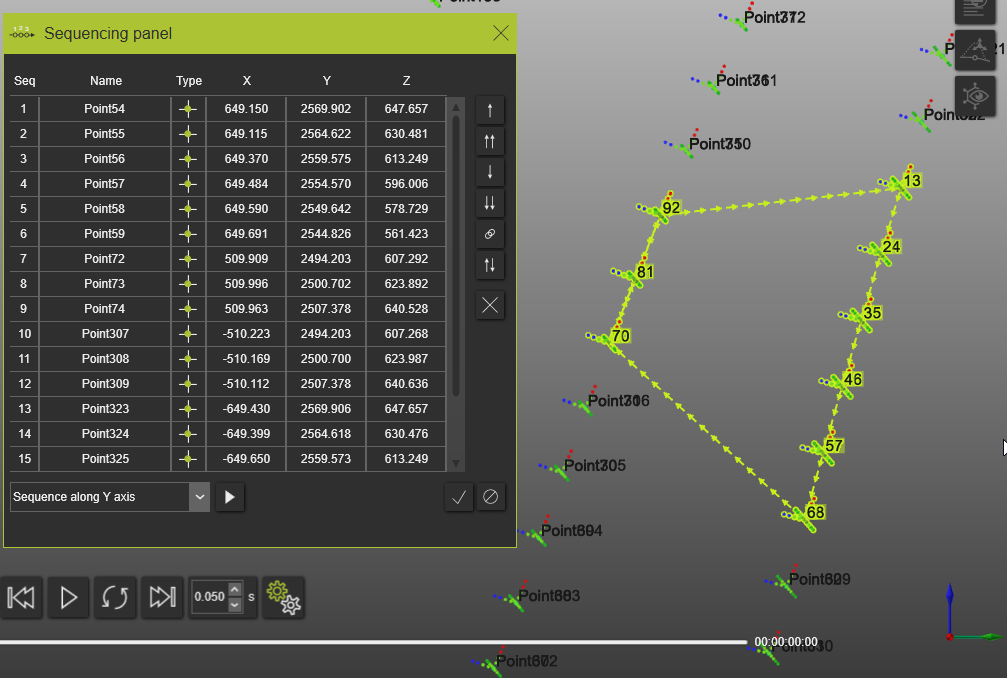
Nachher:
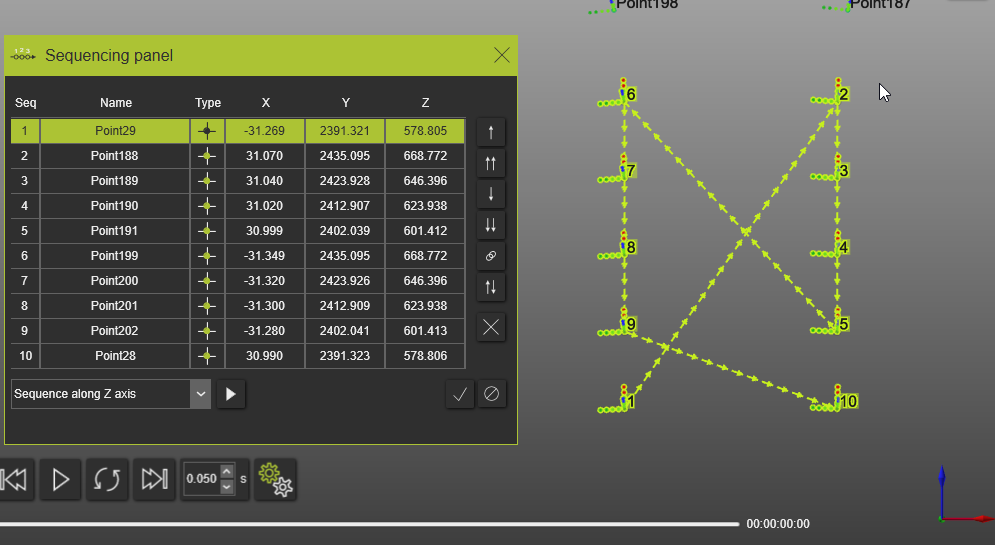
Sequenzierung entlang der Z-Achse
Mit dem Sequence along Z axis-Algorithmus wird die Sequenz vom ersten bis zum letzten Prozessgeometrieelement im Sequenzierungsfenster in Richtung der Z-Achse (blauer Kompasspfeil) des Weltkoordinatensystems ausgeführt.
Vorher:
Nachher: