Kehlnahtkontur basierte Prozessgeometrie

Befehl
Mit dem Befehl Create fillet weld process geometry kann diese spezielle Art der Prozessgeometrie erstellt werden.
Es startet eine spezielle Suchmethode, um die gemeinsame, d.h. sich überschneidende Kontur von zwei (Volumen-)Körpern zu finden. Eine typische Situation bei Lichtbogenschweißprojekten.
Die Funktionalität funktioniert nur bei Werkstücken, die aus mehreren Körpern aufgebaut sind. Baugruppen von Verschiedene, mehrere Werkstücke können mit diesem Befehl nicht verarbeitet werden.
Erstellen
Die Auswahl der Kontur unterstützt entweder die Auswahl eines einzelnen Elements oder eine Kontursuche, um die maximal mögliche Lösung zu finden. Das Aufrufen des Pie-Menüs in der 3D-Ansicht ermöglicht den Wechsel zwischen diesen Modi.



Die Auswahl eines Elements der Kontur führt automatisch entweder zu diesem einzelnen Element oder zur gesamten Kontur, ohne dass weitere Eingriffe des Benutzers erforderlich sind.
| Start | Ergebnis im aktiven Suchmodus |
|---|---|
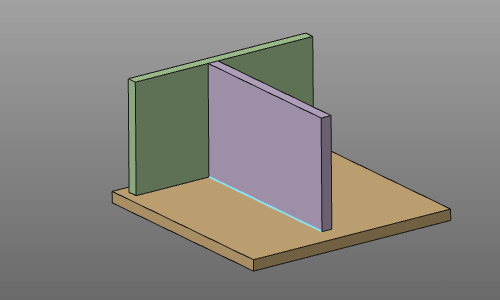 | 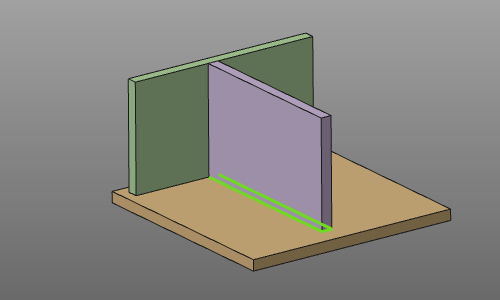 |
Im Suchmodus wurde die Kontursuche automatisch gestoppt, wenn andere Körper eine Art von Interferenz oder Kollision verursachen würden. Darüber hinaus wurden der Prozessgeometrie zusätzliche Attribute zugewiesen, die bei der Programmierung eines Werkzeugwegs darauf Anwendung finden. Diese Attribute werden in der Tabelle des Prozessgeometrie-Dashboards angezeigt.

Die spezifischen Attribute betreffen:
-
Berechnung der Kastennaht am Start- oder Endpunkt des Werkzeugwegs.
-
Der Arbeitswinkel des Werkzeugs wird als 1/2 * Winkel zwischen den Körpern berechnet.
Wenn diese Kontursuchmethode aufgrund mehrerer möglicher Ergebnisse nicht das erwartete Resultat liefert, Lösungen oder weil die geometrischen Informationen (die Körper) kein Ergebnis liefern können, dann muss die Prozessgeometrie mit der regulären Kontur-Prozessgeometrie-Funktionalität erstellt werden. Die Prozessgeometrie muss mit der regulären Kontur-Prozessgeometrie-Funktionalität erstellt werden.
Bearbeiten
Derzeit kann eine bestehende Prozessgeometrie für Kehlnähte im Zusammenhang mit Konturänderungen nicht modifiziert werden. Selbstverständlich kann das Prozessgeometrie-Objekt entfernt werden.
Seine Attribute für die Offline-Programmierung können im Prozessgeometrie-Dashboard geändert werden.
Automatische Generierung des Werkzeugwegs in OLP
Die Erstellung der Prozessgeometrie ist auch im OLP-Arbeitsbereich möglich. Dies dient der Bequemlichkeit, um nicht ständig zwischen der Werkstückvorbereitung und dem OLP-Arbeitsbereich wechseln zu müssen.
Beim Erstellen einer Rundnaht-Schweißprozessgeometrie im OLP-Arbeitsbereich wird nicht nur die Prozessgeometrie berechnet. Innerhalb derselben Operation wird unmittelbar danach ein Werkzeugweg generiert, ohne dass eine weitere Interaktion des Benutzers erforderlich ist. Der Werkzeugweg wird mit den Programmierstandardeinstellungen berechnet, die für die aktuell angewandte Technologie festgelegt sind, wobei deren spezifische Attribute berücksichtigt werden. Diese Attribute haben Vorrang vor den Programmierstandardeinstellungen.
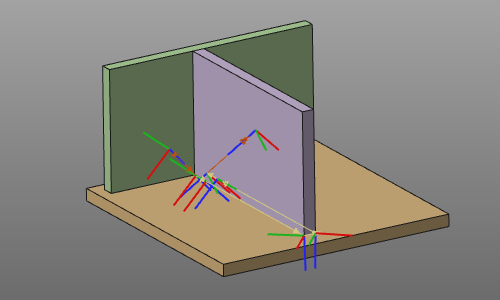
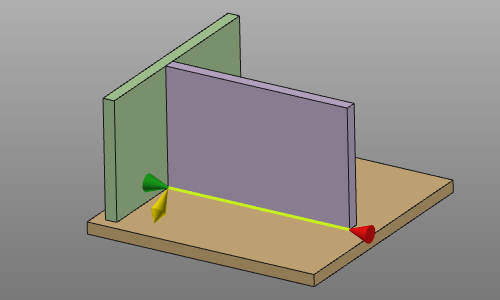
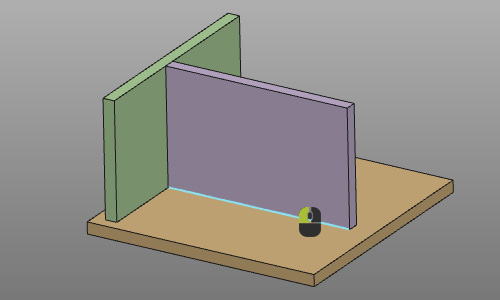
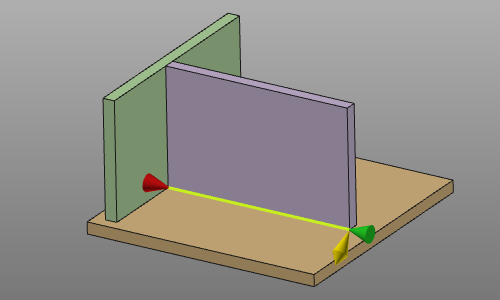
Darüber hinaus bestimmt bei der Auswahl des Konturs die Position auf diesem Kontur beim Anklicken die Richtung der Operation. Die Richtung wird am nächstgelegenen Endpunkt festgelegt und entlang des ausgewählten Konturelements berechnet.
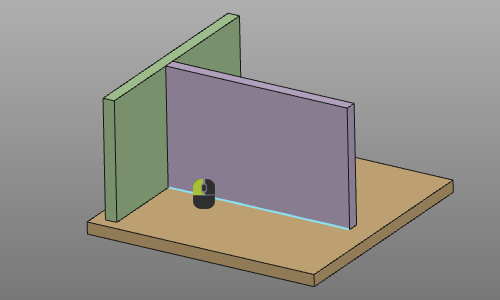 |  |
 |  |
