Lichtbogenschweißen

Lichtbogenschweißvorgang
Die Programmierung eines Werkzeugpfads für das Lichtbogenschweißen erzeugt im Wesentlichen einen (Schweiß-)Zyklus, d. h. eine Operation, die aus drei Abschnitten besteht:
-
Annäherung (außerhalb des Prozesses)
-
Schweißprozess (im Prozess)
-
Rückzug (außerhalb des Prozesses)
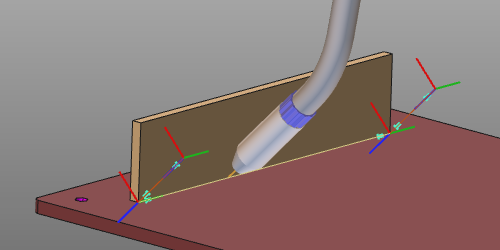
Der Schweißzyklus wird durch die Programmierattribute und -ereignisse berechnet und gesteuert.
Schweißzyklen
Das Lichtbogenschweißen unterstützt verschiedene globale Schweißzyklen.
| Kontinuierlich | Erzeugt eine Schweißnaht entlang des Prozesspfads von der Start- bis zur Endposition. | 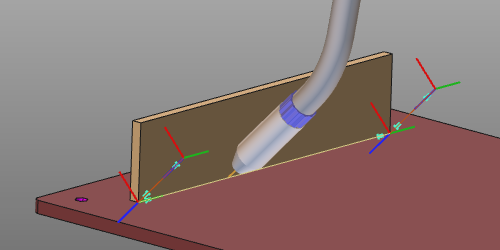 |
| Steppschweißen | Erzeugt eine intermittierende Schweißnaht entlang des Prozesspfads, bestehend aus einer bestimmten Anzahl kleinerer Schweißnähte. | 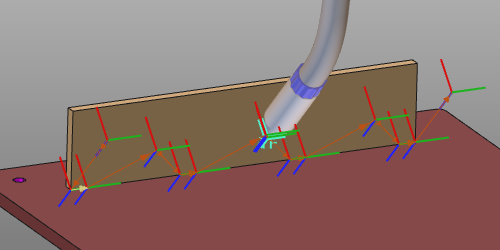 |
| Punkt | Erzeugt einen Schweißpunktzyklus an der definierten Position bzw. den definierten Positionen. | 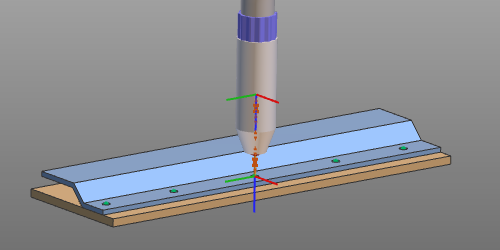 |
Zusätzlich zu diesen globalen Schweißzyklen können spezielle Funktionen oder Routinen angewendet werden, um maximale Optimierung, Effizienz und Leistung zu erzielen.
| Kasten-Schweißen | Erweitert den globalen Schweißzyklus, bei dem an der Start- und Endposition des Pfades die Schweißparameter von denen des restlichen Zyklus abweichen müssen. Beispielsweise in Ecken, um den Pfad ohne Kollision zu erreichen. | 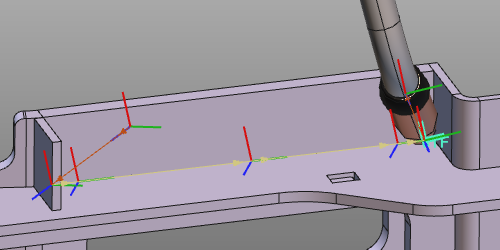 |
| Prozessorientierung | Funktioniert nur in Situationen, in denen ein 1- oder 2-Rotationsachsen-Positionierer das Werkstück trägt und der Positionierer (Bewegung) mit der Steuerung verbunden ist. An jeder Werkzeugwegposition werden die Positioniererachsen so gesteuert, dass die Normale des Schweißwerkzeugs (und somit auch die Schweißnaht) in der Unterhandschweißposition gehalten wird. In der Unterhandschweißposition bleibt das flüssige Schweißmaterial an Ort und Stelle. | 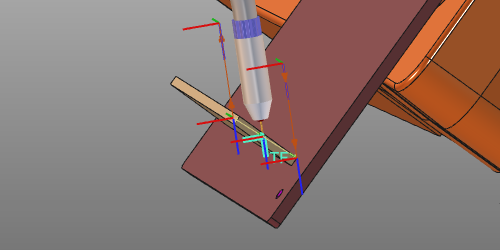 |
| Nahtkalibrierung | Abhängig von der Kalibrierungsmethode: Erzeugt einen Zyklus, der den Vorgang der Nahtkalibrierung darstellt. Zum Beispiel Kalibrierung über Berührungspunkte. Erweitert den bestehenden Schweißzyklus um die Kalibrierungsdefinition. Zum Beispiel Kalibrierung über Nahtverfolgung mit Laser. | 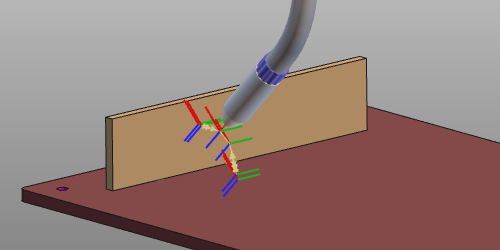 |
Werkzeugwinkel
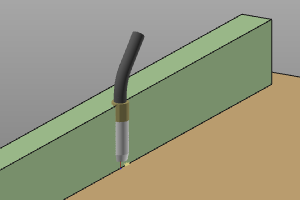
Im Allgemeinen gibt es drei Werkzeugwinkel, um die Ausrichtung der Schweißbrenner-Vorrichtung ausgehend von ihrer Nennposition zu definieren.
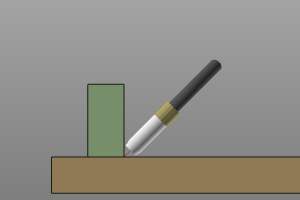 | 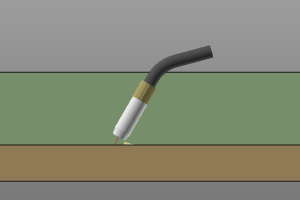 | 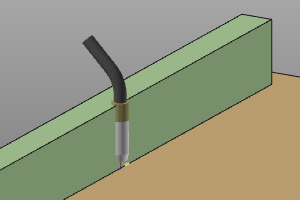 |
| Arbeit | Vorschub | Werkzeug |
Werkzeugausrichtung
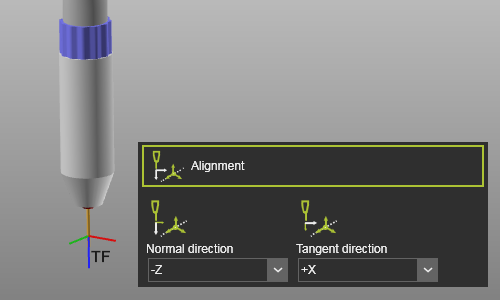
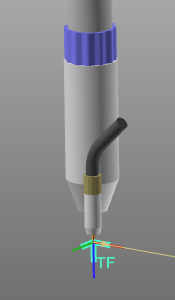
Jedes Werkzeug verfügt über einen Werkzeugrahmen, der verwendet wird, um es auf dem Werkzeugweg in der korrekten Position und Ausrichtung zu platzieren. Es ist unerlässlich, dass dieser Rahmen mit der Ausrichtung der Prozessgeometrie abgeglichen wurde, um ein korrektes Ergebnis zu erzielen. Diese Ausrichtung stellt die Zuordnung zwischen dem Werkzeugrahmen und der Prozessgeometrie dar.
Bei der Erstellung der Prozessgeometrie wurden eine Normalrichtung und eine Tangente, d.h. die Fahrtrichtung, definiert.
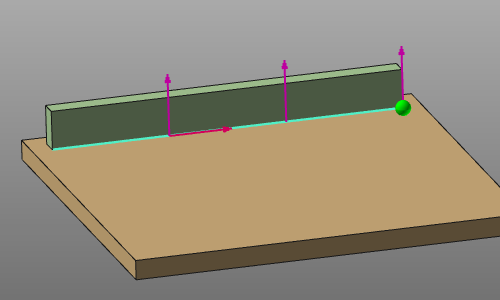
Mit den Ausrichtungsattributen müssen die Achsen des Werkzeugrahmens mit diesen Richtungen abgeglichen werden, um das Werkzeug korrekt auszurichten.
 |  |
Nahtkalibrierung
Der Schweißvorgang kann durch eine Nahtkalibrierungsoperation erweitert werden, um die Position der Schweißnaht zu bestimmen.
Mehrere Kalibrierungsmethoden sind implementiert:
 | Berührungserkennung mit Draht Bestimmung des Werkstücks durch Berührung (d.h. Kollision) zwischen dem Schweißpistolendraht und dem Werkstück. Die Kalibrierung der Werkstückposition erfolgt vor Beginn des Schweißprozesses. | 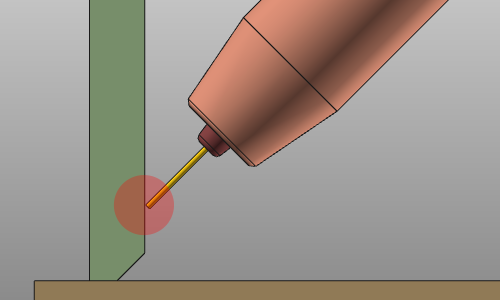 |
| Berührungserkennung mit Düse Bestimmung des Werkstücks durch Berührung (d.h. Kollision) zwischen der Schweißpistolendüse und dem Werkstück. Die Kalibrierung der Werkstückposition erfolgt vor Beginn des Schweißprozesses. | 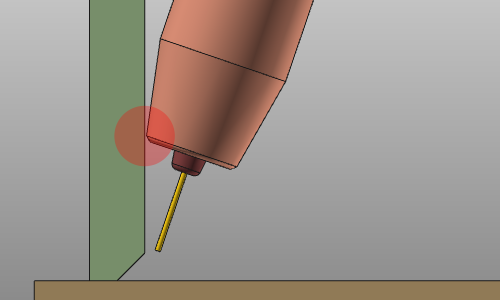 |
 | Nahtsuche mit Punktlaser Bestimmung des Werkstücks durch Messung der Werkstückposition mit einem Laser. Die Kalibrierung der Werkstückposition erfolgt vor Beginn des Schweißprozesses. | 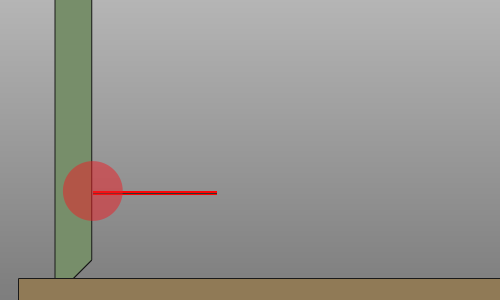 |
 | Nahtfindung mit Linienlaser Bestimmung des Werkstücks durch Messen, d.h. Scannen der Start- und Endposition der Schweißnaht mit einem 2D/3D-Linienlaser. Die Kalibrierung der Schweißnaht erfolgt vor Beginn des Schweißprozesses. | 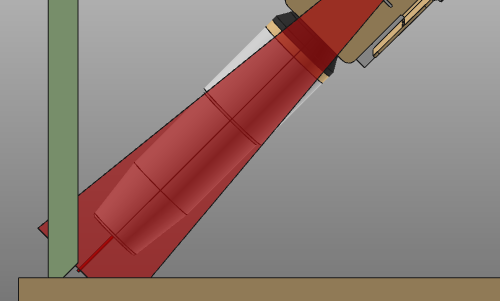 |
 | Nahtverfolgung mit Linienlaser Bestimmung des Werkstücks durch kontinuierliche Messung der Werkstückposition während des Schweißvorgangs mit einem Linienlaser. | 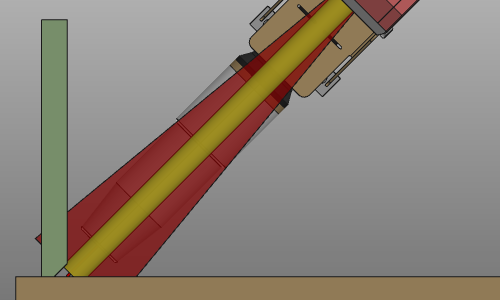 |
Programmiereigenschaften
Die Anzeige der Programmierattribute in den Dashboards Programmierstandards und Aktives Programm wird in einer Settings.xml-Datei definiert. Bei einer Standardinstallation befindet sich eine Standarddatei im Pfad <install>\E2Plugin\Technologies\ArcWeldingTechnology\Standard\ControllerSettings.
| Tech-Registerkarte | Behälter | Attribut | Beschreibung |
|---|---|---|---|
 Programm-Basis |  | Basisrahmen | Der Bezugsrahmen des Programms. |
 Werkzeugdaten | 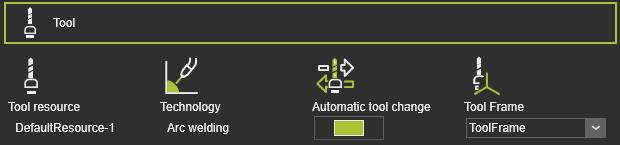 | Werkzeugressource | Der Name des Werkzeugs. |
| Technologie | Die angewandte Technologie. | ||
| Automatischer Werkzeugwechsel | |||
| Werkzeugrahmen | Der Werkzeugrahmen, der den Werkzeugweg ausführt. | ||
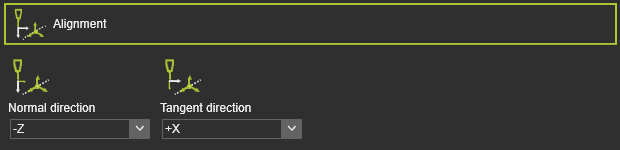 | Normale Richtung | Die Ausrichtung der Z-Achse des Werkzeugkoordinatensystems mit der Normalenrichtung der Prozessgeometrie. | |
| Tangentialrichtung | Die Ausrichtung der X-Achse des Werkzeugrahmens an der Tangentialrichtung der Prozessgeometrie. | ||
 Fertigungsgeometrie | 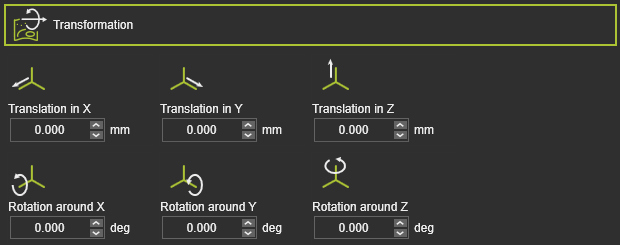 | Translation in X,Y,Z | Die globale Translation in X-, Y- oder Z-Richtung. |
| Drehung um X,Y,Z | Die globale Rotation um die X-, Y- oder Z-Achse. | ||
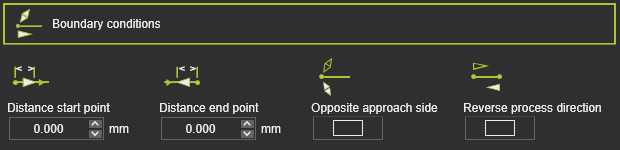 | Abstand Startpunkt | Der Abstand des ersten Bearbeitungspunkts von der Startposition der Prozessgeometrie. | |
| Abstand Endpunkt | Der Abstand des letzten Bearbeitungspunkts zur Endposition der Prozessgeometrie. | ||
| Gegenüberliegende Anfahrseite | Drehen Sie die Anfahrtsseite an der Herstellungsstartposition um. | ||
| Richtung des Herstellungsprozesses umkehren | Richtung des Fertigungsprozesses umkehren. | ||
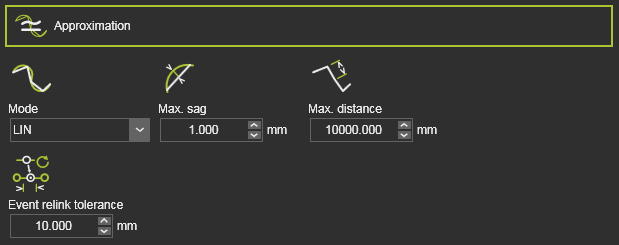 | Modus | Annäherungsmodus. | |
| Max. Durchbiegung | Maximal zulässige Abweichung zwischen Geometrie und Werkzeugweg. | ||
| Max. Abstand | Maximaler Abstand zwischen zwei Werkzeugweg-Elementen. | ||
| Toleranz für das erneute Verbinden von Ereignissen | Toleranz zum erneuten Verbinden vorhandener Ereignisse nach Neuberechnung. | ||
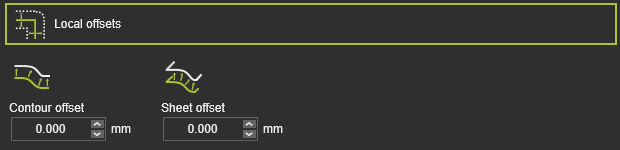 | Konturoffset | Versatz in bi-tangentialer Richtung. | |
| Blechversatz | Versatz in Richtung der Oberflächennormale. | ||
 Technologiebasis | 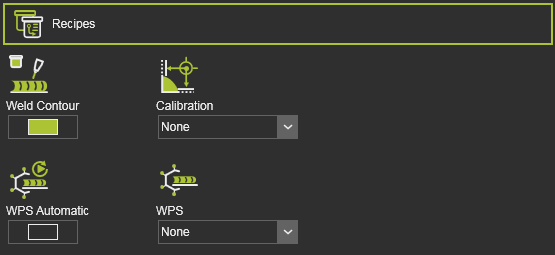 | Schweißkontur | Definiert die Kontur-Schweißoperation. |
| Kalibrierung | Auswahl der Kalibrierungsmethoden für die Schweißnaht. | ||
| (Zusätzliche) | Zusätzliche Kalibrierungsattribute. | ||
| Automatische Zuweisung der Schweißverfahrensspezifikation | Automatische Zuweisung der Schweißverfahrensspezifikation. | ||
| WPS | Manuelle Zuweisung der Schweißverfahrensspezifikation. | ||
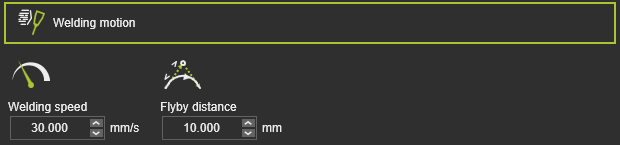 | Schweißgeschwindigkeit | Schweißgeschwindigkeit. | |
| Flyby-Distanz | Bewegungsgenauigkeit auf dem Schweißweg. | ||
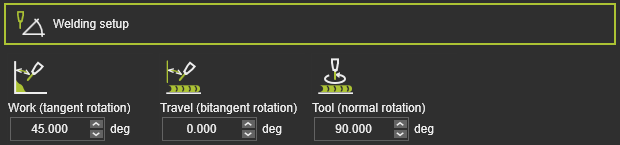 | Arbeits- (Tangentialdrehung) | Arbeitswinkel. | |
| Vorschub (Bitangentialdrehung) | Vorschubwinkel. | ||
| Werkzeug (Normale Rotation) | Werkzeugwinkel. | ||
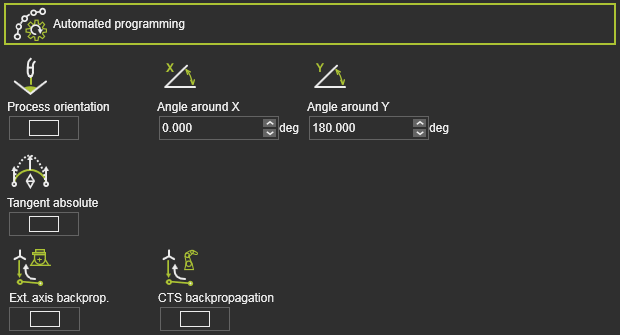 | Prozessorientierung | Werkzeugachsen in Abwärtsrichtung halten. | |
| Tangential absolut | Richtung Tangential absolut automatisch anwenden. | ||
| Externe Achsenrückführung | Externe Achsenwerte rückwärts propagieren. | ||
| CTS Rückpropagation | Konfigurations- und Singularitätszustand rückwärts propagieren. | ||
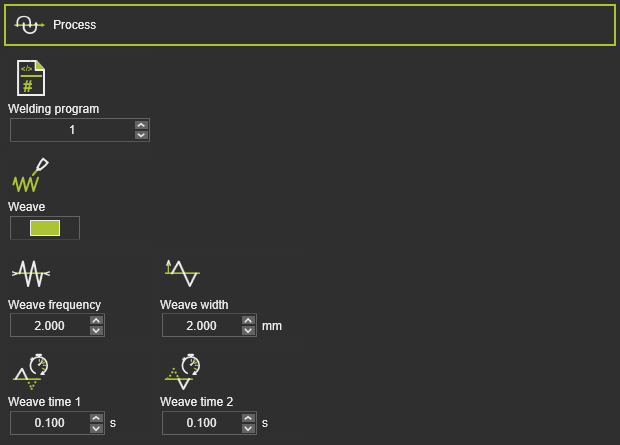 | Schweißprogramm | Schweißprogrammnummer. | |
| Webmuster | Aktivieren Sie die Bewegung des Webmusters. | ||
| Webfrequenz | Frequenz des Schweißmusterwechsels. | ||
| Webbreite | Amplitude des Webmusters. | ||
| Webzeit 1 | Linker Verweilzeit des Schweißmusterverlaufs. | ||
| Webzeit 2 | Rechte Verweildauer des Schweißmusters. | ||
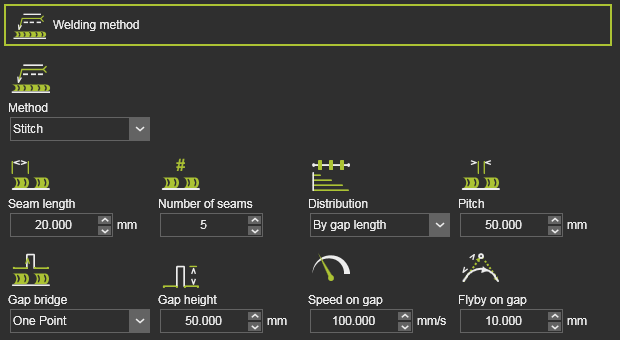 | Methode | Kontinuierliches oder Punkt-Schweißen. | |
| Nahtlänge | Länge der Steppnaht. | ||
| Anzahl der Nähte | Anzahl der Steppnähte. | ||
| Verteilung | Verteilung der Stiche entlang des Werkzeugpfads. | ||
| Steigung | Abstand zwischen den Stichen. | ||
| Brückenbewegung zwischen Nähten | Brückenbewegung zwischen Nähten. | ||
| Spalthöhe | Höhe der Spaltbrücke. | ||
| Geschwindigkeit auf der Lücke | Geschwindigkeit auf der Brückenbahn. | ||
| Überflug über Spalt | Genauigkeit zur Erreichung der Brückenhöhe. | ||
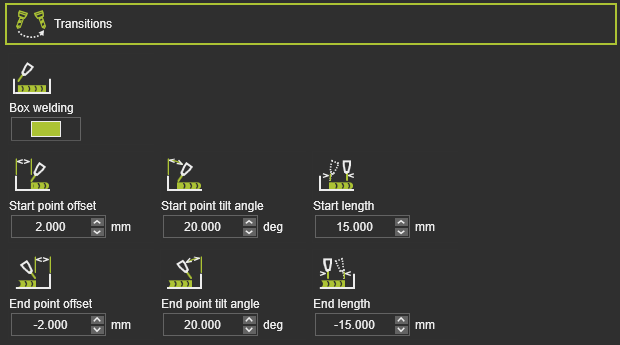 | Kasten-Schweißen | Aktivieren Sie den Box-Schweißprozess. | |
| Start- / Endpunktversatz | Versatz Start-/Endposition. | ||
| Neigungswinkel des Start-/Endpunkts | Neigungswinkel an Start-/Endposition. | ||
| Start- / Endlänge | Übergangslänge am Anfang/Ende. | ||
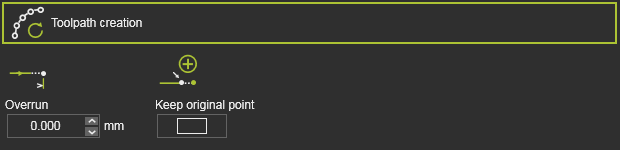 | Überlauf | Überlänge-Wert. | |
| Originalpunkt beibehalten | Originalpunkt beibehalten oder verschieben. | ||
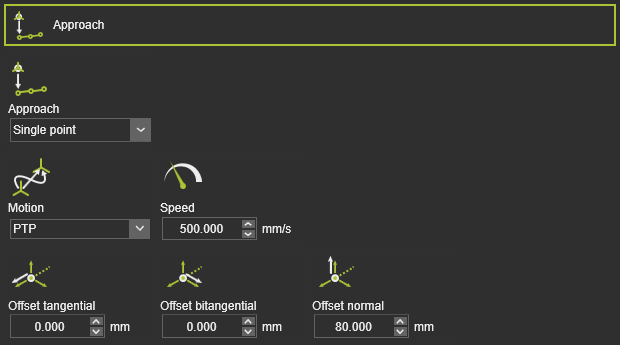 | Annäherung | Anzahl der Annäherungsschritte. | |
| Bewegung | Bewegungsart für die Annäherung. | ||
| Geschwindigkeit | Annäherungsgeschwindigkeit. | ||
| Tangentialer / bitangentialer / normaler Offset | Lokaler Versatz des Annäherungsschritts. | ||
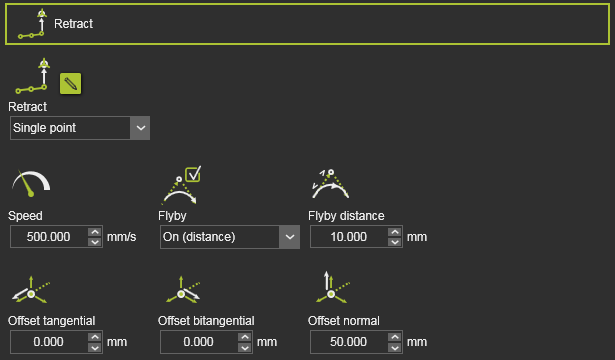 | Zurückziehen | Anzahl der Rückzugsschritte. | |
| Geschwindigkeit | Rückzugs-Geschwindigkeit. | ||
| Vorbeiflug | Verwenden Sie Flyby-Genauigkeit oder exakte Rückzugsposition. | ||
| Flyby-Distanz | Bewegungsgenauigkeit auf dem Rückzugsweg. | ||
| Tangentialer / bitangentialer / normaler Offset | Lokaler Versatz des Rückzugs-Schritts. |
Programmevents
Die generische Lichtbogenschweißtechnologie verfügt über die folgenden Programmevents:
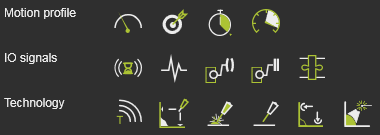
| Bewegungsereignisse | |
|---|---|
 Speed Speed | Legt die Geschwindigkeit für die nachfolgenden Bewegungen fest. |
 Accuracy Accuracy | Legt die Genauigkeit für die nachfolgenden Bewegungen fest. |
 Dwell Dwell | Legt eine Wartezeit am Pfadelement fest, während der das Werkzeug an der Position verbleibt, bevor es weiterbewegt wird. |
 Acceleration Acceleration | Legt die Beschleunigung für die nachfolgenden Bewegungen fest. |
| E/A-Signalevents | |
|---|---|
 Wait for signal Wait for signal | Fügt ein Ereignis zum Warten auf ein Eingangssignal des aktiven Controllers hinzu. |
 Set signal Set signal | Fügt ein Ereignis zum Setzen eines Ausgangssignals des aktiven Controllers hinzu. |
 Synchronize robots Synchronize robots | Legt ein Ereignis fest, um kooperierende Roboter zu synchronisieren. |
 Set resource port Set resource port | Legt einen Port einer Ressource fest. |
 Wait for resource port Wait for resource port | Wartet auf einen Port einer Ressource. |
 Adapter actor Adapter actor | Setzt ein Signal eines mechanischen übergeordneten Adapters, um während der Simulation eine mechanische Verbindung zu erstellen oder zu löschen. |
| Technologieereignis | |
|---|---|
 Text Text | Fügt einen Kommentar ein. |
 Seam search Seam search | Aktiviert und definiert die Bewegungen zur Identifizierung der Nahtposition. |
 Arc on Arc on | Schaltet den Lichtbogen ein. |
 Arc off Arc off | Schaltet den Lichtbogen aus. |
 Touch connect Touch connect | Weist die Schweißnahtkalibrierung der/dem Schweißvorgang(en) zu. |
 Seam tracking Seam tracking | Aktiviert die Laser-Nahtverfolgung. |
Prozessmodell
Den Betriebsbedingungen des Schweißprozesses wird eine Schweiß-ID zugewiesen. In der Prozess-Tabelle des Controllers können diese Schweiß-IDs mit ihren spezifischen Prozesswerten eingetragen werden. Wenn die Schweiß-ID für die Naht (Prozessgeometrie) festgelegt wird, wendet der Controller die entsprechenden Prozesswerte für diesen Schweißvorgang an.


In diesem Schweißprozessmodell kann auch angegeben werden, ob eine bestimmte Schweißeinrichtung Mehrlagenschweißen verwendet.
Hilfsbefehle
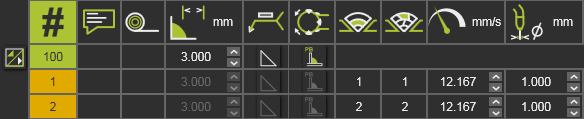
Die Standard-Lichtbogenschweißtechnologie bietet einige Hilfsbefehle, die auf der Programm-ID ausgeführt werden können, wie im Programm-Manager-Dashboard aufgeführt.