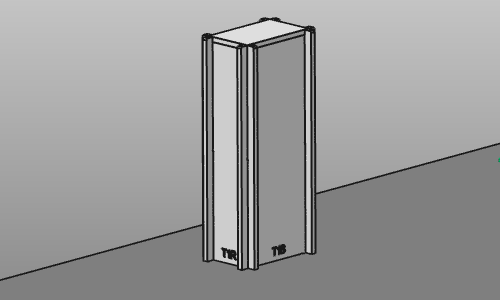
Erstellen Sie einen Spannvorrichtungsturm

Mit dem Add a clamp tower-Befehl wird eine rechteckige, säulenbasierte Struktur aus Platten zur Vorrichtung hinzugefügt, um ein Turmobjekt zu erstellen, das typischerweise verwendet wird, um eine Vorrichtung zur Fixierung des Werkstücks zu montieren.
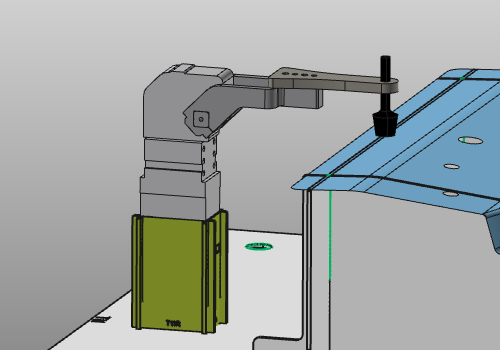
Das Zentrum des Manipulators muss über der Grundplatte der Vorrichtung positioniert werden. Die U-Achse des Manipulators dient als Referenz für die Ausrichtung. Die UV-Ebene des Manipulators ist die Referenzebene für die Höhe des Turms.
| Ausrichtung | Höhe |
|---|---|
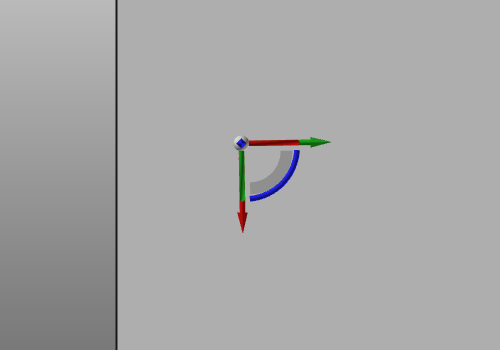 | 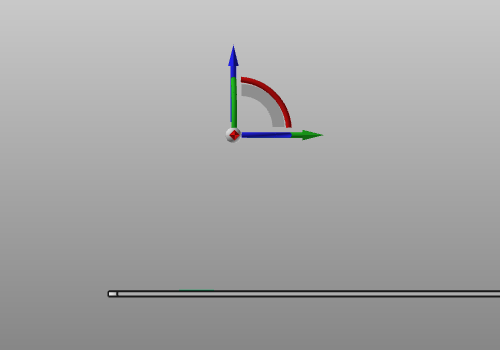 |
Wenn der Befehl gestartet wird, erscheint ein Bedienfeld mit den Parametern des Turms.
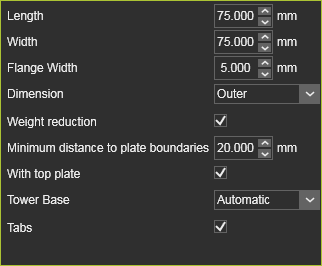
| Parameter | Beschreibung | Bemerkung |
|---|---|---|
| Länge | Die Größe des Turms in U-Richtung des Manipulators. | |
| Breite | Die Größe des Turms in V-Richtung des Manipulators. | |
| Flanschbreite | Der äußere Teil (Flansch) auf der Turmplatte an der Verzahnung auf der Platte. | Wert ≥ 2,0 mm. |
| Abmessung | Die Länge- und Breitenabmessung, gemessen an der inneren oder äußeren Begrenzung der Vorrichtung. | |
| Gewichtsreduzierung | Option zum Entfernen unnötigen Materials in den Platten zur Gewichtsreduzierung der Vorrichtung. | |
| Mindestabstand zu den Plattengrenzen | Der Mindestabstand zur Plattengrenze, d. h. die Mindestbreite nach der Gewichtsreduzierung. | |
| Mit oberer Platte | Der Turm umfasst eine flache obere Platte, um sein Inneres zu verschließen. | |
| Turmbasis | The plane of where the tower base, i.e. its foot is being computed. This can be the top of the base plate, when positioned on the base plate, or the bottom of the base plate, when positioned outside the base plate. When the tower is positioned partially onto the base plate, the user has to decide at what plane the tower base has to be computed. 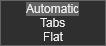 | Automatisch Das System erkennt automatisch, ob der Turm vollständig auf der Grundplatte oder außerhalb der Grundplatte positioniert ist. Laschen Berechnet an der oberen Seitenebene der Grundplatte. Flach Berechnet an der unteren Seitenebene der Grundplatte. |
| Laschen | Die Turmplatten enthalten Laschen an der Unterseite, um den Turm auf der Grundplatte zu positionieren. |
Alle anderen Attribute des Turms, wie die Plattenstärke oder die Gravur, werden in den globalen Vorrichtungseigenschaften definiert und können dort bearbeitet werden.
Wenn die Abmessungen und anderen Parameter gemäß dem vorgesehenen Design festgelegt wurden, wird durch einen einfachen Mausklick außerhalb des Panels die Erstellung des Tower-Objekts ausgeführt. Es besteht aus vier vertikalen, ineinandergreifenden Platten, von denen jede eine eigene Identität besitzt. Optional befindet sich oben eine Platte, um das Innenfach des Towers zu verschließen.