Benutzerdefinierte Attribute
Benutzerdefinierte Attribute
Benutzerdefinierte Attribute können im Komponenten- oder Layout-Dashboard festgelegt werden.
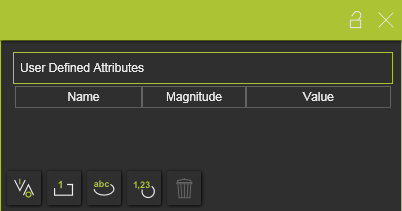
Es gibt vier Haupttypen von benutzerdefinierten Attributen.
| Typ | Beschreibung | Bemerkung | |
|---|---|---|---|
| Boolesch |  | Ein Attribut, das entweder den Wert True oder False hat. | The value is set True by pressing the value button 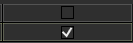 |
| Ganzzahl |  | Eine ganze Zahl verschiedener Größenordnungen. Für jede Größenordnung wird die Einheit automatisch festgelegt und angezeigt. | A drop down list is available to specify the required magnitude 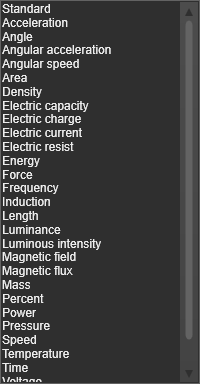 |
| Zeichenkette |  | Ein textbasiertes Attribut. | |
| Gleitkommazahl |  | Eine reelle Zahl unterschiedlicher Größenordnungen. Für jede Größenordnung wird die Einheit automatisch festgelegt und angezeigt. | Eine Dropdown-Liste, wie bei dem Integer-Attribut, steht zur Verfügung, um die spezifische Größe anzugeben. |
Das benutzerdefinierte Attribut kann durch Klicken auf die Schaltfläche für den Attributtyp hinzugefügt werden. Das Attribut wird der Liste hinzugefügt und erhält einen Standardnamen sowie einen Standardwert. Durch Auswahl des Namens oder Werts kann dieser geändert werden.
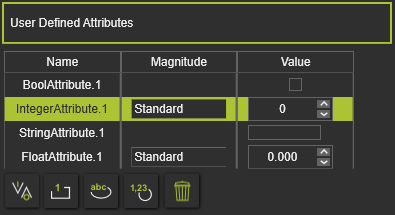
Das aktuell aktive, ausgewählte benutzerdefinierte Attribut kann durch Drücken der Löschen-Befehlsschaltfläche  entfernt werden.
Benutzerdefinierte Attribute, die verwendet werden in

Was this page helpful?