Ereignis erstellen oder bearbeiten

Mit dem Befehl Event können neue Ereignisse erstellt und bestehende Ereignisse geändert werden.
Wenn der Befehl gestartet wurde, erscheint das Ereignis-Dialogfenster, wie im folgenden Beispiel.
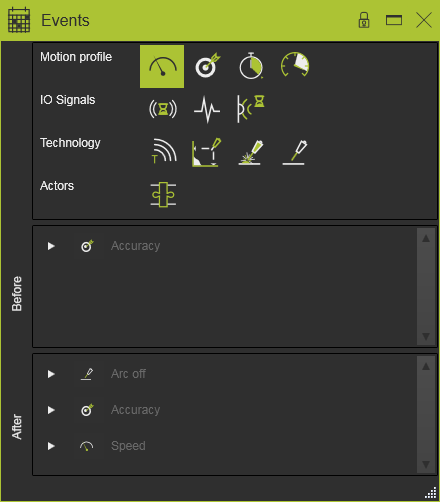
Die verfügbaren Anweisungen, sowohl Standard- als auch technologiespezifische, sind im oberen Bereich des Dashboards aufgeführt. Die Anweisung kann so angewendet werden, dass sie vor Erreichen der Werkzeugwegposition oder nachdem die Position verlassen wurde, ausgeführt wird. Durch Auswählen der Anweisung und Ziehen in den Before- oder After-Bereich wird das Ereignis erstellt. Das untenstehende Bild zeigt ein Beispiel. Mehrere Anweisungen können einem Werkzeugwegelement zugewiesen werden.
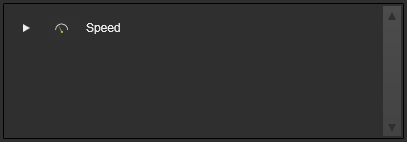
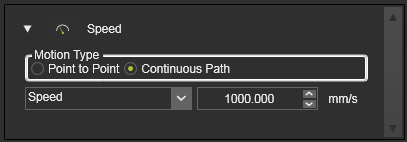
Jedes Ereignis kann Attribute besitzen, um einen Wert und das Verhalten der Anweisung festzulegen. Diese Attribute können durch Klicken auf das kleine Dreieck vor der Anweisung geöffnet werden. Der Wert der Anweisung kann anschließend geändert werden.
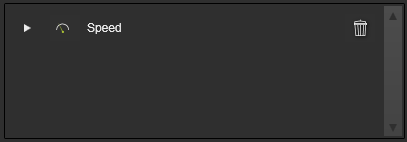
Beim Überfahren des Instruktionsnamens mit der Maus wird am Ende der Zeile eine Löschtaste angezeigt. Durch Drücken der Taste wird die Instruktion aus der Liste entfernt.
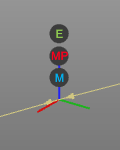
Mehrere Ereignissymbole können am Werkzeugweg-Element angezeigt werden.
Der Befehl kann auch mit der Tastenkombination Alt + E gestartet werden.
