Kartesische Interpolation

Mit dem Befehl Cartesian interpolation kann eine lineare Interpolation der Normalenrichtung, der Tangentenrichtung oder der Versatzposition durchgeführt werden.
An dem ausgewählten Werkzeugweg-Element erscheinen die Markierungen der Algorithmen.
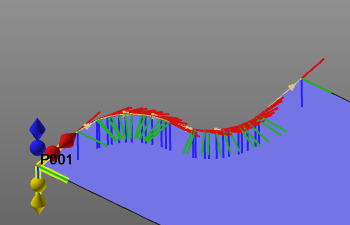
| Interpolation | Modus | Marker |
|---|---|---|
| Kartesisch normal | Absolut | Blauer Rhombus |
| Relativ | Blaue Kugel | |
| Kartesischer Tangent | Absolut | Rotes Rhombus |
| Relativ | Rote Kugel | |
| Kartesischer Versatz | Absolut | Gelbes Rhombus |
| Relativ | Gelbe Kugel |
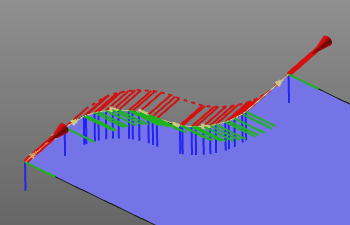
Der erforderliche Marker muss ausgewählt werden. Um die Auswahl abzuschließen und die Interpolation zu berechnen, muss das Intervall, in dem optimiert werden soll, durch die Auswahl eines zweiten Werkzeugbahn-Elements geschlossen werden. Die Berechnung wird automatisch ausgeführt und das Ergebnis angezeigt.
Weitere Referenzinformationen

Was this page helpful?