Simulation & Anschluss

Der Simulation connectors-Befehl öffnet ein Dashboard mit einer Übersicht der Simulationsanschlüsse des Controllers.
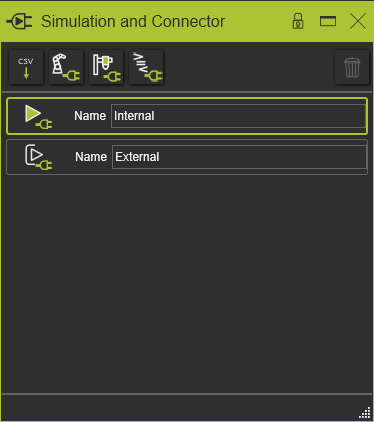
Der mittlere Bereich des Dashboards zeigt die definierten Instanzen der verfügbaren Connectoren. Standardmäßig wurden automatisch eine interne und eine externe Connector-Instanz erstellt. Diese beiden können weder verändert noch gelöscht werden.
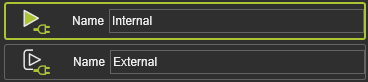
Der grüne Rahmen kennzeichnet den aktiven Connector, der während der Simulation des Projekts verwendet wird. Die Auswahl eines anderen Connectors in dieser Liste aktiviert diese Instanz.
In der oberen Reihe werden alle anderen verfügbaren (installierten) externen Connectoren angezeigt.
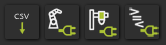
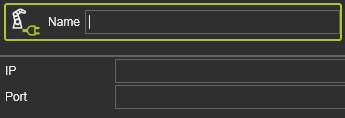
Eine Instanz für die Simulation kann definiert werden, indem der erforderliche Connector aus der oberen Reihe ausgewählt wird. Die Instanz wird dann der Liste hinzugefügt und als aktiv gesetzt. Ihr Name und ihre Attribute müssen eingegeben werden, um die Definition abzuschließen.
Manuell eingefügte Instanzen können mit der Delete-Taste entfernt werden, die sich in der oberen rechten Ecke des Dashboards befindet. Der Befehl wird auf die aktive Instanz ausgeführt.
