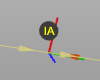
Befehle einfügen

Die Paste commands öffnet ein Untermenü, um auszuwählen, wo und wie das Werkzeugbahn-Element (Tag) eingefügt werden soll. Dies kann entweder vor oder nach der Position erfolgen, von der aus der Befehl mit zwei möglichen Methoden ausgeführt wurde.
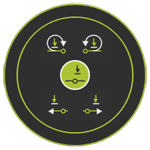
 Zurück eine Ebene höher
 Nach Einfügen
 Vorher einfügen
 Absolut davor einfügen
 Absolut nach Einfügen
Es gibt einen kleinen Unterschied zwischen einem regulären Einfügen und dem absoluten Einfügebefehl. Dieser wird anhand der untenstehenden Abbildungen erläutert.
Die regular paste-Aktion fügt das kopierte Werkzeugweg-Element bzw. die kopierten Werkzeugweg-Elemente vor oder nach der Position ein, an der der Einfügebefehl ausgeführt wird.
| Kopieren | Vor dem Einfügen | Nach dem Einfügen |
|---|---|---|
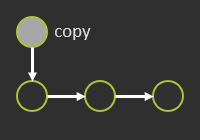 | 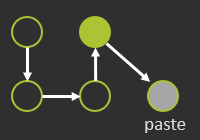 | 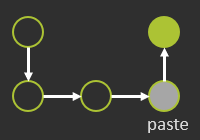 |
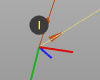
Die neu eingefügten Positionen sind im 3D-Raum mit I markiert.
Die absolute paste Aktionen fügen das neue Element bzw. die neuen Elemente an denselben Koordinaten wie das bzw. die Originale ein, bezogen auf das Projektbasis-Koordinatensystem.
| Kopieren | Absolut davor einfügen | Absolut nach Einfügen |
|---|---|---|
| 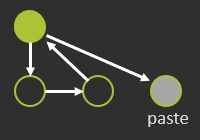 | 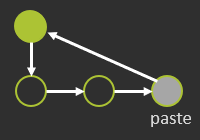 |
Die neuen eingefügten absoluten Positionen sind im 3D-Raum mit IA markiert.