Seiten-Tangenten-Prozessgeometrie

Befehl
Mit dem Side tangent process geometry-Befehl kann eine spezielle Konturprozessgeometrie erstellt werden. Dabei handelt es sich um eine besondere Konturdefinition am Rand einer Oberfläche, deren Normalenrichtung durch den Iso-Parameter der Oberfläche bestimmt wird, d.h. die Tangentialrichtung an der Oberfläche.
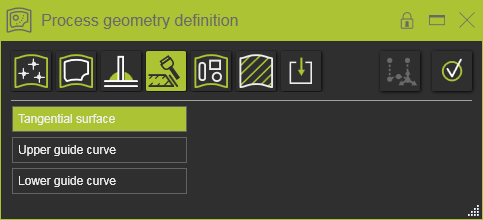
Das erste auszuwählende Element ist die Tangentialfläche. Es kann eine einzelne Fläche ausgewählt werden, aber die Auswahl kann auch mit den üblichen Mehrfachauswahlmöglichkeiten erweitert werden. Nach Abschluss muss die Auswahl entweder mit der  -Taste oder der Ausführungsschaltfläche im Bedienfeld bestätigt werden. Durch erneutes Anklicken der Steuerung im Bedienfeld kann die Flächenauswahl wieder geändert werden. An dieser Stelle sind zwei Fälle möglich.
Geschlossene Oberfläche
In einer Situation bilden die ausgewählten Flächen einen „geschlossenen“ Bereich.
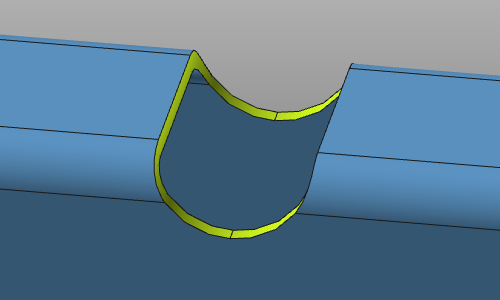
Dies bedeutet, dass die oberen und unteren Begrenzungen dieses Bereichs ebenfalls einen geschlossenen Kontur bilden. In diesem Fall verwendet das System automatisch diese Begrenzungen, um die oberen und unteren Führungskurven zu definieren. Das Bedienfeld reagiert entsprechend.

Die Prozessgeometrie kann ohne weitere Auswahl generiert werden, abgesehen von der Bestätigung.
Der automatisch erkannte Kontur kann durch eine benutzerdefinierte Kontur ersetzt werden. Wählen Sie einfach die Steuerung im Panel aus und wählen Sie eine Kante, um die Kontursuche zu starten.
Offene Oberfläche
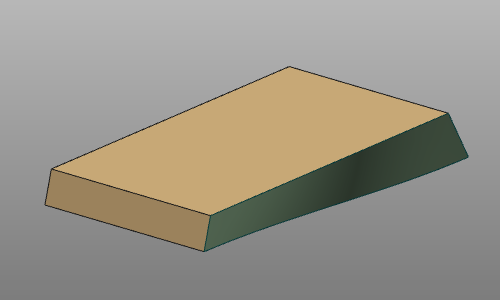
Bei ‘offenen’ Oberflächen kann das System möglicherweise nicht automatisch die erforderlichen oberen und unteren Führungskurven finden. In diesem Fall müssen diese manuell definiert werden.
Für jede Führungskurve wird die Kontursuche gestartet.
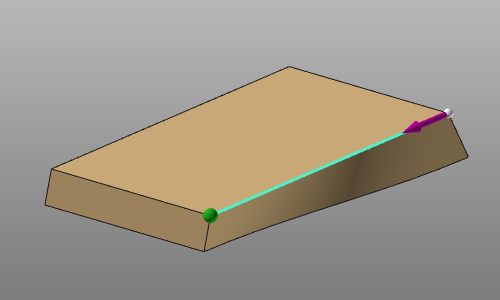
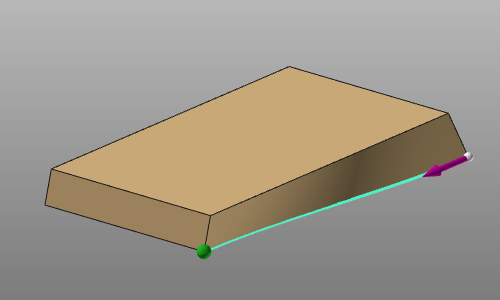
Die gewünschte Führungskurve muss bestätigt werden, welche im Bedienfeld markiert ist.

Vor der endgültigen Erstellung der Prozessgeometrie kann jede Führungskurve jederzeit durch Klicken auf die Steuerung im Bedienfeld bearbeitet werden. Die neue Auswahl ersetzt die vorhandene Führungskurve.
