Geodätisch aus Konturstrategie

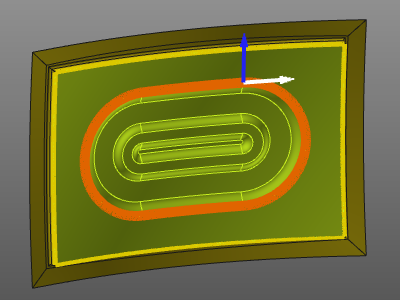
Mit dem Befehl Geodesic from contour ändert sich die Strategie zur Spurenerstellung in diesen Modus. Es muss ein Kontur definiert werden, um die Führungskurve für die Werkzeugbahnspuren zu erzeugen.
Beim Wechsel zu dieser Strategie erscheint das Fenster Edit contour. Hier werden verschiedene Kontursuchoptionen mit ihren spezifischen Parametern angezeigt.
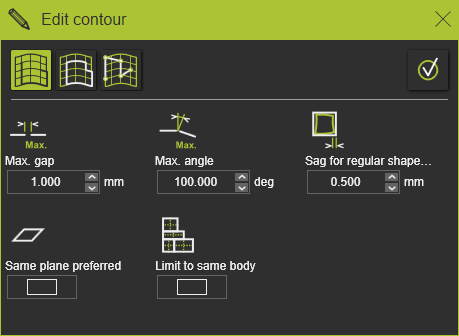
Wenn das Bedienfeld nicht erscheint, öffnen Sie das Kreis-Menü im 3D-Raum und drücken Sie die Befehls-Taste

Es gibt drei Möglichkeiten, den Konturverlauf der Führungskurve zu definieren oder zu bearbeiten.
 | Search until Erstellt die Kontur, während entlang der Kanten einer Oberfläche oder anderer geometrischer Kurvenelemente gesucht wird. |
 | Search to close Versucht, automatisch einen geschlossenen Konturverlauf beginnend am ausgewählten Flächenrand oder einem anderen geometrischen Kurvenelement zu erstellen. |
 | Freie Suche Erstellt eine Kontur zwischen interaktiv definierten Kontrollpunkten, die auf einer Oberfläche, einer Oberflächenkante oder einem anderen geometrischen Kurvene-lement definiert sind. |
Der gefundene und gewünschte Führungskurvenkontur muss entweder mit der  -Taste oder durch Drücken der Akzeptieren-Schaltfläche oben rechts im Fenster bestätigt werden, woraufhin das Fenster geschlossen wird und die Führungskurve als Teil der Fertigungsgeometrie angezeigt wird.
Wenn die Strategie für einen bestehenden Werkzeugweg geändert wird, wird dieser Werkzeugweg automatisch neu berechnet.
