Spritzverfahren
Spritzverfahren

Spritzverfahren
Programmierung von Attributen
Die Anzeige der Programmierattribute in den Dashboards Programmier-Standards und Aktives Programm wird in einer Settings.xml-Datei definiert. Bei einer Standardinstallation befindet sich eine Standarddatei im Pfad <install>\E2Plugin\Technologies\SprayingTechnology\Standard\ControllerSettings. Spezifische Inhalte der Spritztechnologie-Attribute sind im Pfad <install>\E2Plugin\Technologies\SprayingTechnology\Standard\TechTabs zu finden.
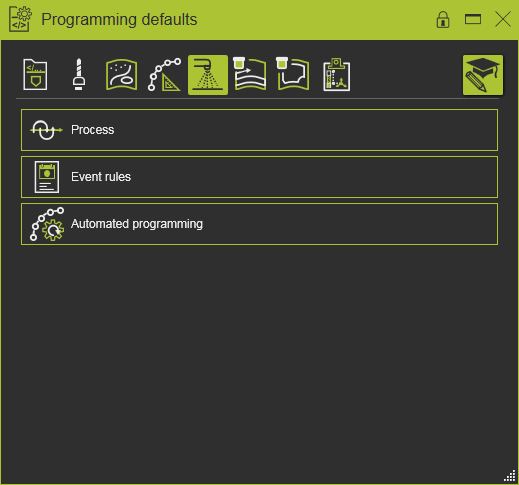
Die folgenden generischen Attribute wurden definiert.
| Technologie-Registerkarte | Behälter | Attribut | Beschreibung |
|---|---|---|---|
 Program base Program base | |||
 Tool data Tool data | |||
 Manufacturing geometry Manufacturing geometry | |||
 Toolpath calculation Toolpath calculation | |||
| Technology base | |||
| Bei der Softwareauslieferung und Standardinstallation befindet sich eine Standarddatei mit Bürstendefinitionen im Pfad <install>\E2Plugin\Technologies\SprayingTechnology\Standard\TechTabs. | |||
 Surface spraying Surface spraying | |||
 Contour spraying Contour spraying | |||
 Toolpath quality Toolpath quality |
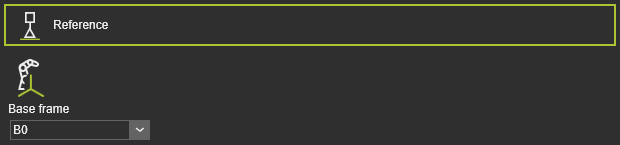 | Die Programm-Referenzinformationen. |
| Basisrahmen | Der Bezugsrahmen des Programms. |
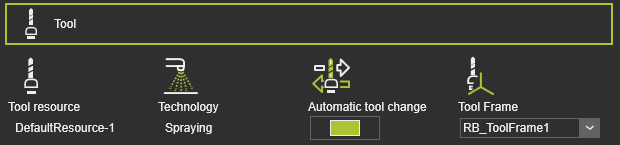 | Werkzeuginformationen. |
| Werkzeugressource | Der Name des Werkzeugs. |
| Technologie | Die angewandte Technologie. |
| Automatischer Werkzeugwechsel | |
| Werkzeugkoordinatensystem | Der Werkzeugrahmen, der den Werkzeugweg ausführt. |
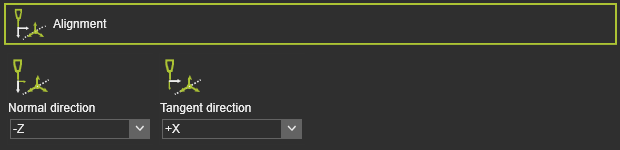 | Die Zuordnung der Werkzeugachsen zu den entsprechenden Vektoren der Prozessgeometrie. |
| Normale Richtung | Die Ausrichtung der Z-Achse des Werkzeugkoordinatensystems mit der Normalenrichtung der Prozessgeometrie. |
| Tangentialrichtung | Die Ausrichtung der X-Achse des Werkzeugkoordinatensystems an der Tangentialrichtung der Prozessgeometrie. |
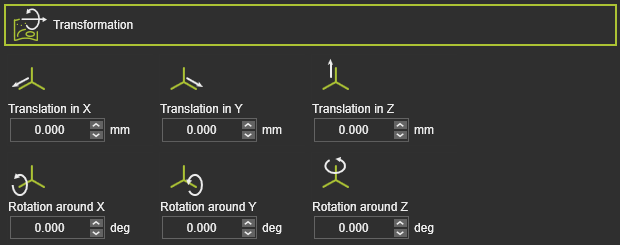 | Die globale Transformation der Fertigungsgeometrie. |
| Translation in X,Y,Z | Die globale Verschiebung in X-, Y- oder Z-Richtung. |
| Rotation um X, Y, Z | Die globale Rotation um die X-, Y- oder Z-Achse. |
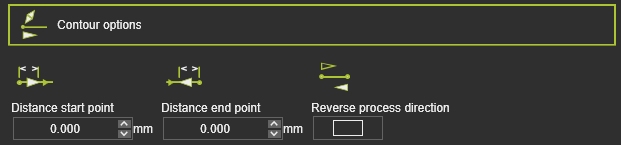 | Die Randbedingungen an der Fertigungsgeometrie zur Berechnung des Werkzeugwegs. |
| Abstand Startpunkt | Der Abstand des ersten Bearbeitungspunkts von der Startposition der Prozessgeometrie. |
| Abstand Endpunkt | Der Abstand des letzten In-Prozess-Punkts zur Endposition der Prozessgeometrie. |
| Richtungsumkehr des Prozesses | Um die Fertigungsprozessrichtung umzukehren, d.h. Start- und Endposition werden vertauscht. |
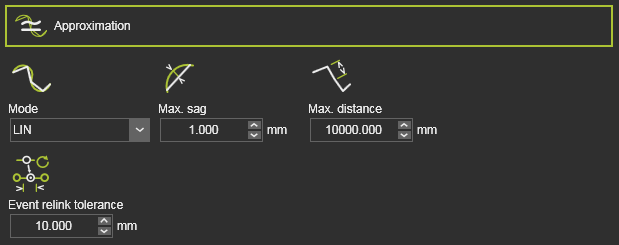 | Die Annäherung an das Fertigungskontur zur Berechnung des Werkzeugwegs. |
| Modus | Der Modus zur Annäherung an die Kontur. |
| Max. Durchbiegung | Die maximal zulässige Abweichung zwischen der Geometrie und dem berechneten Werkzeugpfad. |
| Max. Abstand | Die maximale Entfernung zwischen zwei Werkzeugweg-Elementen im Prozess entlang des Konturs. |
| Toleranz für Ereignis-Neuverknüpfung | Die Toleranz, um das nächstgelegene TPE nach einer Neuberechnung des Werkzeugwegs zu finden, dem das bestehende Ereignis zugewiesen wird. Dieses Attribut ist standardmäßig ausgeblendet. |
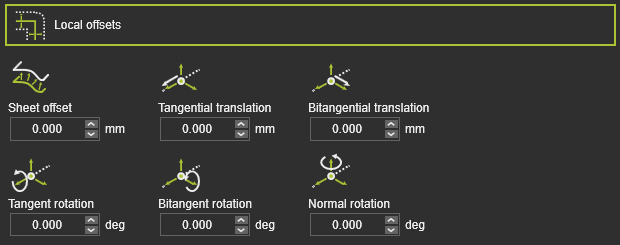 | Der Versatz des Werkzeugweg-Elements von seiner ursprünglichen Position auf der Fertigungsgeometrie. |
| Blechversatz | Die Verschiebung in (Oberflächen-)Normalenrichtung. |
| Tangentiale Verschiebung | Die Verschiebung eines Werkzeugweg-Elements in seiner Tangentialrichtung. |
| Bitangentiale Translation | Der Versatz eines Werkzeugbahn-Elements in seiner bi-tangentialen Richtung. |
| Tangentialdrehung | Die Drehung des Werkzeugbahn-Elements um seinen Tangentenvektor. |
| Rotation um den Bitangentenvektor | Die Rotation des Werkzeugbahn-Elements um seinen Bi-Tangenten-Vektor. |
| Normale Rotation | Die Drehung des Werkzeugbahn-Elements um seinen Normalenvektor. |
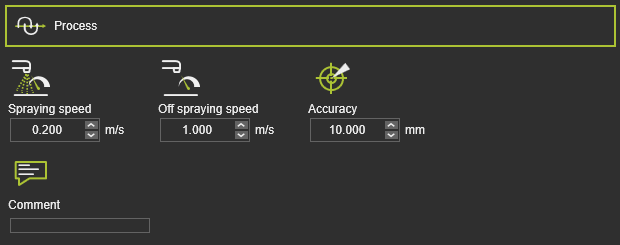 | Die Bewegung der Sprühdüse. |
| Sprühgeschwindigkeit | Die Geschwindigkeit entlang des Sprühpfads im Prozess. |
| Geschwindigkeit außerhalb des Sprühvorgangs | Die Geschwindigkeit entlang des Off-Prozess-Pfads. |
| Genauigkeit | Die Bewegungsgenauigkeit auf dem Werkzeugweg. |
| Kommentar | Ein Textkommentar. |
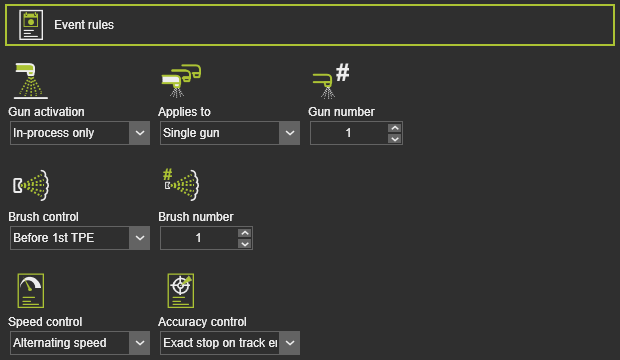 | Die Ereignisse zur Aktivierung der Sprühdüse. |
| Aktivierung der Pistole | Die Regel, wann die Spritzpistole zu aktivieren ist. |
| Gilt für | Die Aktivierungsregel wird auf eine einzelne Pistole oder alle vorhandenen Pistolen angewendet. |
| Pistolen-Nummer | Im Falle einer Einzelpistolenaktivierung wird die Pistole aktiviert, die aktiviert werden soll. |
| Pinselsteuerung | Die Regel, wo die Vorrichtung aktiviert wird. |
| Pinselnummer | Die anzuwendende Bürstennummer. |
| Geschwindigkeitsregelung | Die Regel zur Einstellung der Geschwindigkeit entlang des Werkzeugpfads. |
| Genauigkeitssteuerung | Die Regel zur Einstellung der Genauigkeit entlang des Werkzeugpfads. |
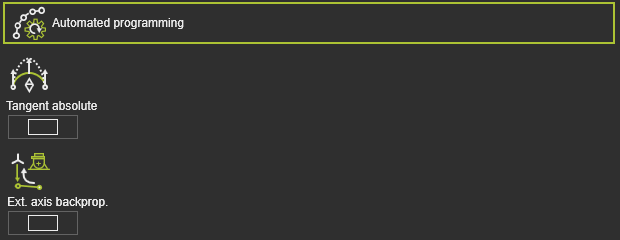 | Zusätzliche (Optimierungs-)Bedingungen zur Berechnung des Werkzeugpfads. |
| Tangential absolut | Ein Schalter zur automatischen Anwendung einer tangentialen absoluten Richtung auf dem Bearbeitungspfad der Operation. Die tangentiale Richtung des ersten Bearbeitungspfads wird als Referenz verwendet. |
| Rückwärtsprogrammierung der externen Achse | Die Achsenwerte einer externen Ressource, wie beispielsweise eines Positionierers, die an der ersten Position des Bearbeitungspfads eingestellt wurden, werden rückwärts bis zum Anfahrpunkt dieses Bearbeitungspfads übertragen. |
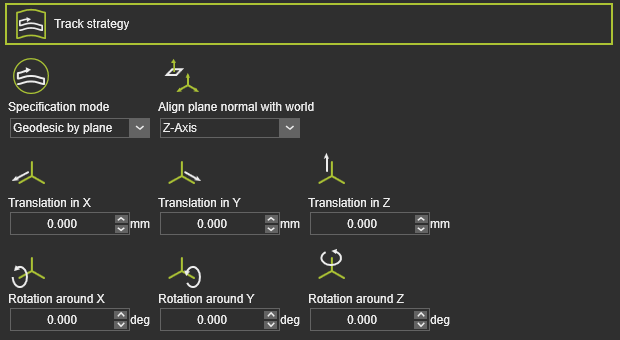 | Die Strategie zur Berechnung der Bahnen des Werkzeugpfads. |
| Spezifikationsmodus | Der Modus zur Berechnung der Bahnen. |
| Richte die Normale der Ebene an der Welt aus | Die Ausrichtung der Schnittfläche. |
| Translation in X,Y,Z | Die globale Verschiebung der Schnittfläche in X-, Y- oder Z-Richtung. |
| Rotation um X, Y, Z | Die globale Rotation der sich schneidenden Ebene um die X-, Y- oder Z-Achse. |
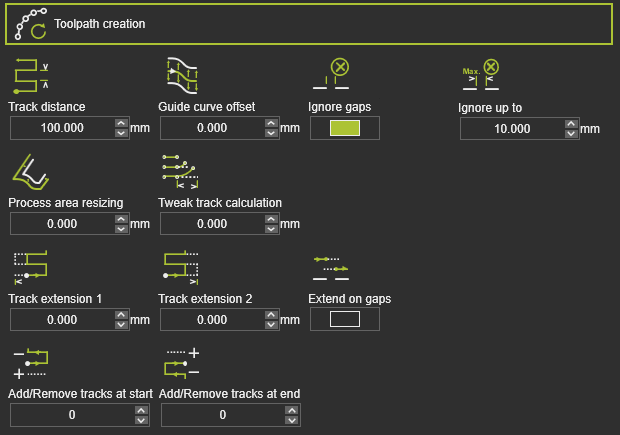 | Die tatsächlich angezeigten Attribute zur Erstellung des Werkzeugpfads hängen von der angewendeten Spurstrategie ab. |
| Spurabstand |  Geodesic : The distance between the individual tracks over the surface geometry. Parallel plane : The distance between the intersecting planes. Geodesic : The distance between the individual tracks over the surface geometry. Parallel plane : The distance between the intersecting planes. |
| Versatz der Führungskurve | Der Versatz der Bahn von der Führungskurve. |
| Lücken ignorieren | Schalter zum Ignorieren von Lücken, die in der Fertigungsgeometrie gefunden werden. |
| Bis zu ignorieren | Die maximale Länge der Lücke, die ignoriert wird. Die Länge wird entlang des Werkzeugpfads für jede Spur einzeln gemessen. |
| Anpassung der Prozessbereichsgröße | Die Erweiterung des Prozessbereichs. |
| Feinabstimmung der Spur-Berechnung | Die Anpassung, die Verformung der Bahn, um parallel zu bleiben. |
| Auf Lücken erweitern | Die Verlängerung der Bahnen wird auch an Lücken in der Fertigungsgeometrie angewendet. |
| Spurerweiterung 1 | Die Verlängerung der Bahn, um den Prozessbereich auf der Anfangsseite zu überfahren. |
| Spurerweiterung 2 | Die Verlängerung der Spur, um den Prozessbereich auf der gegenüberliegenden Seite zu überfahren. |
| Spuren am Anfang hinzufügen / entfernen | Um Spuren am Start der Werkzeugbahn zu duplizieren oder zu entfernen. Ein positiver Wert fügt eine Anzahl von Kopien der Spuren hinzu, ein negativer Wert entfernt die Anzahl der Spuren. |
| Spuren am Ende hinzufügen / entfernen | Um Spuren am Endpunkt des Werkzeugwegs zu duplizieren oder zu entfernen. Ein positiver Wert fügt eine Anzahl von Kopien der Spuren hinzu, ein negativer Wert entfernt die Anzahl der Spuren. |
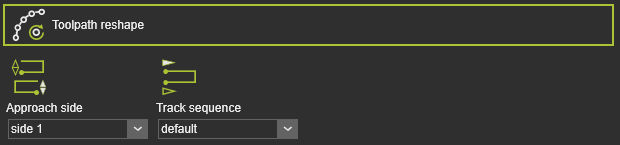 | Der Startpunkt des Werkzeugwegs. |
| Anfahrtsseite | Die Seite im Prozessbereich, von der aus angefahren wird. |
| Spurfolge | Die Reihenfolge der Bahnen in Standard- oder umgekehrter Reihenfolge. |
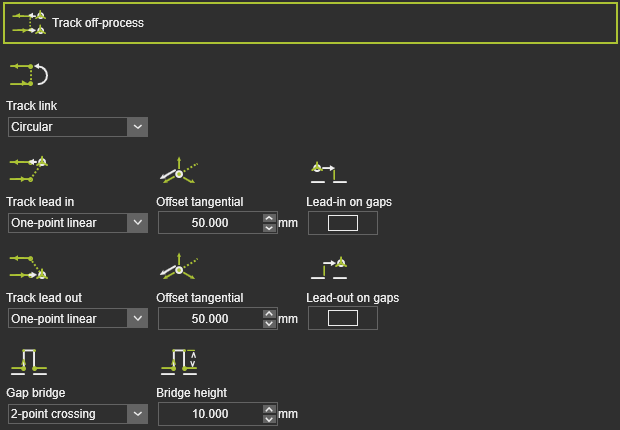 | Die Außerprozessbedingungen des Werkzeugwegs. |
| Spurverbindung | Der Übergang zwischen den einzelnen Spuren. |
| Spuranfahrt | Der Einlauf auf der Spur. |
| Tangentialer Versatz | Der tangentiale Versatz der Anfahrposition. |
| Einlauf an Lücken | Der Lead-in wird auf Lücken angewendet, die in der Fertigungsgeometrie gefunden werden. |
| Spur-Auslauf | Der Austritt aus der Bahn. |
| Tangentialer Versatz | Der tangentiale Versatz der Lead-out-Position. |
| Auslauf bei Lücken | Der Lead-out wird auf Lücken angewendet, die in der Fertigungsgeometrie gefunden werden. |
| Spaltbrücke | Die Definition der Brücke zum Überqueren von Lücken. |
| Brückenhöhe | Die Höhe der Brückenüberbrückung. |
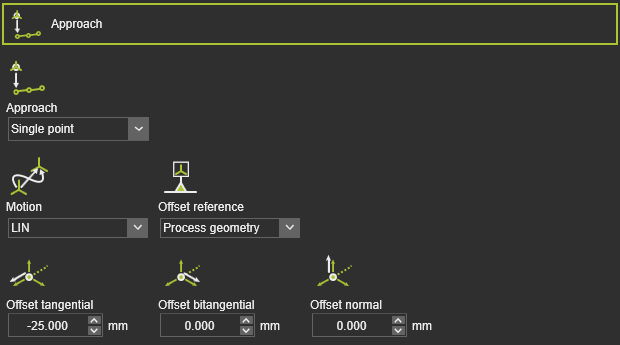 | Um eine Annäherungsbewegung zum laufenden Werkzeugweg zu definieren. |
| Annäherung | Die Anzahl der Annäherungsschritte. |
| Bewegung | Der Bewegungstyp für die Annäherung. |
| Offset-Referenz | Die Referenz zur Bestimmung der Versatzrichtungen. |
| Tangentialer / bitangentialer / normaler Versatz | Der lokale Versatz des Annäherungsschritts vom Start-Element des laufenden Werkzeugpfads. |
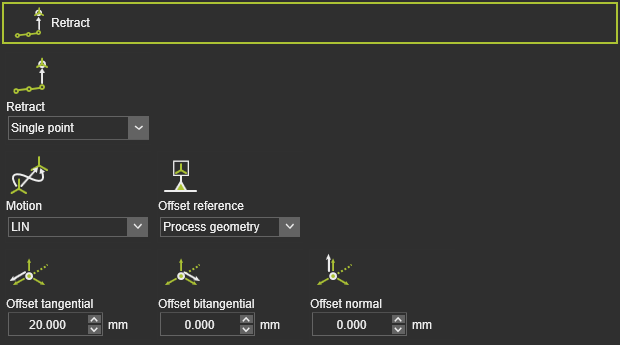 | Um eine Rückzugsbewegung vom laufenden Werkzeugpfad zu definieren. |
| Zurückziehen | Die Anzahl der Rückzugsschritte. |
| Bewegung | Der Bewegungstyp für den Rückzug. |
| Offset-Referenz | Die Referenz zur Bestimmung der Versatzrichtungen. |
| Tangentialer / bitangentialer / normaler Versatz | Zum lokalen Versatz des Rückzugsschritts vom Endelement des laufenden Werkzeugpfads. |
| Um eine Annäherungsbewegung zum laufenden Werkzeugweg zu definieren. |
| Annäherung | Die Anzahl der Annäherungsschritte. |
| Bewegung | Der Bewegungstyp für die Annäherung. |
| Offset-Referenz | Die Referenz zur Bestimmung der Versatzrichtungen. |
| Tangentialer / bitangentialer / normaler Versatz | Der lokale Versatz des Annäherungsschritts vom Start-Element des laufenden Werkzeugpfads. |
| Um eine Rückzugsbewegung vom laufenden Werkzeugpfad zu definieren. |
| Zurückziehen | Die Anzahl der Rückzugsschritte. |
| Bewegung | Der Bewegungstyp für den Rückzug. |
| Offset-Referenz | Die Referenz zur Bestimmung der Versatzrichtungen. |
| Tangentialer / bitangentialer / normaler Versatz | Zum lokalen Versatz des Rückzugsschritts vom Endelement des laufenden Werkzeugpfads. |
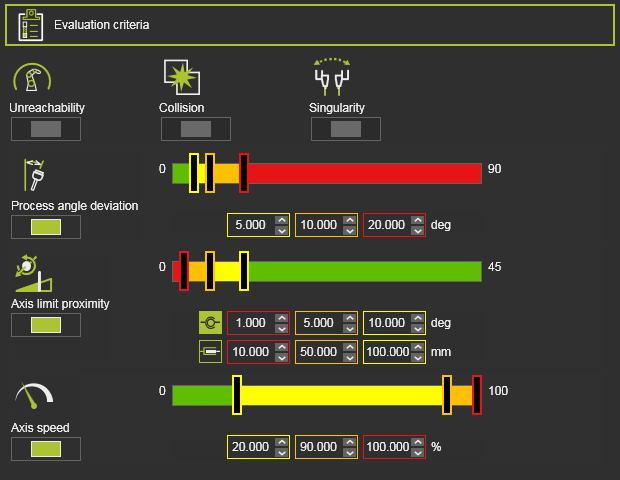 | Die Bewertungskriterien für die Werkzeugwegqualität. Der genaue Inhalt kann je nach Technologie variieren. |
| Unerreichbarkeit | Bewertet unerreichbare Situationen des Roboters oder der Maschine. |
| Kollision | Bewertet Kollisionen. |
| Singularität | Bewertet Singularitätssituationen des Roboters oder der Maschine. |
| Abweichung des Prozesswinkels | Bewertet die Abweichung des Prozesswinkels von seinem Referenzwert. |
| Achsnäherung an die Grenzwerte | Bewertet die Annäherung an die Grenzen der angetriebenen Achsen. Getrennter Bewertungswertbereich für lineare und rotatorische Gelenkachsen. |
| Achsgeschwindigkeit | Bewertet die Achsgeschwindigkeit aller angetriebenen Achsen als (absolute) Differenz zwischen dem Start- und dem Endpunkt der Bewegung zwischen Positionen. |
Programmeignisse
Die generische Sprühtechnologie verfügt über die folgenden Programmierereignisse:
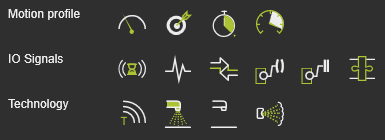
| Bewegungsereignisse | |
|---|---|
 Speed Speed | Legt die Geschwindigkeit für die nachfolgenden Bewegungen fest. |
 Accuracy Accuracy | Legt die Genauigkeit für die nachfolgenden Bewegungen fest. |
 Dwell Dwell | Legt eine Wartezeit am Pfadelement fest, während der das Werkzeug an der Position verbleibt, bevor es weiterbewegt wird. |
 Acceleration Acceleration | Legt die Beschleunigung für die nachfolgenden Bewegungen fest. |
| IO-Signalereignisse | |
|---|---|
 Wait for signal Wait for signal | Fügt ein Ereignis zum Warten auf ein Eingangssignal des aktiven Controllers hinzu. |
 Set signal Set signal | Fügt ein Ereignis zum Setzen eines Ausgangssignals des aktiven Controllers hinzu. |
 Synchronize robots Synchronize robots | Legt ein Ereignis fest, um kooperierende Roboter zu synchronisieren. |
 Set resource port Set resource port | Legt einen Port einer Ressource fest. |
 Wait for resource port Wait for resource port | Wartet auf einen Port einer Ressource. |
 Adapter actor Adapter actor | Setzt ein Signal eines mechanischen übergeordneten Adapters, um während der Simulation eine mechanische Verbindung zu erstellen oder zu löschen. |
| Technologieereignis | |
|---|---|
 Text Text | Fügt einen Kommentar ein. |
 Gun on Gun on | Aktiviert die Spritzpistole. |
 Gun off Gun off | Schaltet die Spritzpistole aus. |
 Brush Brush | Legt die Sprühbürste fest. |
Prozesssimulationsmodelle
Die Spritztechnologie umfasst die folgenden Prozessmodelle:


Weitere Informationen

Was this page helpful?