Zeitabdeckungs-Prozessmodell

Zeitabdeckung
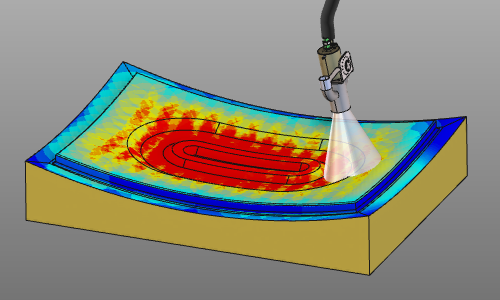
Time coverage oder einfach Coverage ist ein Standardprozessmodell, das nur die Zeit berechnet, während der ein Abscheidungsprozessfluss eine Oberfläche abdeckt.
Prozessmodellobjekt
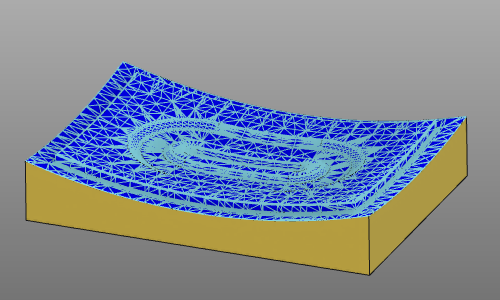
Das Prozessmodell berechnet die Auswirkung auf eine Oberfläche. Das Prozessgeometrie-Objekt ist eine netzbasierte Darstellung dieser Oberfläche, die aus Knoten und dreieckigen Flächen besteht.
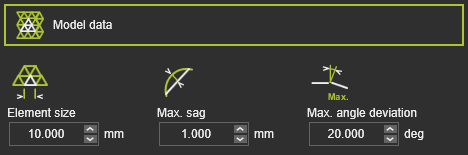
Der Mesh-Generator verwendet die folgenden Attribute:
| Attribut | Beschreibung | Bemerkung |
|---|---|---|
| Elementgröße | Die maximale Kantenlänge eines Mash-Elements (Facette). | Die Größe kann auf jeder Seite des Elements unterschiedlich sein. |
| Max. Durchbiegung | Die maximale Abweichung von der zugehörigen Eingabegeometrie. | Gilt sowohl für Oberfläche als auch für Begrenzung. |
| Max. Winkelabweichung | Der maximale Winkel zwischen benachbarten Netzelementen. | Wird über die Oberfläche und entlang der Randtangente angewendet. |
Mit diesem Prozessmodell kann ein physikalischer Parameter analysiert werden, für den hier der Anfangswert festgelegt werden muss. Der Anfangswert wird verwendet, wenn die Prozesssimulation von Grund auf neu gestartet wird.
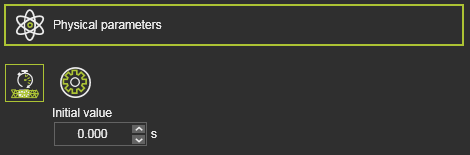
| Physikalischer Parameter | Beschreibung | Bemerkung |
|---|---|---|
| Abdeckzeit | Die Aufprallzeit auf die Prozessgeometrie. |
Prozessdatenfluss
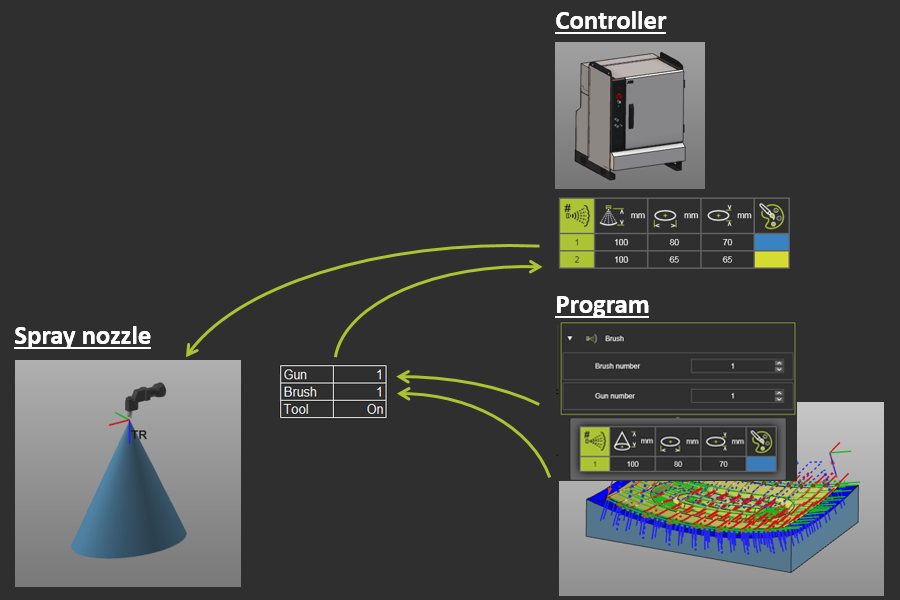
Controller-Prozesstabelle
Der tatsächliche Sprühzustand, die Betriebsbedingungen, der Spritzpistole wird als Bürstenprofil bezeichnet, von dem mehrere existieren können. In den Prozess-Tabellen des Controllers können die Bürsten definiert werden. Jedem Bürstenprofil werden die Referenzabmessungen zur Erstellung des Sprühkegels sowie seine RGB-Farbe zugewiesen. Die Farbe hat keinen Einfluss auf die Simulation der Abdeckzeit, sondern wird nur als visueller Aspekt in der 3D-Darstellung der Bürste angewendet.
Die Prozesstabelle definiert die Bürsten, die für die Prozesssimulation verwendet werden können.
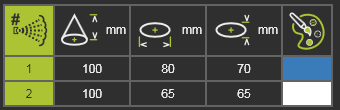
| Attribut | Beschreibung | Bemerkung |
|---|---|---|
| Bürstennummer | Die Bürstennummer. | |
| Nennhöhe des Kegels | Die Nennhöhe des Sprühkegels. | |
| Nomineller Kegelellipsendurchmesser in X | Die Nenngröße der Sprühkegel-Ellipse in ihrer X-Richtung. | |
| Nenn-Durchmesser der Kegelellipse in Y-Richtung | Die Nenngröße der Sprühkegel-Ellipse in ihrer Y-Richtung. | |
| Kegelfarbe | Die Farbe der 3D-Darstellung des Sprühkegels. |
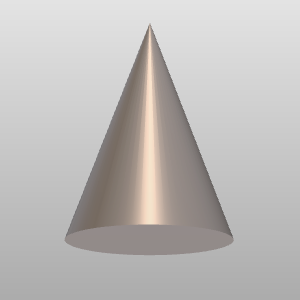
Der theoretische Kegel wird aus den Nennmaßen berechnet. Der tatsächliche Kegel im 3D-Raum wird aus dieser Nennform extrapoliert. Seine reale Länge wird in den Einstellungen des Simulationsplayers definiert.
Mit der Add-Taste können neue Bürsten in die Liste eingefügt werden. Die Liste wird automatisch nach der Bürstennummer sortiert. Die Bürstennummer ist eindeutig; es können keine Bürsten mit derselben Nummer existieren. Eine Bürste kann über das Kreis-Menü in der jeweiligen Bürstenzeile der Tabelle entfernt werden.
Die Bürstentabelle kann auch aus einer externen .csv-Datei importiert werden, wie im folgenden Beispiel. Bestehende Bürsten werden beim Import überschrieben.

Werkzeugtechnologie-Attribute
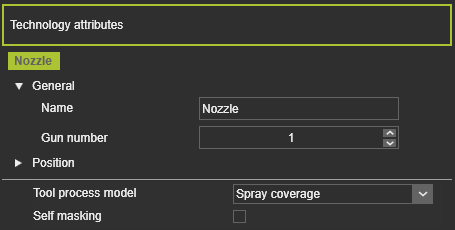
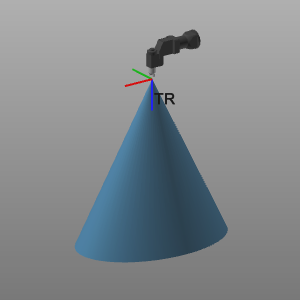
Wenn der Technologie, die die Abdeckungssimulation beinhaltet, der Werkzeugressource zugewiesen wurde, wird ein Technologiereferenzrahmen erstellt. Dieser Rahmen stellt den Ursprung des Pinsels dar. Seine Eigenschaften können modifiziert und seine Position bei Bedarf feinjustiert werden. Der Rahmen ist obligatorisch, daher muss er erstellt werden, wenn er noch nicht existiert, da sonst die Prozesssimulation nicht ausgeführt wird.
Die Technologie umfasst die Attribute:
| Attribut | Beschreibung | Bemerkung |
|---|---|---|
| Pistolen-Nummer | Die zugewiesene Pistolen-Nummer des Technologie-Rahmens. | Eine Werkzeugressource kann mehrere Guns (Sprühdüsen) haben. |
| Werkzeug-Prozessmodell | Die verfügbaren Prozessmodelle für die Technologie. | Der Inhalt hängt von der Technologie ab, die der Werkzeugressource zugewiesen wurde. |
| Selbstmaskierung | Option zur Einbeziehung des Effekts der Selbstabschirmung während der Simulation. | Wenn das Werkzeug während der Simulation mit dem Sprühkegel kollidieren würde, wird dieser Maskierungseffekt auf der Prozessgeometrie berechnet. |
Datensatz zum Werkzeugverhalten
Das Prozessmodell berechnet nur die Einwirkzeit des Bürstenausgangs auf die Kontaktfläche. Daher ist für dieses Modell kein Werkzeugverhaltensdatensatz zu definieren.
OLP-Ereignisse
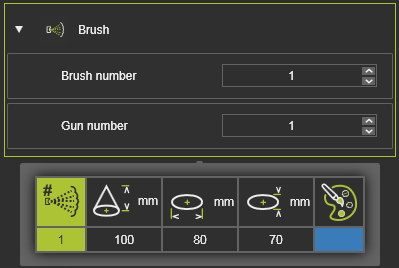
In den OLP-Ereignissen wurde festgelegt, welche Pistole (Werkzeugausgang) und welche Bürste (Ausgangsbedingungen) entlang des Werkzeugpfads angewendet werden. Beim Überfahren des Bürstenereignisses mit der Maus werden die Details dieser Bürste angezeigt, wie sie in der Einrichtungstabelle des Steuerungsprozesses definiert sind.
Prozessabbildung
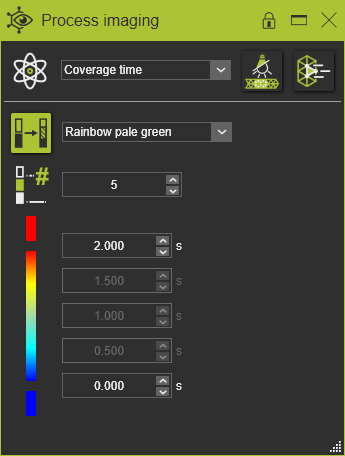
Um die Ergebnisse der Simulation zu sehen, muss der physikalische Parameter Coverage time im Process Imaging Dashboard eingestellt werden. Das Dashboard kann Parameter anderer verfügbarer Prozessmodelle anzeigen.