Standard auxiliary commands
Overview
Besides the technology and OEM specific Python scripts to run as auxiliary command, the software comes with some standard solutions. These scripts can be found in the plugin folder of the installation path.
Basic toolpath report
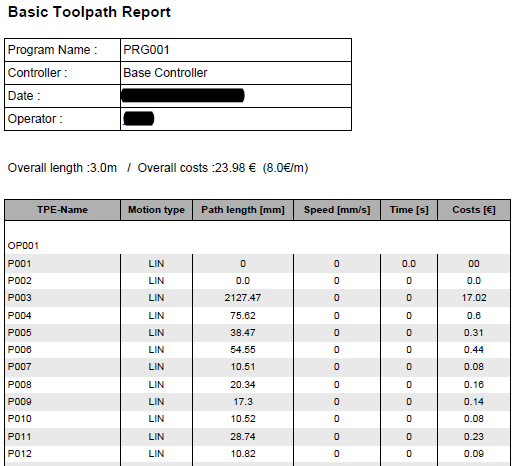
The Basic toolpath report command generates a standard PDF report of the programmed toolpath.
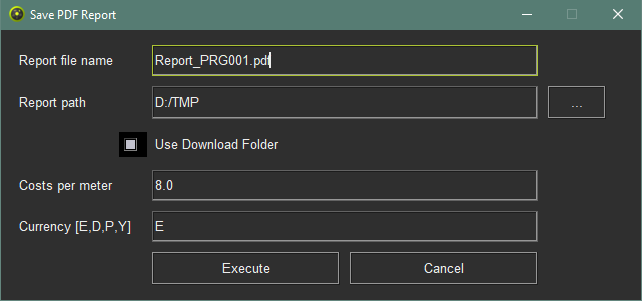
When the command has been started a window appears:
| Attribute | Description | Remark |
|---|---|---|
| Report file name | The name of the PDF file. | |
| Report path | The path on disk where the PDF file will be stored. | |
| Use download folder | Switch to automatically use the same path as where the download files are stored. | |
| Costs per meter | The costs value of the toolpath per meter as reference for calculating the manufacturing costs. | |
| Currency (E, D, P, Y) | The currency in which the costs are calculated. | E = Euro D = US Dollar P = Chinese Pinyin Y = Japanese Yen |
| Button | ||
| Execute | Run to generate the report | |
| Cancel | Cancel to interrupt and terminate the command without report generation. |
The standard report will then look like the example below:
Technology specific auxiliary commands

Was this page helpful?