Sequencing panel
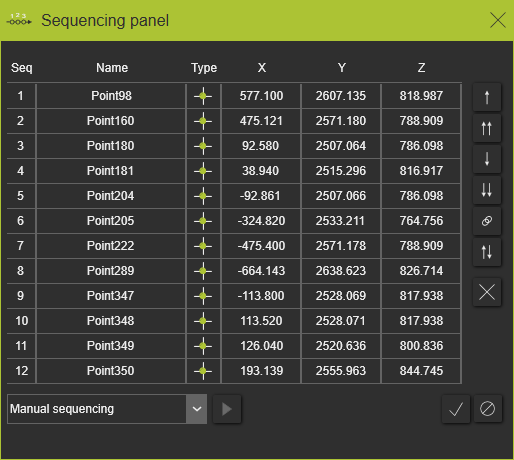
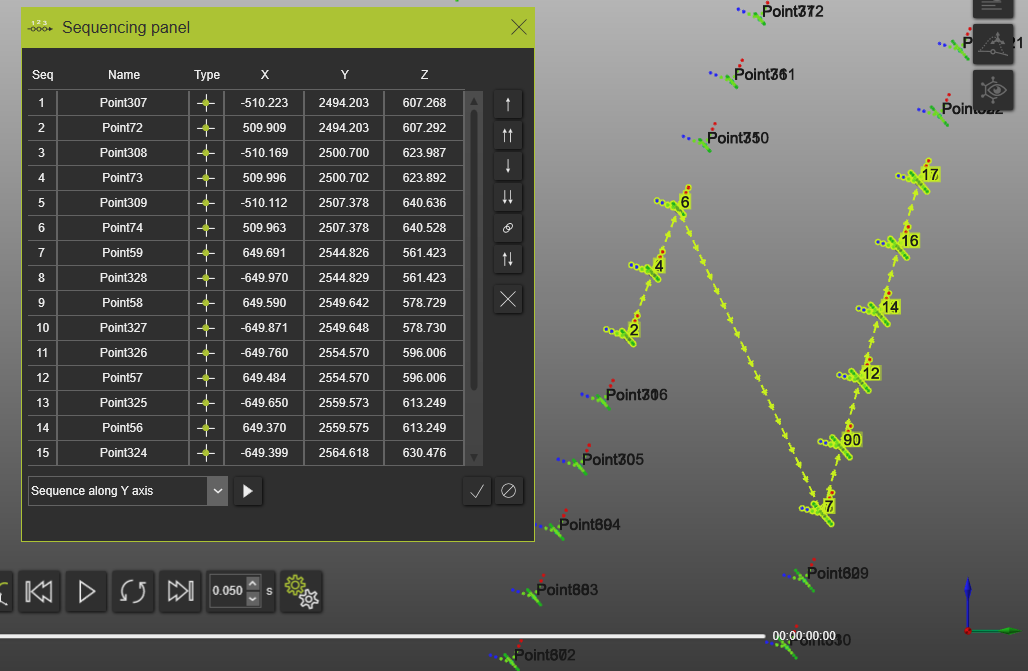
The Sequencing panel command opens a panel that contains a list with all selected process geometries from 3D view or from Process geometry dashboard.
The selected process geometry lists contains information’s regarding process geometry order in sequence, process geometry name, process geometry type and X,Y,Z coordinates
Sequencing commands
 Move selection one position up
 Move selection on the top of the list
 Move selection one position down
 Move selection on the bottom of the list
 Group selection
 Reverse sequence
 Remove selected from the sequence
 Program sequence
 Close window
 Run selected algorithm
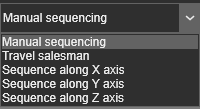
Sequencing algorithms
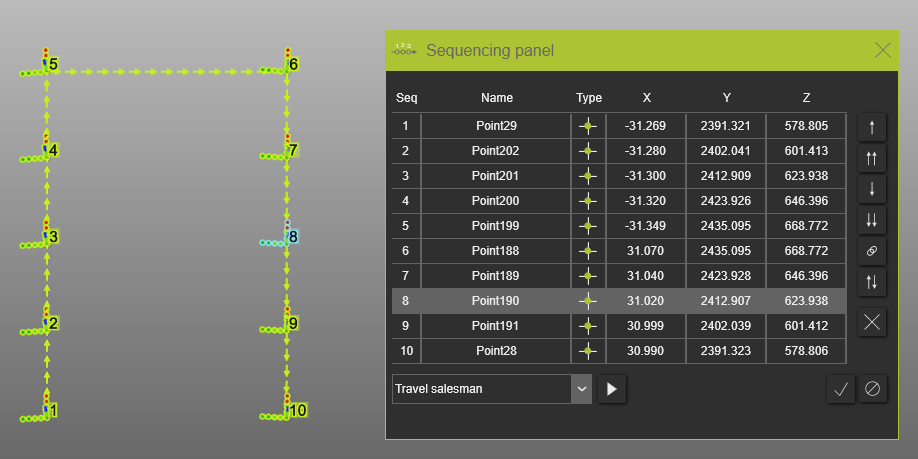
Travel salesman
With the Travel salesman algorithm the route of the tool path, i.e. the sequence of the operation is recomputed. Define the first and the last process geometry needed using drag and drop or move up down commands into the sequencing list. Press the Run selected algorithm command after the start and end process geometry set in the sequencing list.
Before:
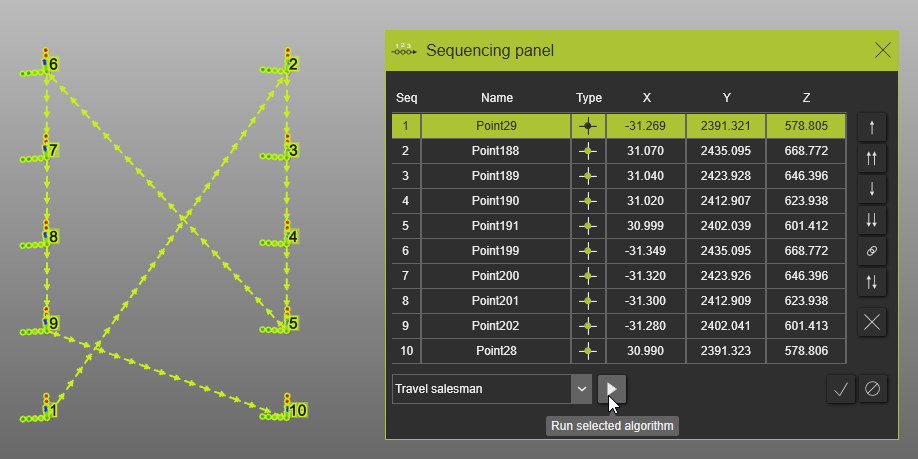
After:
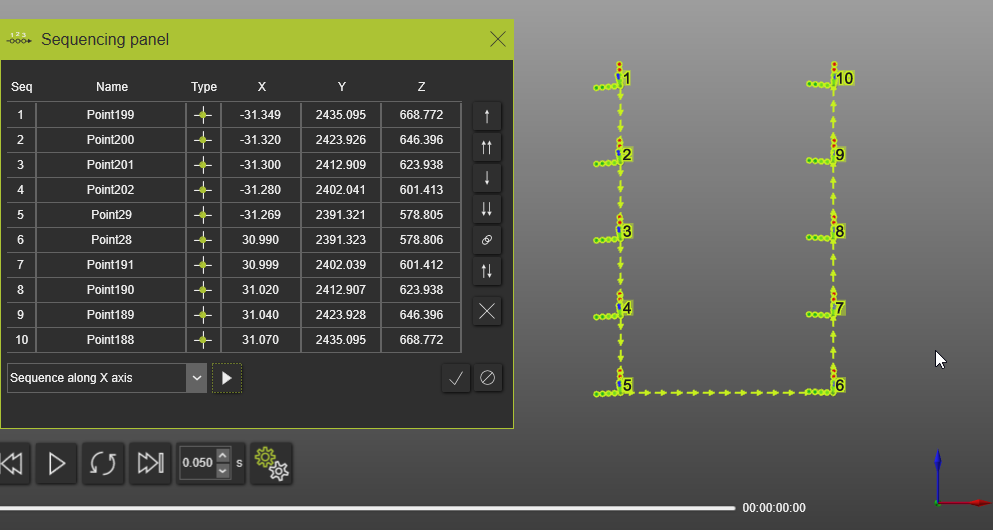
Sequence along X axis
With the Sequence along X axis algorithm the sequence is performed from the first to last process geometry in the sequencing panel into the X direction (red compass arrow) of the world axis system
Before:
After:
Sequence along Y axis
With the Sequence along Y axis algorithm the sequence is performed from the first to last process geometry in the sequencing panel into the Y direction (green compass arrow) of the world axis system
Before:
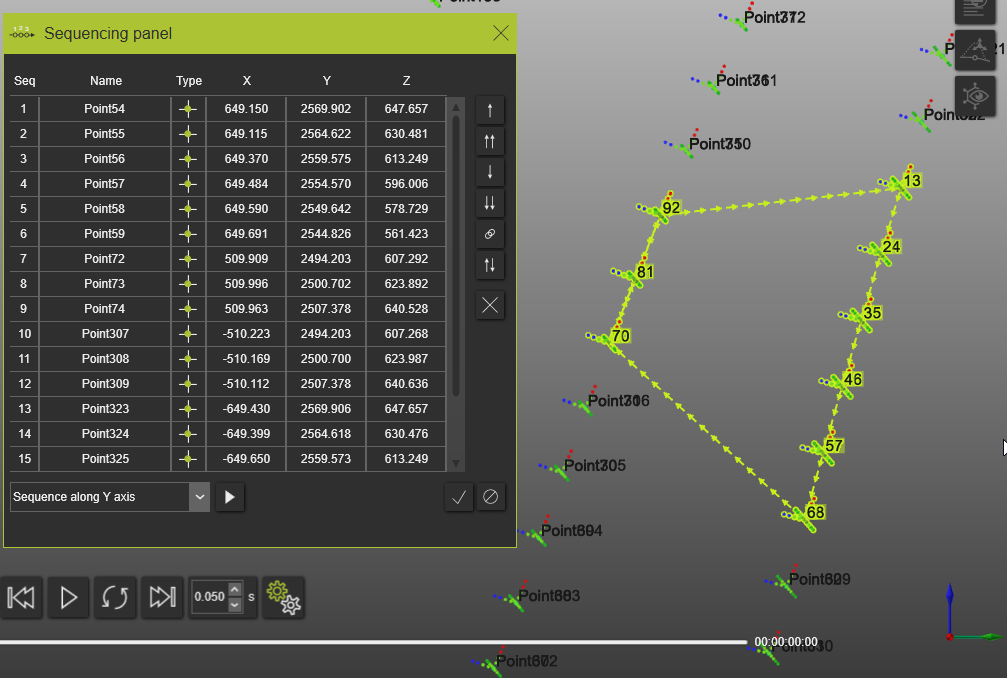
After:
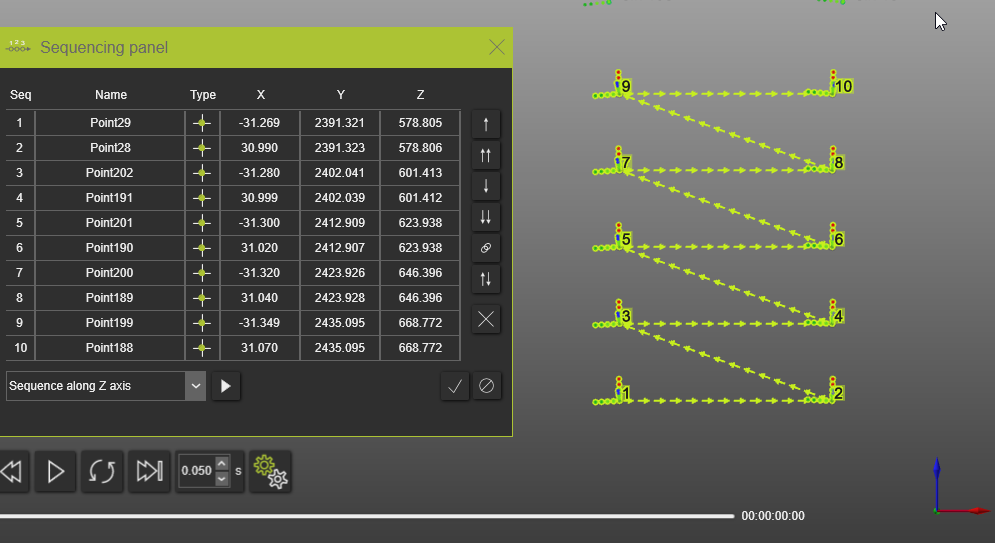
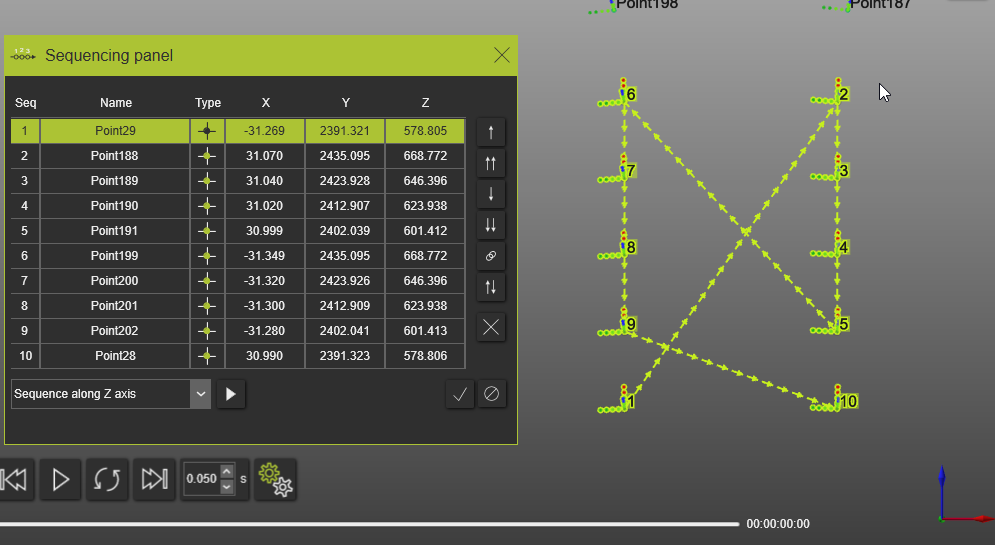
Sequence along Z axis
With the Sequence along Z axis algorithm the sequence is performed from the first to last process geometry in the sequencing panel into the Z direction (blue compass arrow) of the world axis system
Before:
After: