Arc weld seam

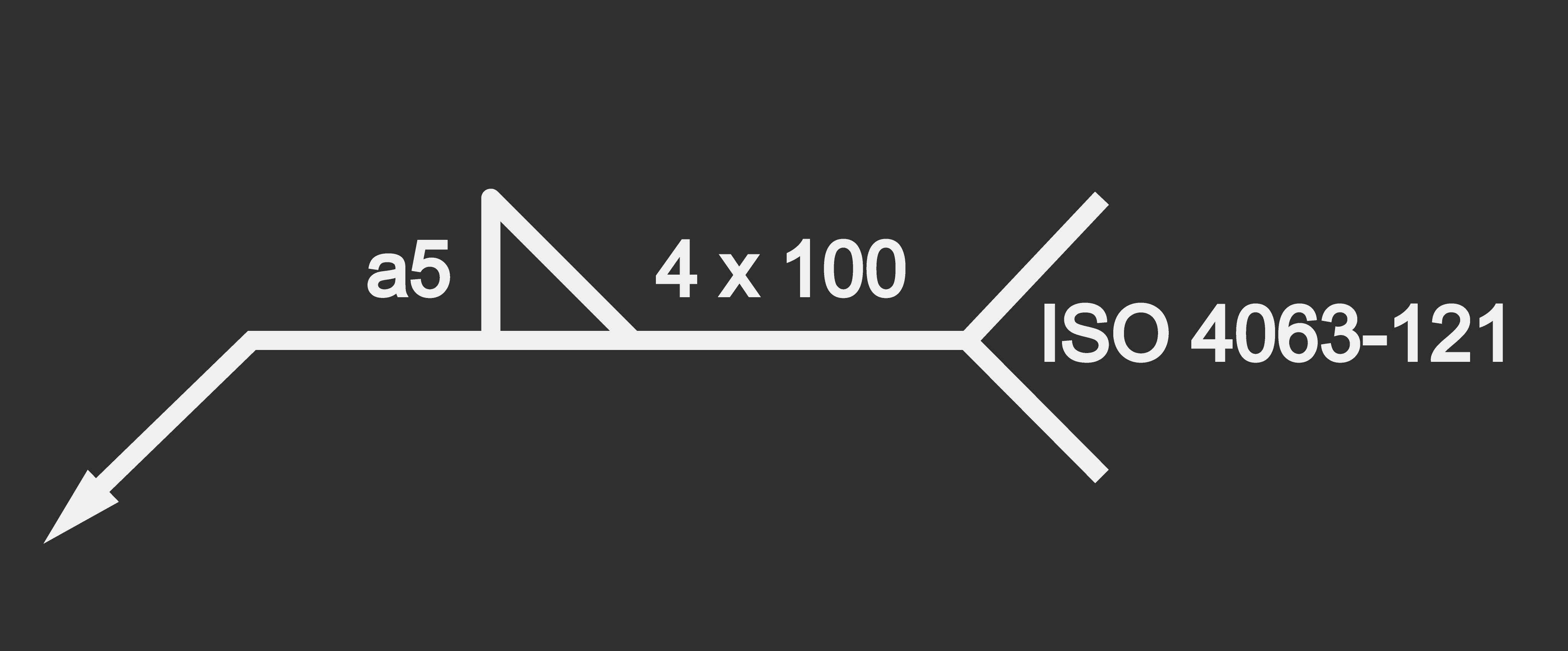
The Arc weld seam is not really a command but a button to expand (or collapse) a section, the cockpit, of arc welding specific process attributes. Purpose of this part is to define the welding seam process information, also know as the symbolic drawing representation according to DIN EN ISO 2553 (see example below). And to add that specific welded joint to the process geometry.
Pressing the button opens the cockpit.
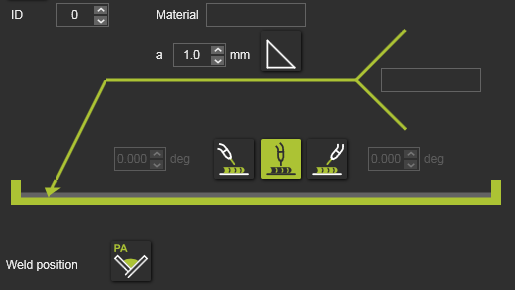
The cockpit includes the following welding attributes:
| Welding ID | Identifier for the welding seam. The ID will be used in combination with the controller process tables (welding database) to assign certain process, i.e. manufacturing variables to the seam. | |
| Material | The material of the welded parts. | |
| Seam thickness a | The size of the welding seam. | |
 | Seam type | The type of the welding seam. Pressing the button opens a small panel to select from. 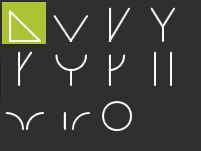 |
 | Work direction | Defines the work orientation, i.e. work direction of the welding tool. It can be chosen from a push, neutral or pull direction. For a push or pull direction, the tool angle has to be specified. |
 | Welding position | The position (Px) of the welding process. Pressing the button opens a small panel to select from. 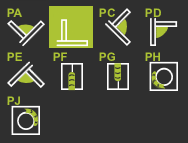 |
| Supplement | Optional additional information. |
After creating the process geometry, these process attributes are displayed and can be modified in the Process geometry dashboard.

Was this page helpful?