Tool process behavior

The Tool process behavior dashboard describes the process model behavior, i.e. the process outcome, when certain process conditions are applied on the tool. This information is being used in such a way that during process simulation with possibly different or changing process conditions, the computation will take these behavior data as reference to calculate the expected results.
Process behavior obviously is very technology specific. Therefore the look and feel of the dashboard will also be technology and process model specific. An example is shown below.
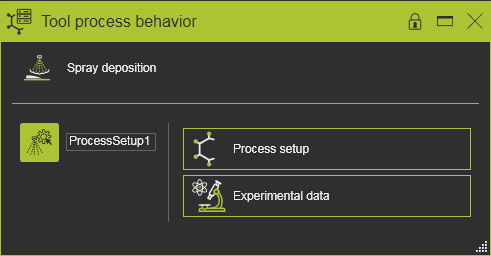
Some technologies do not support process simulation or have only fixed, predefined process models. In that case there will be no dashboard and thus will the command be deactivated in the toolbar when that technology or process model has been assigned to the tool resource.
Dashboard global overview

In the upper area of the dashboard, the process model that currently is applied to the tool is being displayed. It has only an informational purpose.
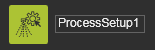
At the left side a list appears of all defined process behavior data sets. A data set includes all the parameters that describe the behavior conditions of the process; for example the paint spraying volume. When initializing a process model to the tool, one empty process behavior data set with a default name will be generated automatically. It needs to be completed only by filling in the parameter values in the containers on the right side of the dashboard. In case of multiple data sets, one has to pick that behavior to see and / or modify its parameters. Of that selected behavior the icon then is highlighted.
Picking the name of the process behavior data set enables to modify it.
Make sure that the name of the process behavior data set is unique. The controller process table uses this name to refer to the required tool process behavior during the process simulation.
A pie menu on a data set object in the dashboard offers some additional functionality.



In the dashboard a pie menu can be opened to manage the process behavior setups.