Lock the initial program

With the Lock command the program will be locked. This includes all the children groups and operations of the program.
Locking a program prevents it from unwanted changes made to the toolpath by the initial computation of it. In other words; all the process geometry approximation and the toolpath element positions are not affected when the program is updated. Other attributes however may still be editable.
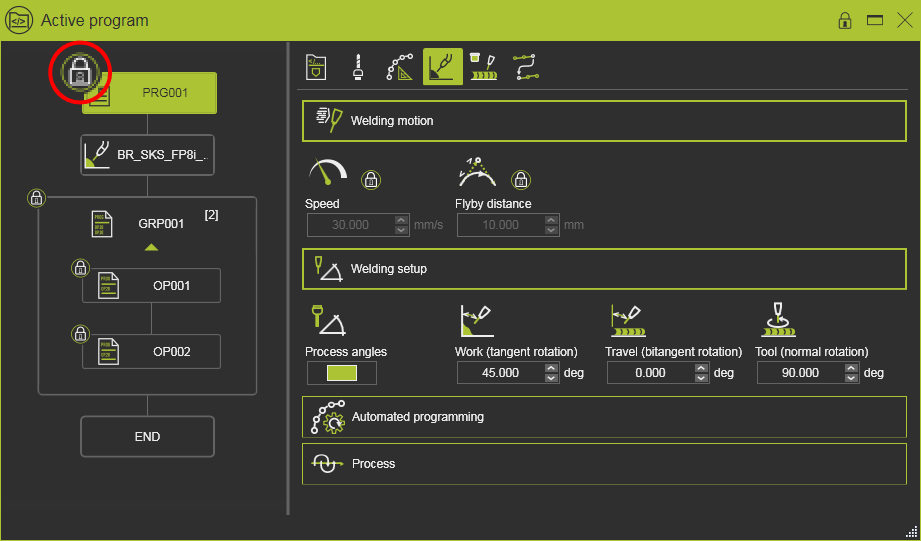
A symbol will be placed in the flow chart elements at the level of the program and its included operation groups and operations to indicate the locked state. And also all attributes that cannot be edited can be recognized by the lock symbol.
Sub programs that are part of the main program are not locked automatically.
Was this page helpful?