Resource attributes
Resource attributes
The resource has the following general attributes. At creation of the resource the default values for the attributes are given by the software, depending on the choice of type of resource.The attributes are shown and editable in the dashboard function of the Resource Builder Workbench.

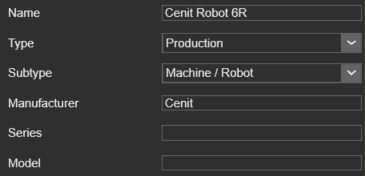
The General container opens with a vertical list with all the defined attributes within the component, shown by their names. Selecting one of them will show its attributes sorted in two groups. A cross highlighting in the 3D View and the dashboard UI appears.
| Attribute | Description | Remark |
|---|---|---|
| Name | The name of the resource | A name for the resource is mandatory. |
| Type | The type of the resource according to the classification. | |
| Sub type | The sub type of the resource according to the classification. | |
| Manufacturer | The manufacturer name of the resource. | Attribute can be left empty. |
| Series | The series name of the resource. | Attribute can be left empty. |
| Model | The model name of the resource. | Attribute can be left empty. |
Depending on the (sub) type of the resource, it has some additional attributes.

| Attribute | Description | Applies to |
|---|---|---|
| Technology | The manufacturing technology for which the resource has been designed or for which it will be set up. 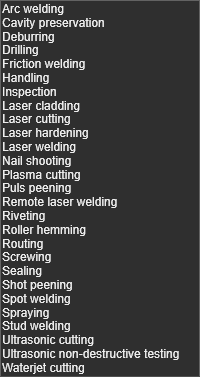 |  Robots and machines Robots and machines  End effector End effector  Tool Tool |
More resource reference information

Was this page helpful?