Move the joint

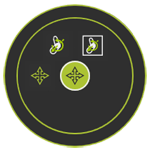
With the Move command the design position of the joint can be modified. The command starts a sub menu with three options of what other objects have to move along with the joint.
 Return level up
 Repositions the joint without moving any possible attached object.
 Repositions the joint including its attached geometrical bodies.
 Repositions the joint including all the attached objects, geometrical bodies, frames, adapters, etc.
When the command is started the Move Manipulator is placed at the joint.
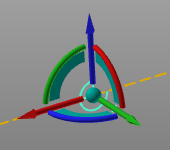
Now the joint, and the attached objects when the corresponding sub command has been selected, will move along with the Manipulator. The move operation remains active until the Manipulator is closed by calling the Pie menu at the Manipulator’s center sphere and picking the Pie center. Making use of the Manipulator’s interactive functionality or coordinates window enables to exactly place the object at the required location and orientation.
Was this page helpful?