Save all new created components

With the Save all new created components command all new components, i.e. resources, controllers and workpieces in the project will be saved in one single operation. With new is meant all components that have been added since the last save operation of the project or individual components.
The command for example comes in handy when new resources have been created while using the swept volume tracing during program simulation.
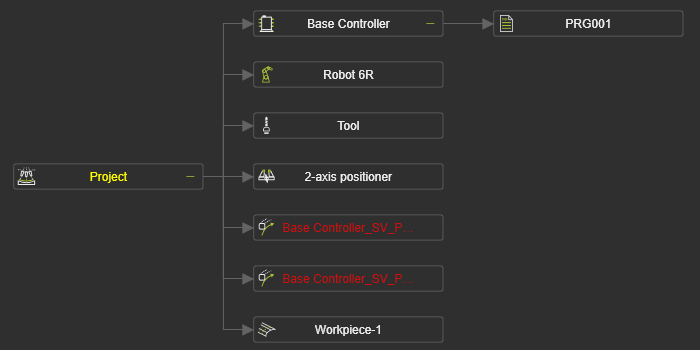
When the project itself has not been saved at that time, for instance because a .cendoc document has been loaded, the command will save all documents in the selected folder. Thus, the main project including its layouts, components and programs that are created at the controller.
When new components have been added to a layout or project, the command will only save the newly created components. In other words; the changes to the layout and project will not be saved automatically. After the save action, the project tree will still indicate the ‘changed’ state at the layout and / or project node.