Define the controller type

The center sphere of the Manipulator opens the Pie menu to specify the type of controller that will be created.
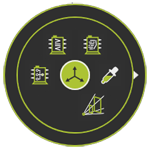
 Reset the Manipulator
 Pick the Manipulator position
 Team controller
 Logic controller
 Motion controller
Controllers are categorized in two main classes.
| Class | Description | |
|---|---|---|
 | Motion controller | Controller to manage the manufacturing equipment. Is usually connected to a single robot or machine. |
 | Logic controller | Controls the workcell logic. Is usually connected to other motion controllers. |
 | Team controller | Controls a team of up to 16 motion controllers to enable a synchronous and simultaneous simulation of multiple robot or machine operations on an external axis. |
After the controller class and or type has been selected the software creates the base information for that specific controller. It usually consist of a root frame C, a mechanical child adapter, called Mechanical_root_plug and an electrical parent adapter, called Electrical_root_plug. The root frame is placed at the origin of the layout document.
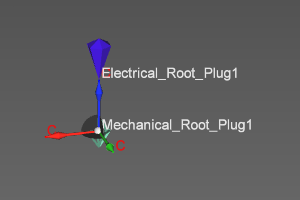
Basically the controller has been defined. With the controller dashboard its main definition can be completed.
Was this page helpful?