Measurement info

The command Measurement info opens a small window with more information from the measurement, like in the example below.
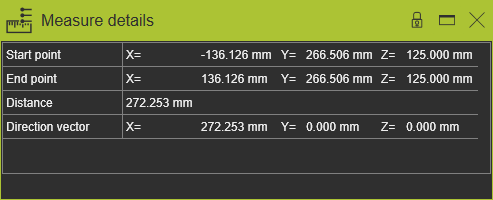
Picking anywhere in the 3D View will close the window.
The information here can be copied with use of the keyboard combination Ctrl+C key and pasted
into any (text) editor.
The center of a circle or circular arc can be selected while pressing the Shift key when selecting the circle or arc. The scroll carousel returns with a center point vertex as selectable item.
Was this page helpful?