Save the controller

With this Save As command from the function toolbar the controller will be stored on disk as a controller type .cenctl file, ready for re-use in a layout. A file browser will be opened to define the location where to store the file and under what name. The initial document name is the name that has been given to the controller. At creation a system default name is given, but it can be modified in the controller dashboard before saving the document.
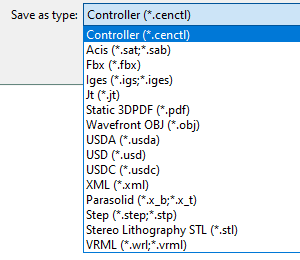
Furthermore the command supports to possibility to save the document in another CAD typical or neutral format. The other format can be selected from the drop down list in the option Save as type.
Was this page helpful?