Programming defaults

Command
In the Programming defaults dashboard all the attributes for the project set-up and for programming the toolpath are specified. For each attribute the default value that will be used when programming the toolpath can be set here.
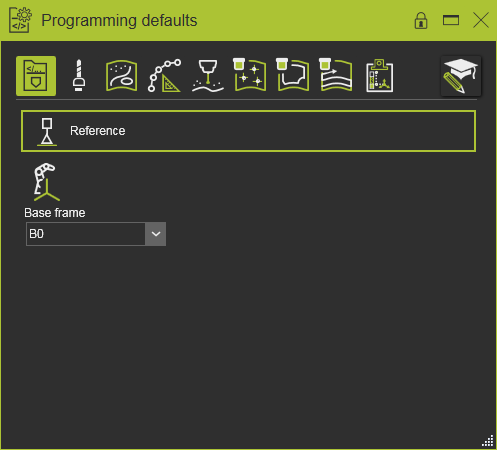
It goes without saying that a large number of the attributes are technology dependent. The software foresees in a number of common attributes, as well as a number of technology specific ones. And furthermore the content of the Programming defaults may have been extended with customized technology attributes. This page will use only an example of the dashboard to describe its content and functionality.
The dashboard shows two areas. The horizontal row at the top is the Tech tab row. Below the horizontal line the content of a selected tech tab is displayed.
Programming tech tabs

The first four tech tabs are common for all technologies. They will have identical or same attributes that apply to the technology. The fifth tech tab is the technology main chapter. Then the tech tab row shows the individual recipe chapters that are available for programming the toolpath for that technology. A technology can have multiple recipes. Only in case the technology does only support one single recipe, its attributes are listed under the technology tech tab. The row is completed with possible special or advanced tech tabs.
| Tech tab | Description | Remark |
|---|---|---|
| Common | ||
 Program base Program base | The project base information to program a toolpath. | |
 Tool data Tool data | Information about the tool being used and its setup. | |
 Manufacturing geometry Manufacturing geometry | Preparation to generate the manufacturing geometry from the process geometry. Attributes to define geometrical modifications and boundary conditions. | |
 Toolpath calculation Toolpath calculation | Conditions to compute the toolpath, such as contour approximation values. | |
| Technology | ||
 Technology base Technology base | The main attributes for the applied technology. | The icon represents the technology. |
| Recipes | ||
 Recipe Recipe | The specific attributes that are applied when within the technology that recipe is being used for programming the toolpath. | Optional. The section can have none up to multiple recipes. |
| Additional | ||
 Operation linking Operation linking | Specification of the transition movement between two sequential operation cycles. | |
 Toolpath quality Toolpath quality | Specification of the criteria and definitions for the toolpath quality evaluation. | The specific content of this tech tab is described in a separate page. See the Tech tab toolpath quality page. |
 Automatic path optimization Automatic path optimization | Specification of the criteria and definitions for the automatic toolpath optimization. | The specific content of this tech tab is described in a separate page. See the Tech tab automatic toolpath optimization page. |
Each tech tab has at least one container. Such container is a group of attributes with a related content. Containers can be expanded to show its content or collapsed to minimize the display.
 | 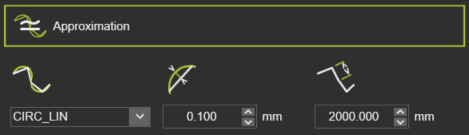 | |
| Collapsed | Expanded |
On the attribute and in the dashboard space a pie menu is present.


It is highly recommended to define all settings in the Programming defaults before generating the tool path, because not all properties or attributes will dynamically update an existing tool path after they have been modified in this dashboard.
Expert attributes mode

To not overload the user with a huge number of attributes, some of them are hidden by default. With the Expert attributes mode switch, these less used, advanced attributes are being displayed along with the general attributes.
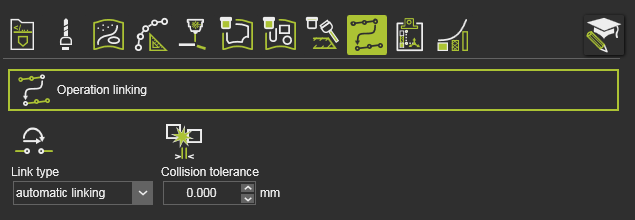 | 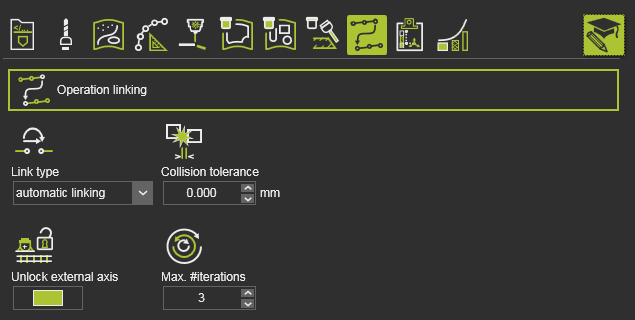 | |
| Normal mode | Expert mode |


