Measure between objects in fan mode

The command Measure between in fan mode returns with the shortest distance between two (geometrical) objects.
The function requires at least three objects before it can be executed. More objects however can be selected. The distance is measured always from the first object to the next one, i.e. from the first to the second, from the first to the third and so on.
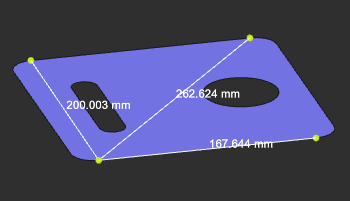
The information here can be copied with use of the keyboard combination Ctrl+C key and pasted
into any (text) editor.
The center of a circle or circular arc can be selected while pressing the Shift key when selecting the circle or arc. The scroll carousel returns with a center point vertex as selectable item.
Was this page helpful?