Move to position

The Move to position command moves the selected process geometry element(s) to any entered position in the table.
The command opens a small window where the new position has to be entered.

| position | Moves the selection to the position in the same group. |
| group-position | Moves the selection to the group number and position in that group. |
| Before | Moved to position |
|---|---|
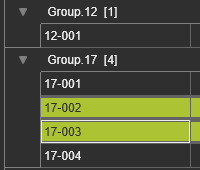 | 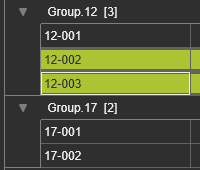 |
Empty groups cannot exist. Thus, when a group remains empty after moving the process geometry elements, it will be deleted from the table automatically.
Was this page helpful?