Define the resource type

A right click on the center sphere of the Manipulator opens the Pie menu to specify the type of resource that will be created.
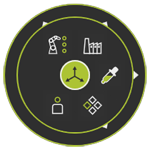
 Reset the Manipulator
 Pick the Manipulator position
 Miscellaneous
 Human
Human Peripheral
 Production
Resources are categorized in different classes. Each class drives the major function and behavior of the resource in a layout.
| Class | Description | |
|---|---|---|
 | Production | Resources with controlled kinematics for production and manufacturing purpose.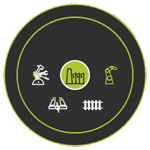  Robots and machines Robots and machines Gantry and rails Gantry and rails Workpiece positioner Workpiece positioner End effector End effector |
 | Human | Humans that perform some kind of manufacturing operation. |
 | Peripheral | Resources directly supporting the manufacturing operations.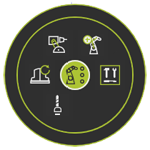  Tool magazine Tool magazine Tool Tool Fixture Fixture Jig Jig Dress up Dress up |
 | Miscellaneous | Resources to complete a manufacturing environment.  Furniture Furniture Chassis Chassis Floor plan Floor plan Protection Protection Building parts Building parts |
 | Logistics | Components for logistic flow and transportation operations.  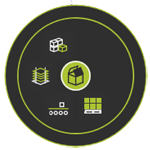  Source Source Transport Transport Buffer Buffer Storage Storage |
After the resource class and type has been selected, the software creates the base information for that specific resource. It usually consists of a root frame R, a mechanical child adapter, called Mechanical_Root_Plug1 and an electrical child adapter, called Electrical_Root_Plug1. But this varies a little per resource type. The root frame is placed at the position of the manipulator in the active layout document.
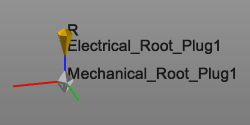
Basically the resource has been defined now. With the resource dashboard its main definition can be completed.
It is not possible to change the class or type of the resource here. This can only be done in the Resource Dashboard.