Duplicate a toolpath

Command
With the Duplicate the toolpath command the toolpath of a complete program, an operation group or single operation can be multiplied.
A new panel appears to select the duplication type.
Simple duplicate
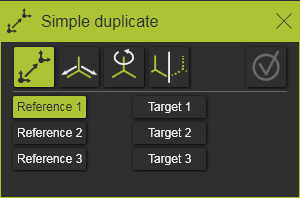
The Simple duplicate is the first option to duplicate the operation. It works in three pairs of picking a reference and a target to define the transformation matrix.
Starting with the first reference point in the panel, the corresponding 3D point has to be selected, after which the matching target position has to be selected. Each selected reference or target position is presented by a small sphere. In the panel itself, a confirmation mark is displayed.
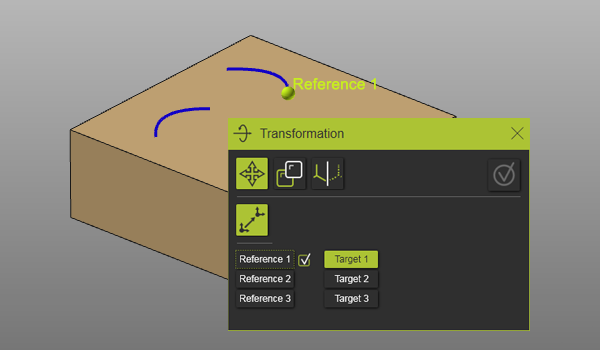
Picking any reference or target object in the panel will activate it to be selected or modified in the 3D space.
Each pair of reference and target position extends the transformation matrix.
| 1. pair | Defines the translation (vector) between the reference and target position. | 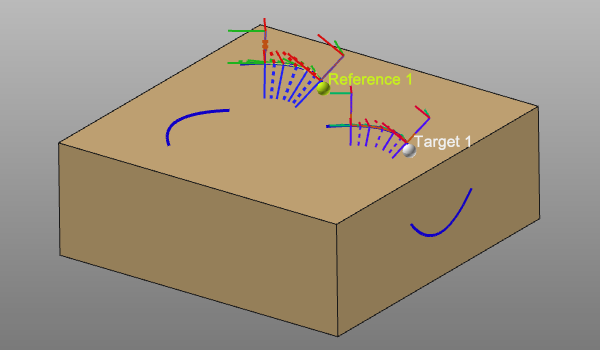 |
| 2. pair | Defines the rotation at the target start position. The angle is measured between the vectors that are generated between point 2 and point 1. | 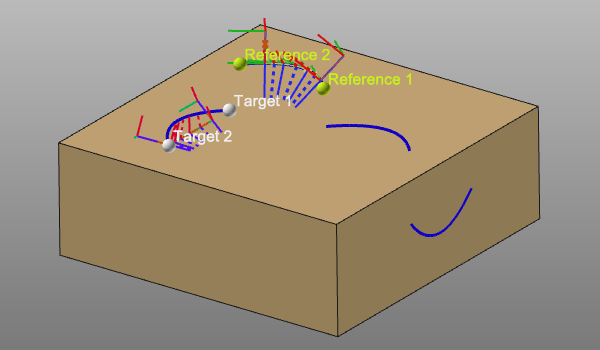 |
| 3. pair | Defines an axis to axis transformation. With point 1 and 2, point 3 generates a temporary, local system at the reference and target position. | 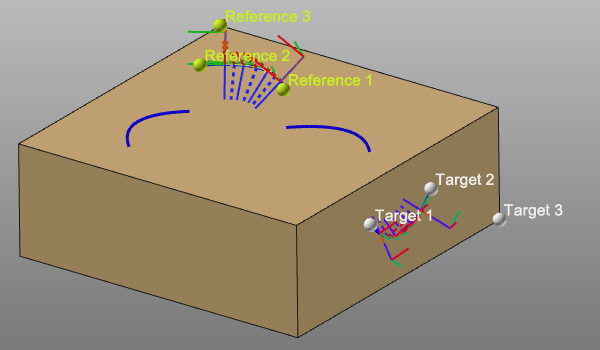 |
The transformation has to be made permanent by pressing the Execution button that is located at the top right side of the panel. After that the duplicated toolpaths are inserted in the existing program.
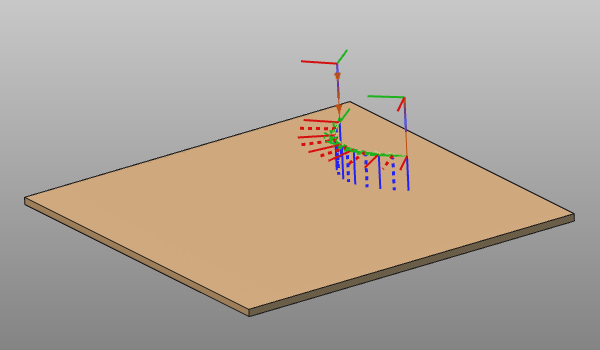
Translation
The translation results in a duplication along an axis of the manipulator. The manipulator itself can be positioned with the coordinate and rotation parameters. A preview of the translation is displayed while editing the duplication parameters.
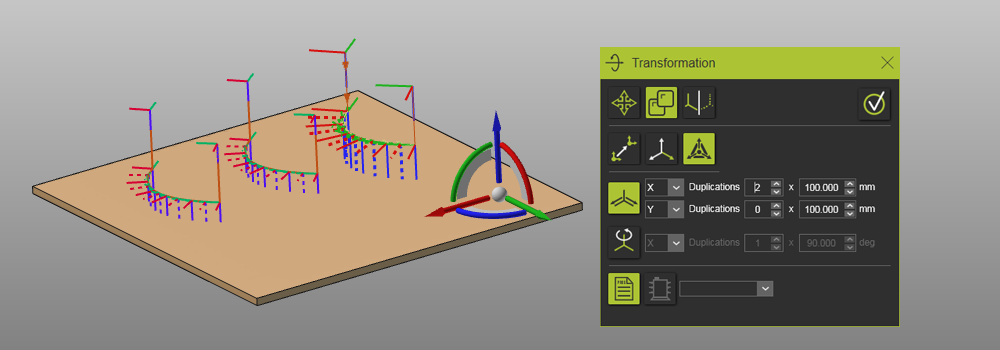
The translation is defined by:
 | Translation direction The (manipulator) reference direction can be picked from the drop down list. The translation can be defined in two directions. |
 | Duplication factor The number of items in the result pattern and the translation distance. |
The translation has to be made permanent by pressing the Execution button that is located at the top right side of the panel. After that the duplicated toolpaths are inserted in the existing program.
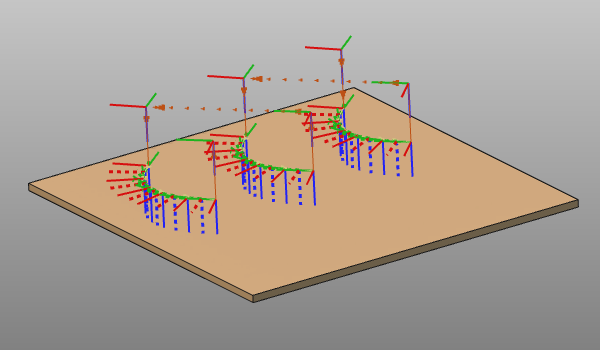
Rotation
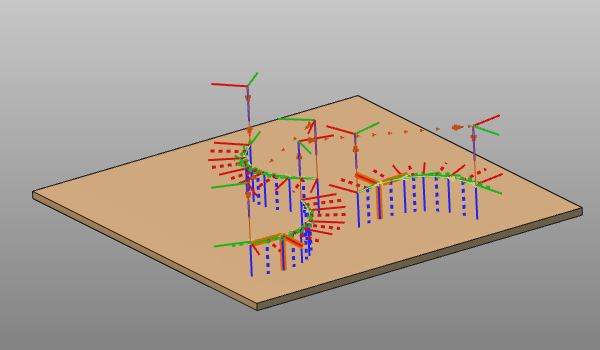
The rotation results in a duplication around an axis of the manipulator. The manipulator itself can be positioned with the coordinate and rotation parameters. A preview of the rotation is displayed while editing the duplication parameters.
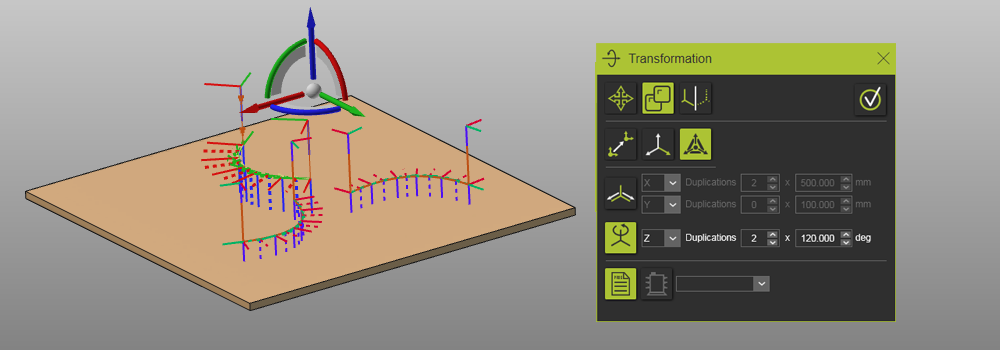
The rotation is defined by:
| Rotation axis The (manipulator) reference axis can be picked from the drop down list. |
 | Duplication factor The number of items in the result pattern and the rotation angle. |
The rotation has to be made permanent by pressing the Execution button that is located at the top right side of the panel. After that the duplicated toolpaths are inserted in the existing program.
Mirror
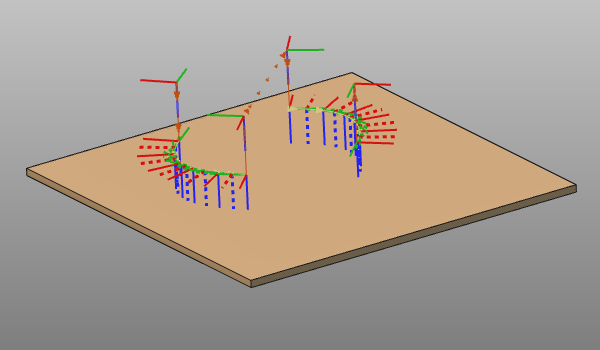
The mirror results in a mirrored duplication over a manipulator plane. The manipulator itself can be positioned with the coordinate and rotation parameters. A preview of the mirror is displayed while editing the duplication parameters.
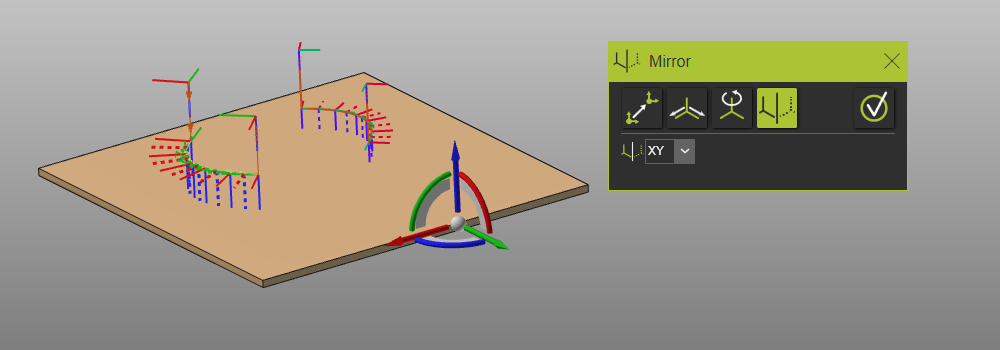
The mirror is defined by:
 | Mirror plane The (manipulator) reference plane can be picked from the drop down list. |
The mirror has to be made permanent by pressing the Execution button that is located at the top right side of the panel. After that the duplicated toolpath is inserted in the existing program.
The command can be interrupted by pressing the ESC key or when changing the command in the workbench toolbar.
The duplicated toolpath is an autonomous operation. Their is no relationship or other association between the original toolpath and the duplicated results.