External simulation connectors
External connectors

FASTSUITE Edition 2 supports the following external connectors for simulation:
Virtual robot controller VRC
| ABB VRC |  |
Connects with ABB as virtual controllers for a realistic motion planning of ABB robots.
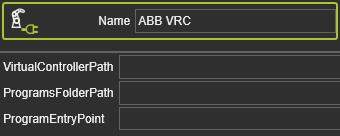
The following software is required to connect the ABB VRC to the ABB Virtual Controller :
- RobotStudio or Robot Communications Runtime tool VRC Server
The connector uses the attributes
| Virtual controller path | The installation path of the virtual controller. |
| Programs folder path (optional) | The path where the program(s) can be found. If the ProgramsFolderPath and ProgramEntryPoint are specified, all programs from this folder will be loaded to the controller and the program execution will be started automatically. |
| Program entry point (optional) | The program name. If the ProgramsFolderPath and ProgramEntryPoint are specified, all programs from this folder will be loaded to the controller and the program execution will be started automatically. |
| DENSO VRC | |
Connects with the VRC of DENSO thru the ORiN2 interface for a realistic motion planning of DENSO robots.
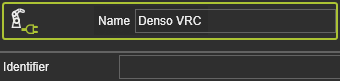
The connector uses the attribute
| Identifier | Full path of the WINCAPS III (WPJ) file. When the input is “*”, it will connect to the activated WPJ file. |
| FANUC VRC | |
Connects with FANUC ROBOGUIDE V7, V8 and V9 as virtual controller or with the FANUC R-30iA and FANUC R-30iB robot controls for a realistic motion planning of FANUC robots.
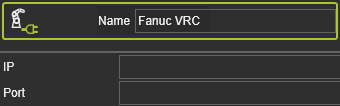
The connector uses the attributes
| IP Address | The IP address of the connection. The default IP address to connect to Roboguide is 127.0.0.1. When connecting to a real controller, the IP address of the robot must be entered (Menu->Setup->Host Comm->TCP/IP->IP address). |
| Port | The port number is necessary to connect to the robot controller. The port can be found in Roboguide (Cell browser->Robot Controller Properties->Scroll down in order and configuration->the number of “Robot IF Server” is the port). For a connection to a real controller, the port is also required. |
| KAWASAKI VRC | |
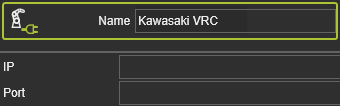
The connector uses the attributes
| IP Address | The IP address of the connection. |
| Port | The port number to connect to the robot controller. |
| Kobelco VRC | |
Connects with the VRC of KOBELCO for a realistic motion planning of KOBELCO robots.
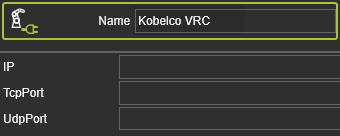
The connector uses the attributes
| IP | The IP address of the connection. |
| TCP Port | |
| UDP Port |
| Kuka OfficeLite | |
Connects with KUKA OfficeLite as virtual controller for a realistic motion planning of KUKA robots.
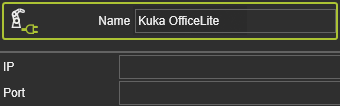
The connector uses the attributes
| IP | The IP address of the FASTSUITE E2 Server. |
| Port | The port number of the connection. |
| Nachi VRC | |
Connects with the VRC of Nachi for a realistic motion planning of Nachi robots.
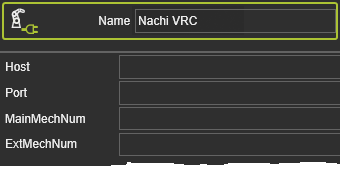
The connector uses the attributes
| Host | |
| Port | The port number of the connection. |
| Main mech num | |
| Ext mech num |
| Yaskawa VRC | |
Connects with the VRC of Yaskawa for a realistic motion planning of Yaskawa robots.
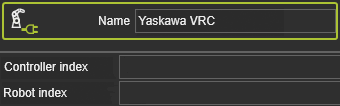
The connector uses the attributes
| Controller index | |
| Root index |
Virtual numerical controller VNC
| Fanuc VNC |  |
Connects with FANUC NCGUIDE as virtual controller for a realistic motion planning of FANUC CNC machines.
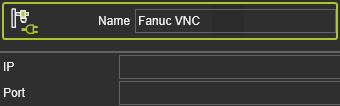
The connector uses the attributes
| IP Address | The IP address of the connection. The default IP address to connect to NCGuide is 127.0.0.1. When connecting to a real controller, the IP address of the machine must be entered (Menu->Setup->Host Comm->TCP/IP->IP address). |
| Port | The port number is necessary to connect to the controller. |
| Prima VNC | |
Connects with Prima as virtual controller for a realistic motion planning of Prima CNC machines.
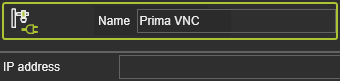
The connector uses the attributes
| IP Address | The IP address of the connection. |
| SINUMERIK VNC | |
Connects with the virtual SINUMERIK CNC control for a realistic motion planning of NC machines and robots that are operated with a 840D control.
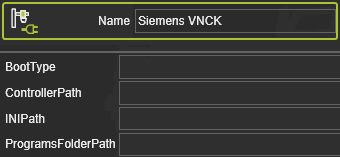
The connector uses the attributes
| Boot type | The boot types SRAM, IBN or SIM DATA are available. |
| Controller path | The path to the controller boot file. The version of the chosen connector and the version of specified boot file must match. |
| INI path | The path of the INI file. |
| Programs folder path | The path of the folder with the SPF and MPF programs. All programs are automatically loaded to the controller at boot time and the first MPF program found is selected. |
Virtual logic controller VLC
| Beckhoff TwinCAT 3 OPC-UA |  |
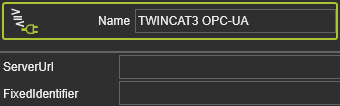
The connector uses the attributes
| Server URL | The address of the OPC-UA server. Default: opc.tcp://localhost:4840 |
| Fixed identifier | The server URL does contain a fixed and a flexible part. Fixed part needs to be defined wihtin this attribute. The flexible part comes from layout builder controller ports. “MAIN” Is the program name. Default: MAIN |
| Mitsubishi OPC-UA | |
Connects with Mitsubishi GX Works
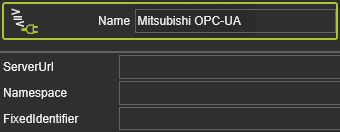
The connector uses the attributes
| Server URL | The URL of the OPC-UA server. Default: opc.tcp://localhost:4841 |
| Name space | The Index for the namespace. Default: 4. |
| Fixed identifier | The server URL does contain a fixed and a flexible part. Fixed part needs to be defined wihtin this attribute. The flexible part comes from layout builder controller ports. “Address Space” is a must, followed by the device name “SoftPLC”. Default: Address Space.SoftPLC |
| Siemens PLCSim | |
Connects with Siemens PLC Sim instances.
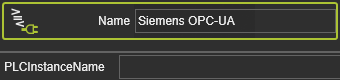
The connector uses the attribute
| PLC Instance name |
| Siemens PLCSim Advanced | |
Connects with Siemens PLC Sim Advanced, predefined instances.
The connector uses the attribute
| PLC Instance name |
Others
| Async DOF |  |
This connector uses a CSV file as input. The file contains a table of axes and time that define the movement to be used in the simulation.
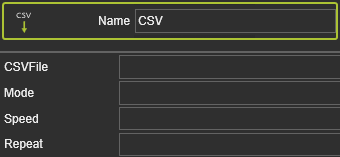
The connector uses the attributes
| CSV file | The full path of the CSV file. |
| Mode | Interpretation and simulation of the CSV content. The simulation mode is set by an integer value: |
| Speed | Factor of simulation. When the Mode is 0, dwell time (sec) is set in every step. If Mode is not 0, it indicates the rate of simulation speed (e.g. 1 = 100%, 2 means 2 times faster). |
| Repeat | Count of simulation cycles. 0 = endless simulation. |
| 0 | Run the simulation by index, with a dwell time(second) set in Speed. |
| 1 | Run the simulation by time, without joint interpolation between 2 records (before and after). |
| 2 | Run the simulation by time, with joint interpolation between 2 records (before and after). |