Weld seam calibration - seam search with point laser

Sensing with point laser
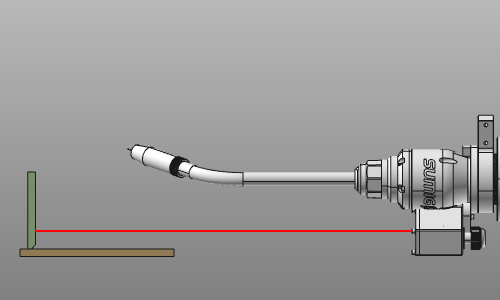
Sensing with a point laser is a functionality that is not started with a ordinary command button. It is a mixture of defining the sensing operation conditions and its calibration positions on the welding part(s). The operation conditions are to be set in the OLP programming. Setting the sensing positions can be integrated in the definition and creation of the (welding) contour process geometry.
[link:]
Programming defaults
In the Programming defaults dashboard in the OLP workbench, the tech tab Technology base includes the base selection of the weld seam calibration method.
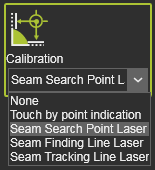
The tech tab Seam search with point laser will display the available attributes to compute the complete sensing operation cycle.
[link:]
Sensing point indication
Sensing points can already be defined when creating the process geometry. However, this method currently only works in combination with the Welding contour by projection search method.
At any time during the process of defining this welding contour, any number of points can be picked on any of the welding parts. Each position is determined by the mouse click on the welding part surface through WYSIWYG. The picked position is marked by a blue sphere, like in the example below.
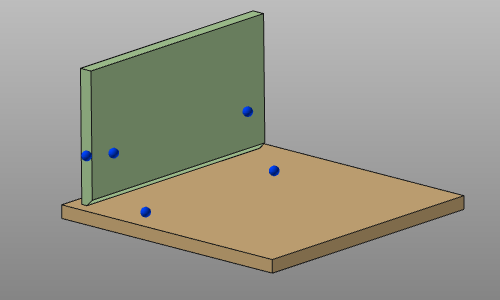
With the Undo command the last created touch point(s) can be removed again.
The information of the sensing positions is stored with the process geometry that is being created. The positions are being displayed in the Process geometry dashboard.

[link:]
Modifying the sensing definition
The positions of the detection points currently can only be modified when manually programming the toolpath. At selection of the process geometry, the sensing points that have been defined with the process geometry creation, are being displayed in the 3D space. They now can be picked and dragged to any other location on the welding parts.
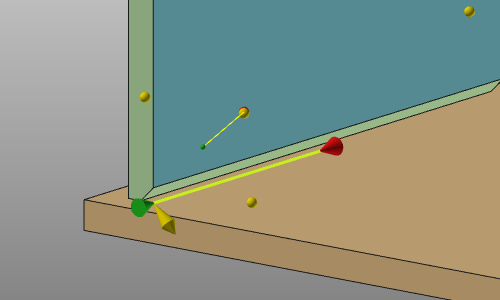
At this stage also new sensing positions can be added and existing ones can be removed. Simply pick on the welding part a position to define a new sensing point or click an exiting yellow sphere to remove that position. This works on process geometry that includes pre-defined sensing positions and on process geometry that does not have any pre-defined calibration.
All other sensing parameters can be modified once a toolpath has been computed on the process geometry that includes a calibration position.
For each detection direction an operation cycle is created. With use of the Active program dashboard in the OLP workbench, the attributes of each sensing operation can be modified.
[link:]
More reference information

