Surface search - reference information
Surface search settings
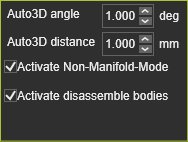
When selecting surface geometry, the system will search for inner and outer boundary contours on surface elements. Multiple surfaces can be selected. In that case the search engine tries to merge adjacent surfaces in a single domain for which the boundaries are searched for. Multiple domains however can exist. In that case for each domain the boundaries are generated.
| Auto 3D Angle | Adjacent surfaces are merged when the angle between the (in surface) normals at the edges is smaller than the defined angle value. 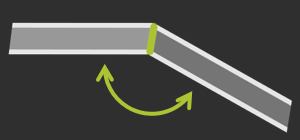 |
| Auto 3D Distance | Adjacent surfaces are merged when the gap between the edges is smaller than the defined distance value. 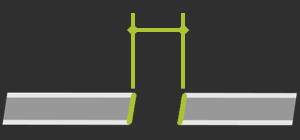 |
| Activate Non-Manifold Mode | When multiple possible solutions exist to merge adjacent surfaces, activating the option results in the solution where the angle between the adjacent surfaces is the smallest.  |
| Activate disassemble bodies | Bodies can be disassembled in single surfaces, to generate other domains. 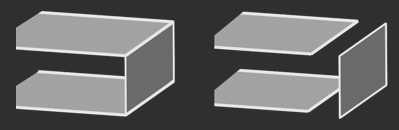 |
Was this page helpful?