Simulation player
The Simulation player bar in the OLP and Onsite Editor workbench:

The Simulation player bar in the Automation Builder workbench:

With the Simulation player a programmed kinematic sequence can be played in a motion sequence. The player is only available in those workbenches where such sequences can be created and/or simulated.
With the Simulation Player not only the motion of the programmed devices can be shown, similar to any other media player. It also includes some additional simulation options and settings.


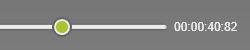
Below the buttons the Simulation player has a progress bar. While running a simulation the progress knob remains at its most right position on the bar to indicate the last reached step of the simulation. This knob can be used to step back and forward in the part of the simulation that has been showed at that moment. The knob has to be picked with the left mouse button and than can be dragged sideways over the progress bar. At the right side of the progress bar also a clock is displayed to show the elapsed time of the program at that moment.
 |  |
