Signalanschlusszuordnung
Signalanschlusszuordnung
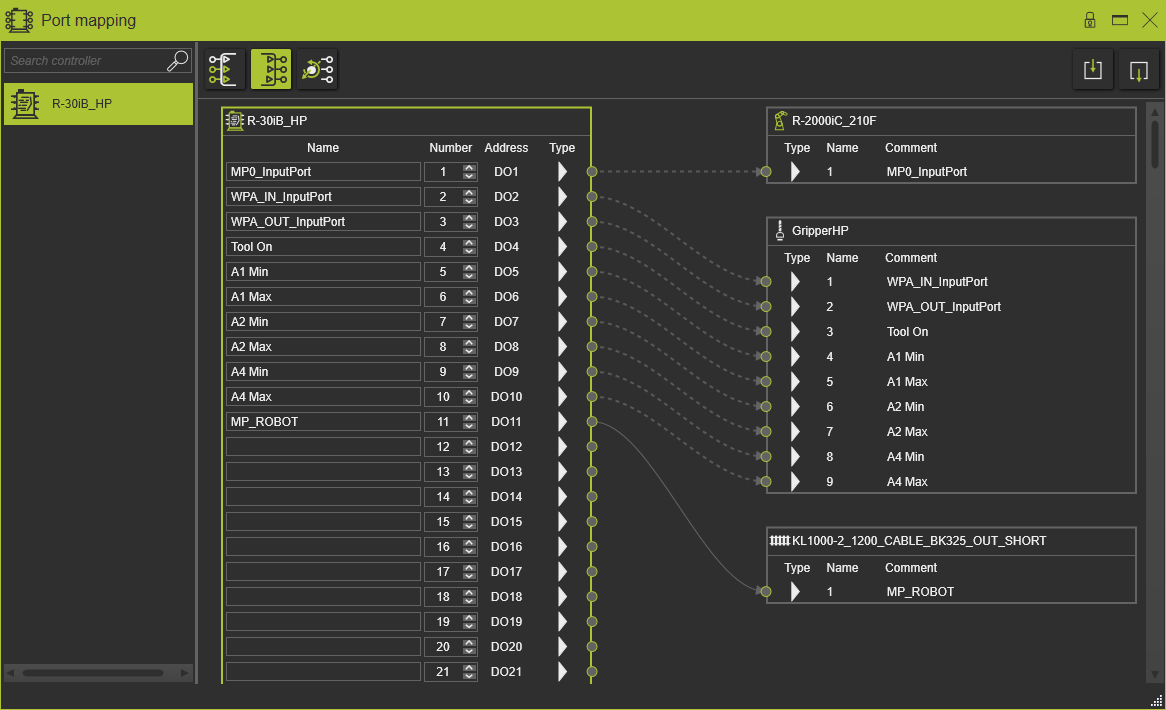
Anschlüsse
Ein Controller verwaltet zwei verschiedene Ports:
| Gelenk | Ein Joint-Port ist die Schnittstelle der Signalzuordnung für die externen Achsen einer Ressource. Er ist nur bei angetriebenen und synchronen Achsen, d. h. Gelenken, verfügbar. |
| Logisch | Ein logischer Port tauscht Steuerbefehlsignale (Sensor, Bewegungsimpuls, Handshake, …) zwischen Steuerungen oder zwischen einer Steuerung und ihrer Peripherie aus. Logische Ports können nur mit anderen logischen Ports verbunden werden. Eine Steuerung verfügt über logische Ein- und Ausgänge. |
Ein Port unterstützt verschiedene Datentypen:
 | Boolesch | Standardanschlusstyp |
 | 8-Bit-Byte | |
 | 32-Bit Gleitkommazahl / Float | |
 | 16-Bit Ganzzahl | |
 | 32-Bit-Ganzzahl |
Portverbindungen
Portverbindungen können nur definiert werden, wenn eine elektrische Verbindung zwischen den Komponenten besteht und die Ports dieser Komponenten vom gleichen Typ sind.
Die Software unterstützt eine automatische Zuordnung von Ports zur Herstellung der Verbindungen.
Beim elektrischen Verbinden von zwei Controllern ordnet die Software automatisch die nächsten freien 16-Booleschen Signale beider Controller zu. Bereits bestehende elektrische Verbindungen zwischen den Controllern bleiben unverändert.
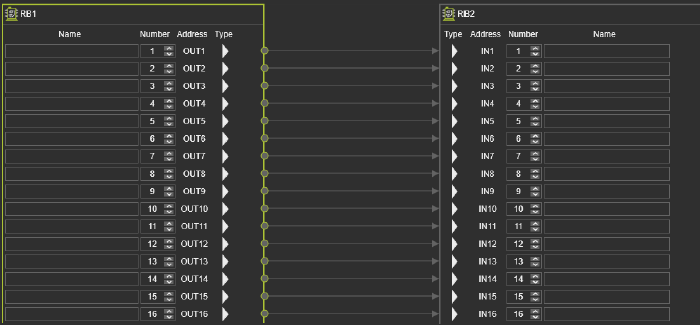
Beim elektrischen Verbinden einer Ressource und eines Controllers ordnet die Software automatisch zu:
-
Controller-Eingänge und Ressourcen-Ausgänge
-
Controller-Ausgänge und Ressourcen-Eingänge.
Wenn die Ressource einen Port eines anderen Typs als Boolean enthält, wird dieser Port automatisch auf der Controller-Seite erstellt.
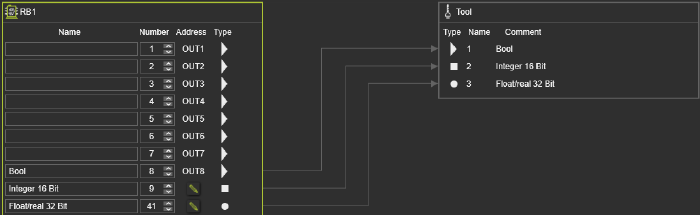
Nach der Änderung der Schnittstelle des Ressourcenports erfolgt jedoch keine automatische Aktualisierung der Portverbindungen.
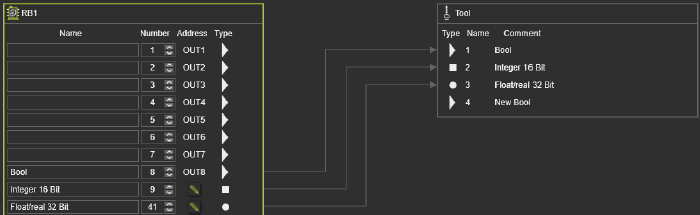
Anzeige der Portverbindung
Die Portverbindungen haben zwei verschiedene Anzeigezustände.
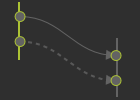
Die durchgezogene Verbindung wurde im aktuell aktiven Layout erstellt. Sie kann bearbeitet werden. Die gestrichelte Verbindung wurde in einem anderen Layout erstellt, das noch nicht aktiv ist. Diese Verbindung kann hier nicht bearbeitet werden.
