Laser welding

Laser welding
Programming a toolpath for laser welding basically generates a welding cycle, i.e. an operation, that consists of three sections:

approach (off-process)
welding process (in-process)
retraction (off-process)
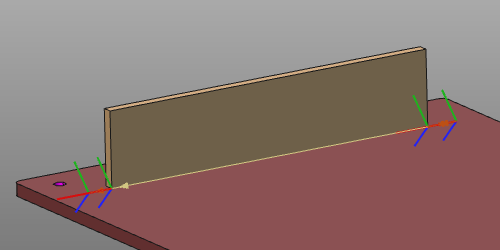
The welding cycle is calculated and controlled by the programming attributes and events.
Welding cycles
Laser welding supports different global welding cycle types.
| Continuous | Generates a single welding seam along the process path from start to end position. | 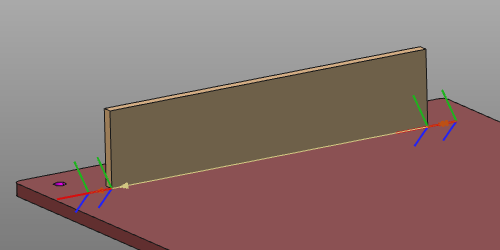 |
| Stitch | Generates an intermittent welding along the process path, composed of a certain number of smaller welding seams. | 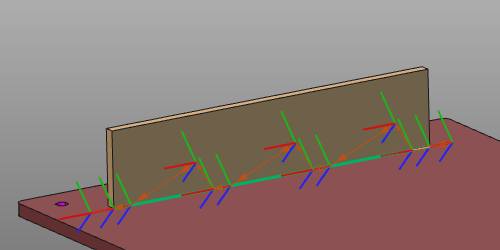 |
On top of these global cycles, special features or routines can be applied for maximum optimization, efficiency and performance.
| Box welding | Expands the global welding cycle, where at the start and end position of the path the welding parameters need to be different from the rest of the cycle. For example in corners, to better reach the path limits. | 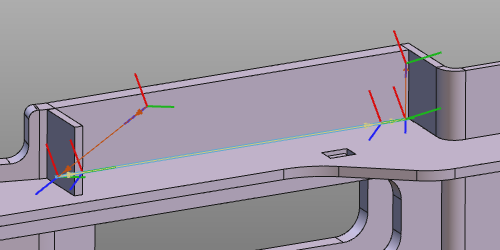 |
| Process orientation | Works only in situations where an 1- or 2-rotary axis positioner carries the workpiece and the positioner (motion) is connected to the controller. On each toolpath position the positioner axis are manipulated in such way that the welding laser normal direction (and therefore also the welding seam) is kept in down-hand position. In down-hand position the liquid welding material remains in place. | 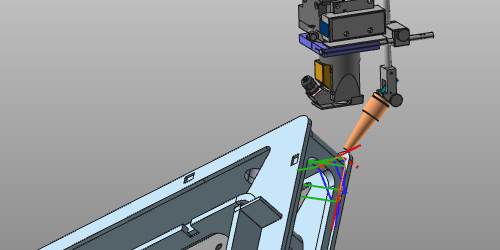 |
Tool angles
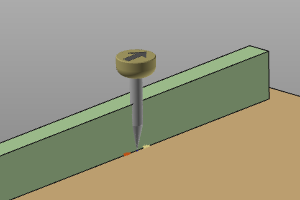
In general there are three tool angles to define the welding head orientation starting from its nominal position.
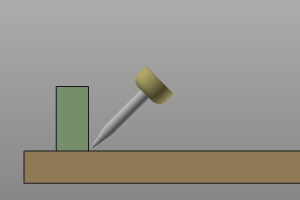 | 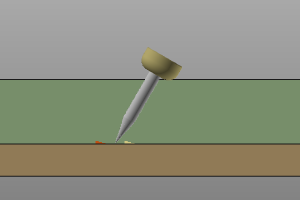 | 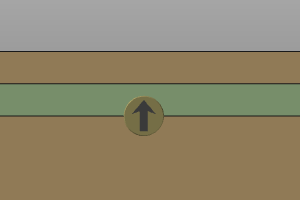 |
| Work | Travel | Tool |
Tool alignment
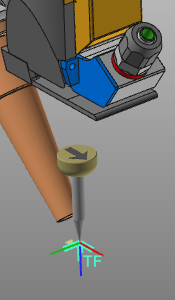
Each tool has a tool frame that is used to place it at the toolpath in its correct position and orientation. It is essential that this frame has been aligned with the orientation of the process geometry in order to get a correct result. This alignment is the mapping between the tool frame and the process geometry.
When creating the process geometry, a normal direction (purple arrows) and tangent or travel direction (red arrow) have been defined.
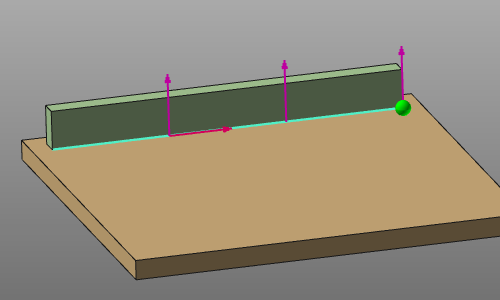
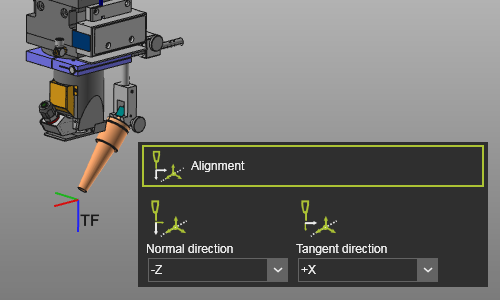
With the Alignment attributes, the tool frame axes have to be mapped with these directions
 |  |
Programming attributes
The display of the programming attributes in the Programming defaults and Active program dashboards is defined in a Settings.xml file. With the installation, a default file is located at the path <install>\E2Plugin\Technologies\LaserWeldingTechnology\Standard\ControllerSettings.
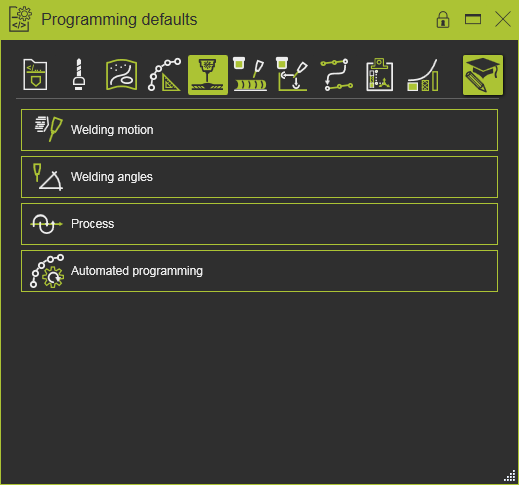
The following generic attributes have been defined.
| Tech tab | Container | Attribute | Description |
|---|---|---|---|
 Program base Program base | |||
 Tool data Tool data | |||
 Manufacturing geometry Manufacturing geometry | |||
 Toolpath calculation Toolpath calculation | |||
| Technology base | |||
 Welding Welding | |||
 Touch sensing Touch sensing | |||
 Operation linking (when applicable) Operation linking (when applicable) | |||
| For automatic link path generation | |||
 Toolpath quality Toolpath quality |
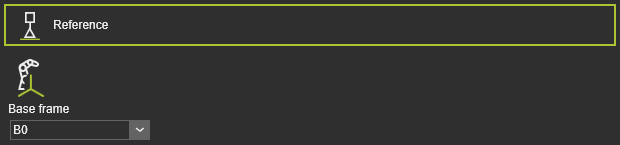 | The program reference information. |
| Base frame | The reference frame of the program. |
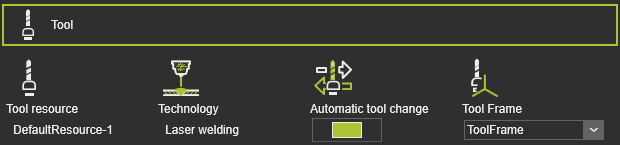 | Tool information. |
| Tool resource | The name of the tool. |
| Technology | The applied technology. |
| Automatic tool change | |
| Tool frame | The tool frame that runs the toolpath. |
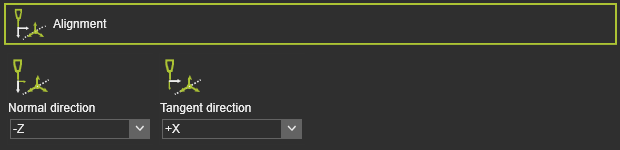 | The mapping of the tool frame axes with the corresponding vectors on the process geometry. |
| Normal direction | The alignment of the tool frame Z axis with the normal direction of the process geometry. |
| Tangent direction | The alignment of the tool frame X axis with the tangent direction of the process geometry. |
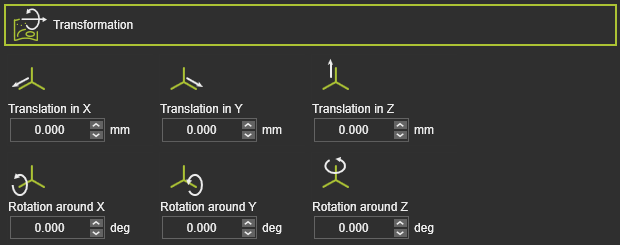 | The global transformation of the manufacturing geometry. |
| Translation in X,Y,Z | The global translation in X,Y or Z direction. |
| Rotation around X,Y,Z | The global rotation around the X,Y or Z axis. |
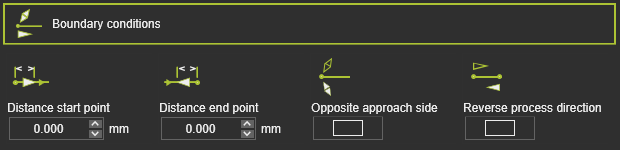 | The boundary conditions on the manufacturing geometry to calculate the toolpath. |
| Distance start point | The distance of the first in-process point from the process geometry start position. |
| Distance end point | The distance of the last in-process point to the process geometry end position. |
| Opposite approach side | To reverse the approach side at the manufacturing start position. |
| Reverse process direction | To reverse the manufacturing process direction, i.e. changes start to end position and vice verse. |
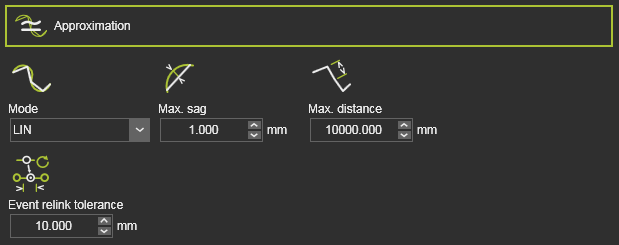 | The approximation of the manufacturing contour to calculate the toolpath. |
| Mode | The mode to approximate the contour. |
| Max. sag | The maximum allowed deviation between the geometry and calculated toolpath. |
| Max. distance | The maximum distance between two in-process toolpath elements along the contour. |
| Event relink tolerance | The tolerance to find the nearest TPE after a toolpath re-computation, to assign the existing event to. This attribute is hidden by default. |
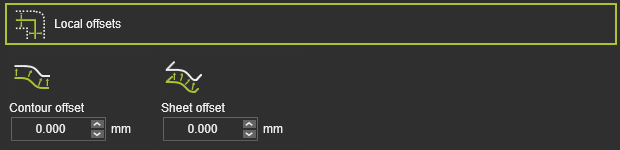 | The offset of the toolpath element from its original location on the manufacturing geometry. |
| Contour offset | The offset in bi-tangent direction. |
| Sheet offset | The offset in (surface) normal direction. |
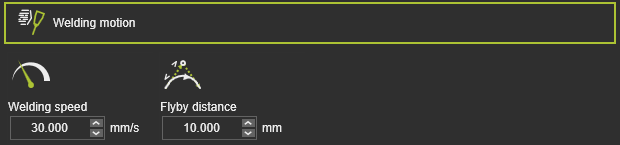 | The welding tool motion. |
| Welding speed | The welding velocity. |
| Flyby distance | The motion accuracy on the welding path. |
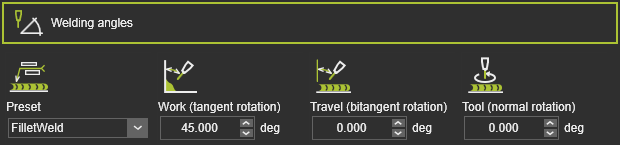 | The welding angles of the tool, as to be computed at the toolpath. |
| Preset | The type of welding presets the corresponding welding angles. |
| Work (tangent rotation) | The work angle, i.e. tangent rotation, of the tool. |
| Travel (bitangent rotation) | The travel angle, i.e. bitangent rotation, of the tool. |
| Tool (normal rotation) | The tool angle, i.e. normal rotation, of the tool. |
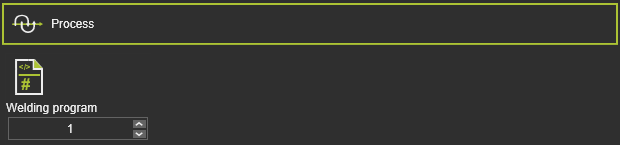 | The process conditions. |
| Welding program | The (predefined) welding program number. |
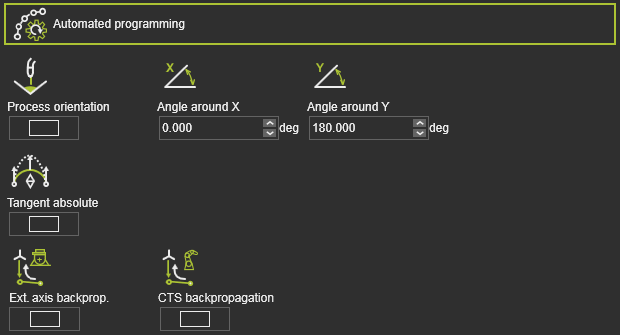 | Additional (optimization) conditions to calculate the toolpath. |
| Process orientation | A switch to optimize each toolpath element with use of the positioner axis to maintain the tool axes in down-hand direction. The condition is only available when a 1-2 axis positioner, carrying the workpiece, is connected to the controller. |
| Tangent absolute | A switch to automatically apply a tangent absolute direction on the in-process path of the operation. The tangent direction of the first in-process point will be used as reference. |
| Ext. axis backprog. | The axis values of an external resource, like a positioner, as been set at the first position of the in-process path, will be propagated backwards up to the approach of that in-process path. |
| CTS backpropagation | The configuration, turn and singularity state of the manufacturing resource, as been set at the first position of the in-process path, will be propagated backwards up to the approach of that in-process path. |
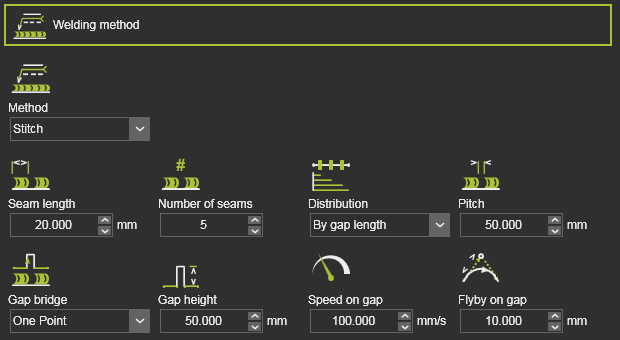 | The welding method and the seam dimensions. |
| Method | The method of welding, i.e. continuous or stitch welding. |
| For stitch welding: | |
| Seam length | The length of the stitch seam. |
| Number of seams | The number of stitch seams. |
| Distribution | The distribution of stitches along the toolpath. By end position: The stitches are equally distributed along the toolpath length. A system minimum pitch determines the maximum number of stitch seams that fit in. If this minimum is not reached, the number of seams attribute will be applied. By gap length : The distribution is calculated by the pitch length. In combination with the seam length, It determines how many stitches can be applied on the toolpath. Therefore it may occur that the total seam is shorter than the manufacturing length. |
| Pitch | The non-welding transition gap between two stitches. |
| Gap bridge | The gap bridge to move between two seams. |
| Gap height | The offset, i.e. height, of the the gap bridge. |
| Speed on gap | The velocity on the bridge track. |
| Flyby on gap | The accuracy to reach the bridge height position. |
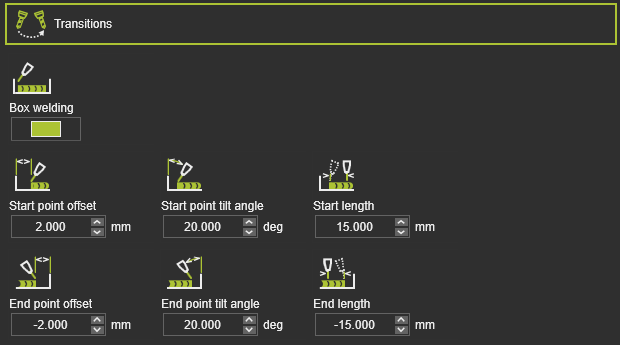 | The transition from the off-process into the in-process section of the toolpath. |
| Box welding | To activate the box welding process. |
| Start / End point offset | The offset to move the real start or end position away from the manufacturing geometry limits. |
| Start / End point tilt angle | The tilt angle (travel angle) of the tool at the start or end position.. |
| Start / End length | The transition length at the start or end, where the tool tilt angle changes over to / from the default travel angle. |
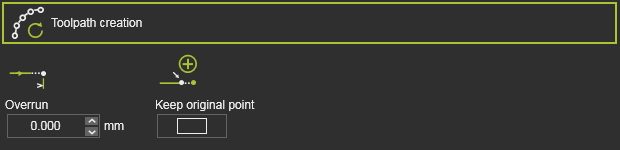 | The overrun (extrapolation) at the contour end when programming an operation. |
| Overrun | The value of the overrun length. A negative value is possible. |
| Keep original point | Switch to define if the original path element (position) is being moved to the overrun position or remains at its original position. In the last case a new path element is created at the overrun position. |
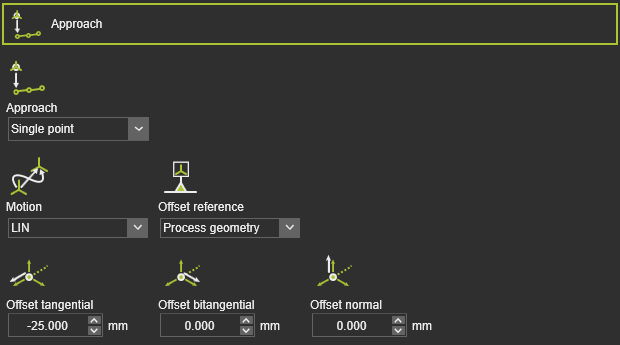 | To define an approach motion towards the in-process toolpath. |
| Approach | The number of approach steps. |
| Motion | The motion type for the approach. |
| Offset reference | The reference to determine the offset directions. |
| Offset tangential / bitangential / normal | The local offset of the approach step from the in-process toolpath start element. |
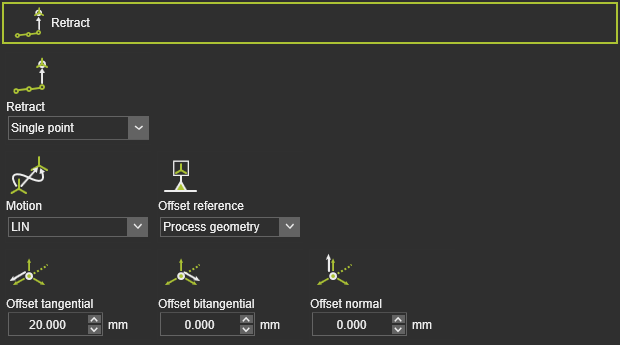 | To define a retraction motion away from the in-process toolpath. |
| Retract | The number of retraction steps. |
| Motion | The motion type for the retract. |
| Offset reference | The reference to determine the offset directions. |
| Offset tangential / bitangential / normal | To local offset of the retract step from the in-process toolpath end element. |
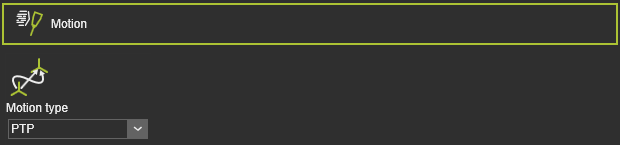 | The motion definition. |
| Motion | The motion type for the tool head. |
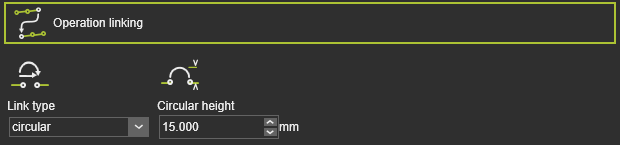 | The way how to move to the next operation. |
| Link type | The motion type to link the operations. 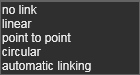 |
| Circular height | The height of the via point to calculate a circular link. |
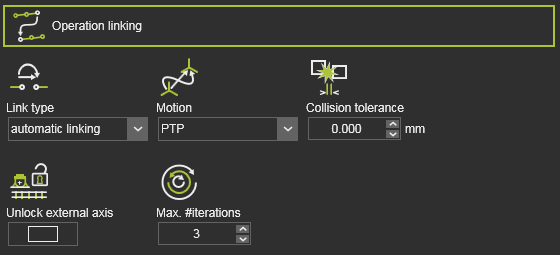 | The way how to move to the next operation for automatic link path generation. |
| Link type | The motion type has been set to Automatic linking. |
| Motion | The motion type along the path. |
| Collision tolerance | Defines the safety distance when generating the link path. |
| Unlock external axis | Use of the entire range of the external axis values for the link path generation. Off: The external axis value can only be changed within the interval given by start and end point of the link path. On: The external axis values are to be considered within the full range of each axis (i.e. are unlocked). |
| Max. #iterations | Defines the maximum number of iterations that the path finding algorithm will run. |
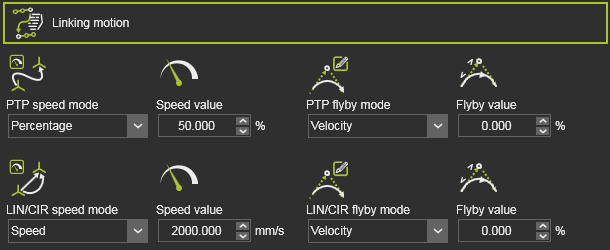 | The way how to move to the next operation. Only valid for automatic link path generation. |
| Speed mode | The motion speed. 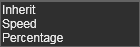 |
| Speed value | The speed value of the motion. |
| Flyby mode | The flyby motion, i.e. the accuracy to move along the link path positions. 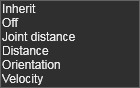 |
| Flyby value | The value of the flyby accuracy (when applicable). |
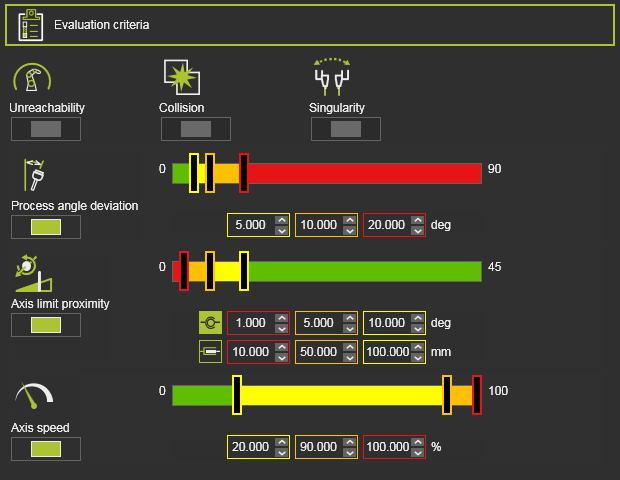 | The toolpath quality evaluation criteria. The exact content may vary per technology. |
| Unreachability | Evaluates unreachable situations of the robot or machine. |
| Collision | Evaluates collision situations. |
| Singularity | Evaluates singularity situations of the robot or machine. |
| Process angle deviation | Evaluates the process angle deviation from its reference value. |
| Axis limit proximity | Evaluates the proximity to the limits of the driven axis. Separated evaluation value range for linear and circular joint axis. |
| Axis speed | Evaluates the axis speed of all driven axis as a (absolute) difference between the start and the end motion between positions. |
Program events
The generic laser welding technology has the following programming events:
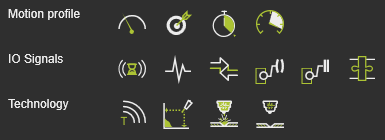
| Motion events | |
|---|---|
 Speed Speed | Sets the velocity for the subsequent motions. |
 Accuracy Accuracy | Sets the accuracy for the subsequent motions. |
 Dwell Dwell | Sets a waiting time at the path element for the tool to remain position until moving further. |
 Acceleration Acceleration | Sets the acceleration for the subsequent motions. |
| IO signal events | |
|---|---|
 Wait for signal Wait for signal | Adds a wait for an input signal event of the active controller. |
 Set signal Set signal | Adds a set output signal event of the active controller. |
 Synchronize robots Synchronize robots | Sets an event to synchronize cooperating robots. |
 Set resource port Set resource port | Sets a port of a resource. |
 Wait for resource port Wait for resource port | Waits for a port of a resource. |
 Adapter actor Adapter actor | Sets a signal of a mechanical parent adapter to create or delete a mechanical connection during simulation. |
| Technology event | |
|---|---|
 Text Text | Inserts a comment. |
 Seam search Seam search | Calibrating the seam location. |
 Laser on Laser on | Activates the welding laser. |
 Laser off Laser off | Stops the welding laser. |
