Définir le type de ressource

Un clic droit sur la sphère centrale du Manipulateur ouvre le menu en spirale pour spécifier le type de ressource qui sera créée.
 Réinitialisez le manipulateur
 Choisissez la position du Manipulateur
 Divers
 Humain
 Périphérique
 Production
Les ressources sont classées en différentes catégories. Chaque classe détermine la fonction principale et le comportement de la ressource dans une mise en page.
| Classe | Description | |
|---|---|---|
 | Production | Resources with controlled kinematics for production and manufacturing purpose.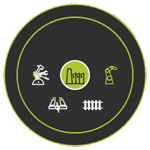  Robots and machines Robots and machines Gantry and rails Gantry and rails Workpiece positioner Workpiece positioner End effector End effector |
 | Humain | Des humains qui effectuent une sorte d’opération de fabrication. |
 | Périphérique | Resources directly supporting the manufacturing operations.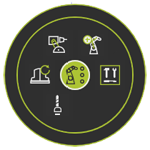  Tool magazine Tool magazine Tool Tool Fixture Fixture Jig Jig Dress up Dress up |
 | Divers | Resources to complete a manufacturing environment.  Furniture Furniture Chassis Chassis Floor plan Floor plan Protection Protection Building parts Building parts |
 | Logistique | Components for logistic flow and transportation operations.  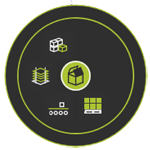  Source Source Transport Transport Buffer Buffer Storage Storage |
Après avoir sélectionné la classe et le type de ressource, le logiciel crée les informations de base pour cette ressource spécifique. Il se compose généralement d’un référentiel racine R, d’un adaptateur enfant mécanique appelé Mechanical_Root_Plug1 et d’un adaptateur électrique enfant, appelé Electrical_Root_Plug1. Mais cela varie un peu selon le type de ressource. La trame racine est placée à la position du manipulateur dans le document de mise en page actif.
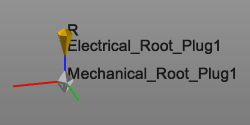
En gros, la ressource a été définie maintenant. Avec le tableau de bord des ressources, sa définition principale peut être complétée.
Il n’est pas possible de changer la classe ou le type de ressource ici. Cela ne peut être fait que dans le Tableau de bord des ressources.