Étalonnage des moindres carrés
Étalonnage des moindres carrés

Étalonnage
L’étalonnage des moindres carrés est généralement utilisée pour positionner correctement une ressource (cinématique), par exemple un positionneur de pièce, dans la cellule de travail virtuelle. L’étalonnage repose sur une méthode mathématique exacte consistant à avoir un certain nombre de points statiques sur la composante pouvant être mesurés sur la partie réelle et dont la position correspondante peut être sélectionnée sur la partie virtuelle. La méthode mettra les ensembles de points en congruence et fera donc avancer le composant en parallèle.
L’étalonnage utilise la méthode du moindre carré linéaire basée sur l’algorithme minimisant la somme des carrés de la déviation entre les valeurs mesurées et attendues.
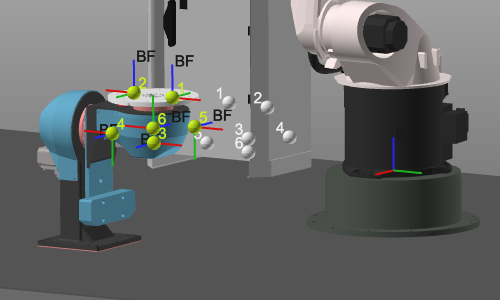
Points mesurés
L’entrée pour l’étalonnage est un ensemble de coordonnées mesurées, par exemple les positions réelles des extrémités du positionneur de la pièce dans la vraie cellule de travail. Ces coordonnées sont généralement importées depuis un fichier externe, mais il est possible de saisir ou de modifier manuellement ces valeurs.
Le fichier d’entrée avec les points mesurés est un simple fichier texte lu ligne par ligne. Il comporte une première ligne optionnelle avec l’indicateur d’unité, suivie de trois lignes de coordonnées. Les droites de coordonnées doivent contenir exactement trois valeurs de coordonnées, séparées par un point-virgule. Chaque droite est interprétée comme les coordonnées X, Y et Z d’un seul point. Par défaut, ces points sont importés dans le système de coordonnées du monde spatial 3D, mais un autre système de coordonnées de référence peut être défini dans le tableau de bord. Un exemple de ce type de fichier d’importation est présenté ci-dessous.
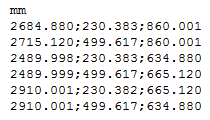
L’unité des coordonnées est spécifiée dans la première ligne du fichier. Toute unité, connue par le logiciel, peut être appliquée ici. Elle peut s’écrire en nom complet ou comme abréviation standard de cette unité. Cependant, lorsque la ligne d’unité manque dans le fichier, l’importation lira les coordonnées avec l’unité par défaut du système.
Le signe décimal de la coordonnée est indépendant des paramètres linguistiques et régionaux. Il faut toujours un point « . ».
Bien que l’unité dans le fichier d’importation ait été spécifiée, le tableau de bord affichera les coordonnées selon les unités système actuelles. Les valeurs sont ensuite converties lorsque nécessaire.
Option de résultat d’étalonnage
Le résultat de l’étalonnage est une transformation du composant. La manière dont elle sera appliquée peut être définie dans les options de résultat.
| Situation initiale. | 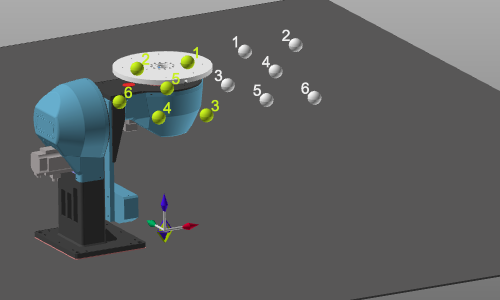 | ||
 | Créer un nouvel adaptateur enfant | À la racine du composant calibré, un nouvel adaptateur enfant mécanique sera créé ; CalibPlug. Le composant lui-même n’est pas transformé. Le nouvel adaptateur peut être utilisé pour repositionner le composant selon les coordonnées d’étalonnage. | 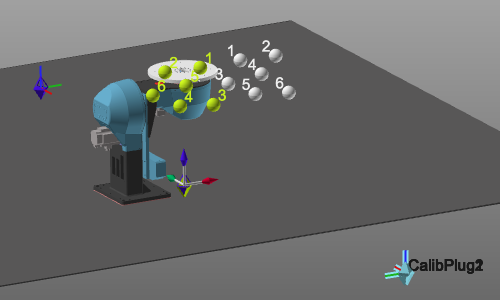 |
| Pour les options de résultat suivantes, le composant doit être attaché à un autre ; par exemple, le positionneur de pièce monté au sol. L’adaptateur enfant du composant à calibrer a été connecté à l’adaptateur parent de l’autre composant. | |||
 | Définissons la transformation | Le composant sera déplacé en position calibrée, mais les adaptateurs ne sont pas changés. Il y aura un décalage entre les deux composants connectés. Une ligne de connexion entre les deux adaptateurs est affichée. | 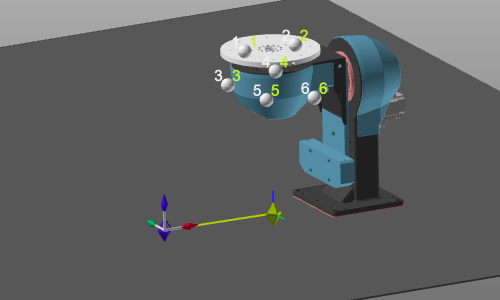 |
 | Déplacez l’adaptateur enfant | Le composant est déplacé en position étalonnée. Son adaptateur enfant est déplacé avec la transformation. Cela génère une modification de la définition du composant. Il faut donc le sauver à nouveau. | 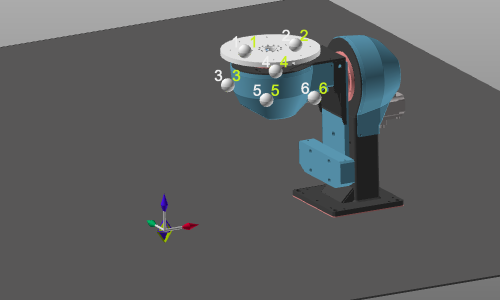 |
 | Déplacez l’adaptateur parent | Le composant est déplacé vers le calibré. L’adaptateur parent du composant connecté est déplacé avec la transformation. Cela génère une modification de cette définition de composante connexe. Il faut donc le sauver à nouveau. | 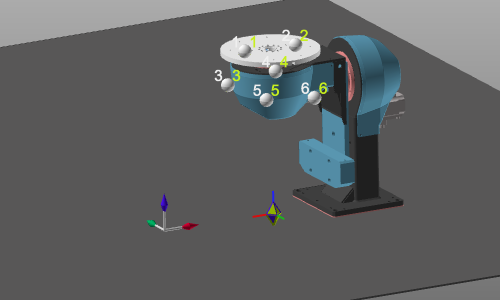 |
