Mode de volume balayé

Volume balayé
Le mode Swept volume est un mode de simulation permettant de déterminer le volume d’espace qu’occupe un objet en mouvement pendant sa phase de fonctionnement. Le mode calcule et construit une trace 3D de l’objet ou des objets. Il est couramment utilisé pour prédire et prévenir les collisions entre les équipements de fabrication et/ou les pièces, ou pour déterminer l’espace nécessaire à l’équipement dans la configuration ou la cellule de travail sur le plancher d’atelier.
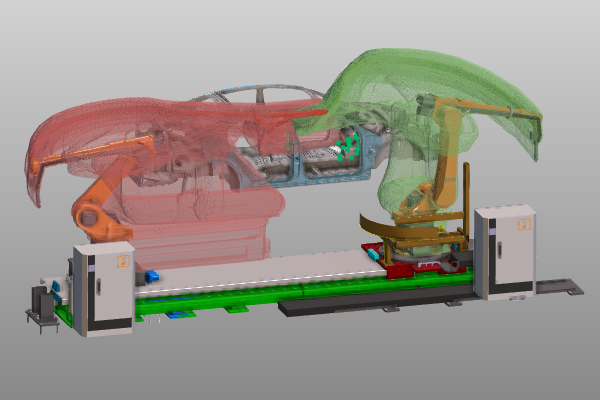
Décors
Dans la Vue 3D, le menu en pie inclut une commande pour ouvrir les paramètres de calcul.
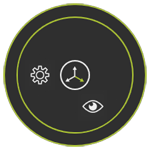


La piste 3D est construite à partir de cuboïdes. La taille de ces cuboïdes détermine directement la précision de ce chemin de trace, mais évidemment une précision plus élevée nécessite un temps de calcul nettement plus long.
Définition
Les pistes de volume balayées peuvent être définies sur un joint ou un cadre d’une ressource, ou sur un cadre d’une pièce. Choisir un corps géométrique permet de rechercher son articulation ou cadre parent. Lorsqu’un joint ou un cadre est décollé, toutes ses géométries attachées sont automatiquement attribuées.
Dans la sélection, le menu Pie doit être ouvert pour définir la trace balayée.



Chaque définition (groupe) a reçu sa propre couleur définie par le système pour la reconnaissance.
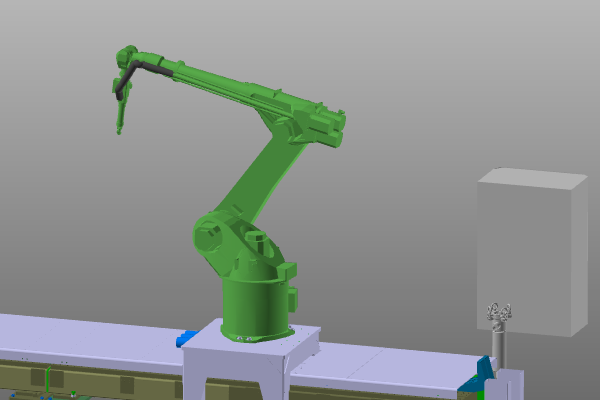
Une définition de groupe balayage peut contenir des éléments de composantes multiples et différentes.
Sur une définition de balayage existante, le menu Pie s’ouvre pour la modifier.



Une définition de volume balayé est une information faisant partie d’une disposition ou d’un projet et qui sera donc stockée dans la mise en page ou le projet lors de son sauvegarde.
La définition sur une pièce sera toujours stockée dans le projet.
La définition d’une ressource sera stockée soit dans la disposition où elle a été utilisée, soit dans le projet. Cela dépend de l’objet, de la mise en page ou du projet qui sera sauvegardé en premier.
Générez le volume balayé
La construction du volume balayé peut être réalisée dans les établis OLP, Automation Builder et Onsite editor. Il y a deux façons de procéder.
Mais chacun d’eux exige qu’il ait été spécifié à l’avance pour quels programmes contrôleurs les volumes balayés sont calculés.
Les paramètres de Simulation incluent un conteneur pour la création du volume balayé.
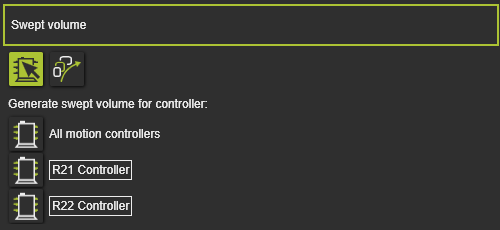
Il y a deux modes pour alterner afin de définir quels volumes balayés seront calculés.
 | Sélection du contrôleur Parmi la liste des contrôleurs actuels, sélectionnez le(s) contrôleur(s), avec ses programmes, pour lesquels les volumes balayés définis sont calculés. Les contrôleurs peuvent être sélectionnés ou désélectionnés simplement en appuyant sur leur bouton de représentation devant leur nom. |
 | Toutes les définitions de volumes balayés Pour toutes les définitions de volumes balayés dans le projet, le calcul est exécuté. |
Une fois qu’une manette a été définie ou que toutes les définitions ont été définies, le bouton de calcul du volume balayé, le bouton le plus à gauche dans la barre de lecture de simulation, devient actif.

Appuyer sur le bouton lance la simulation du programme, immédiatement suivie du calcul et de la création des volumes balayés. Cela se produira après que la simulation soit terminée, arrêtée pour une raison quelconque ou après avoir appuyé sur le bouton Pause pendant la simulation.
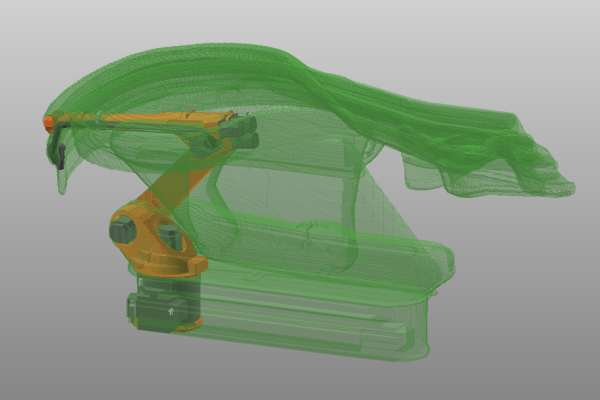
Lorsqu’une simulation de programme a déjà été jouée, les volumes balayés seront créés directement sur cette simulation sans avoir à relancer le programme.
La deuxième façon d’exécuter le calcul en volume balayé se trouve à la barre de progression de la simulation. On peut y appeler un menu de tartes.


La commande pour lancer la création de volume balayé fonctionne de la même manière que le bouton d’action dans la barre du joueur, avec une légère différence.
Grâce à la barre de progression de la simulation, il est possible de prendre la simulation complète ou juste une partie comme trace pour le calcul du volume balayé. Avec les marqueurs de limite sur la barre de progression, la plage de la simulation peut être définie pour laquelle le volume balayé sera alors calculé et construit.

La fonctionnalité de génération du volume balayé n’est pas limitée à ce mode de volume balayé. Ça peut être activé dans tout autre mode Opération.
Document de volume balayé
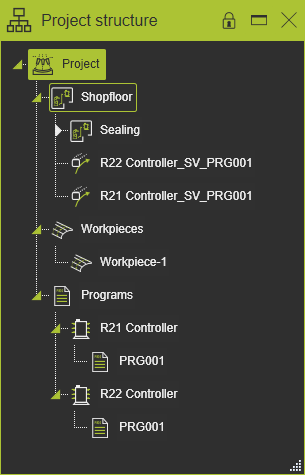
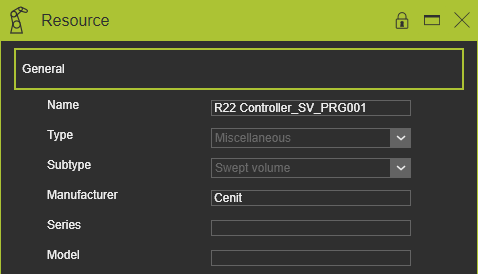
Chaque fois que la commande de balayage est exécutée, un nouveau volume sera calculé pour chaque groupe de définition de volume. Pour chaque résultat de volume balayé, un nouveau document individuel de type de ressource (Miscellaneous - volume balayé) ou document de pièce est ajouté à l’arbre de structure du projet dans lequel le volume du résultat a été construit. Il peut être reconnu par le symbole de balayage et reçoit un nom par défaut qui fait référence au contrôleur et au programme. Ce document peut être stocké à des fins ultérieures.
 |  |  |
Le volume balayé est un résultat unique de l’état actuel de la simulation sans ultérieur associé à cette simulation. Les volumes balayés existants ne peuvent pas et ne seront pas mis à jour.
La règle pour le nom du volume balayé (document) se trouve dans le dossier plugin <plugin>\Technologies<nom technologique>\<fabricant ou Standard>\NamingRules\NamingRules.xml. Cela peut être le plugin d’installation par défaut ou tout autre dossier de plugin configuré.
