Créer le squelette cinématique

Le manipulateur sert à construire le squelette cinématique de la ressource. Sa position et son orientation sont appliquées pour créer les articulations du squelette.
Parce qu’une chaîne de joints cinématiques est en train d’être construite, au lieu d’une collection aléatoire d’éléments individuels, le joint qui va être créé est toujours relié à un objet parent. Cet objet peut être soit une autre articulation, soit un cadre. Le premier joint de la chaîne cinématique aura toujours le référentiel racine comme objet parent, que le raccord lui-même se trouve ou non aux coordonnées du référentiel.
Une articulation est placée sur un axe d’un cadre, utilisant cet axe comme référence de mouvement pour la translation ou la rotation. Un axe manipulateur sera utilisé pour générer ce référentiel et son joint. Sur cet axe, il faut appeler le menu en pie pour créer le type d’articulation requis.
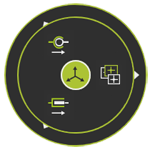


| Sélectionnez le type d’articulation cinématique à réaliser. | |
 | Crée une jonction translationnelle entraînée à l’axe. Ou ouvrez le sous-menu. |
 |  undriven driven synchronous undriven driven synchronous  asynchronous asynchronous |
 | Crée une articulation rotative entraînée à l’axe. Ou ouvrez le sous-menu. |
| Après exécution de la commande, l’articulation a été créée à la position du manipulateur. | |
 |  undriven driven synchronous undriven driven synchronous  asynchronous asynchronous |
| Translationnel | Rotationnel |
|---|---|
 |  |
Chaque fois qu’une jointure est créée, la nouvelle devient active et sera le parent de la suivante qui sera créée. La visualisation d’un squelette cinématique est configurée de manière à ce qu’une ligne de connexion soit affichée de chaque articulation à sa référence parente. Les couleurs peuvent être choisies dans les Paramètres.
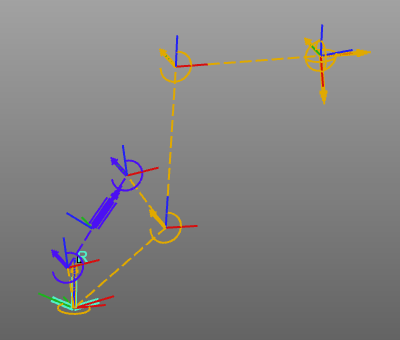
Lors de la conception d’une ressource de type robot, ou de tout autre dispositif utilisant des joints entraînés (synchrones) et la cinématique inverse, il est fortement recommandé de valider et de s’assurer que la ressource Les propriétés et le comportement du mouvement représentent véritablement l’appareil physique réel, avant de l’utiliser dans Situations de simulation.
