Optimisation du parcours d’outil
Optimisation
Le logiciel prend en charge plusieurs algorithmes pour optimiser (un intervalle de) parcours d’outil programmé afin de remplir certains critères, par exemple pour obtenir un mouvement plus fluide de l’outil de fabrication. Chacun de ces algorithmes modifie un paramètre spécifique de l’élément du parcours d’outil pour l’intervalle sélectionné.
Pour optimiser le parcours d’outil, ou ses parties, une série d’interactions manuelles est disponible. L’utilisateur lance la commande et décide où et comment modifier la partie qu’il aborde. Le logiciel est également doté de plusieurs routines automatiques capables de générer et d’optimiser un parcours d’outil de programme de manière autonome.
Évaluation de la qualité du parcours d’outil
Pour pouvoir valider le parcours outil pour la nécessité de l’optimiser (partiellement), un mécanisme d’évaluation de la qualité du parcours a été mis en place.
L’évaluation de la qualité du parcours d’outil est un processus dans lequel chaque position du parcours est analysée et évaluée selon un ensemble de critères cibles prédéfinis. Les critères ayant une plage de valeurs configurable peuvent être définis individuellement pour définir les niveaux de valeur des critères, pour lesquels le résultat analysé du parcours de l’outil est attribué comme acceptable.
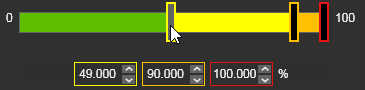
Chaque poste est analysé puis reçoit un drapeau d’évaluation, pour chaque critère individuellement, afin d’indiquer le niveau de qualité et, avec cela, l’acceptation de ce poste.
 | Bon (vert) La valeur calculée du paramètre qualité est bonne. |
 | Acceptable (jaune) La valeur calculée du paramètre qualité reste acceptable. |
 | Critique (orange) La valeur calculée du paramètre qualité est toujours valide, mais critique. |
 | Invalide (rouge) La valeur calculée du paramètre de qualité est invalide et inacceptable. |
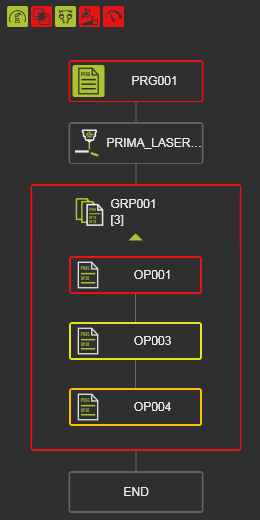
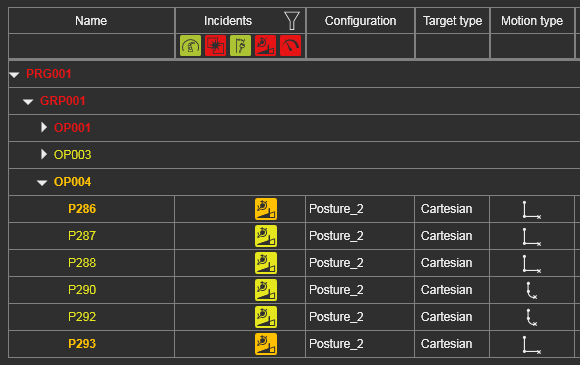
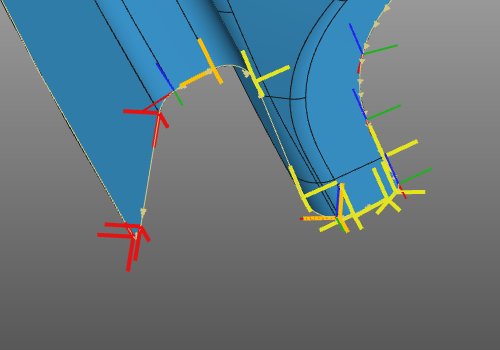
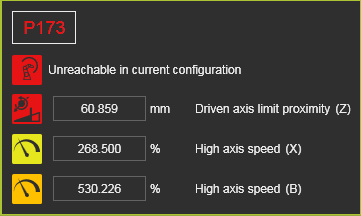
La qualité du parcours d’outil, c’est-à-dire ses incidents, est exposée à plusieurs endroits.
| Programme actif | Moniteur de trajet d’outil | Parcours d’outil 3D | Incidents à la position du trajet d’outil |
|---|---|---|---|
 |  |  |  |
L’évaluation de la qualité vise à valider l’état actuel du programme. Pour pouvoir comparer différents états, différentes versions (de qualité) du parcours d’outil, un second paramètre d’évaluation a été introduit ; Coût du parcours d’outils.
Les coûts du parcours d’outil sont une manière d’exprimer la qualité dans un facteur de coûts, où chaque critère cible a reçu une fonction de coût spécifique. Cela peut être linéaire, une fonction parabolique ou autre, comme le montre l’exemple ci-dessous. C’est une valeur neutre, pas une monnaie quelconque.
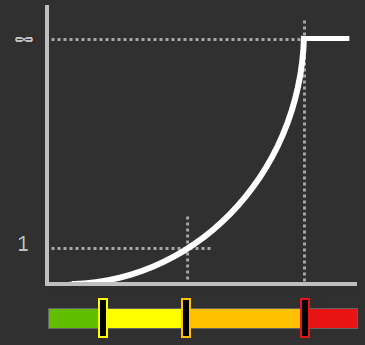
À chaque position du parcours d’outil, les coûts sont calculés pour chaque critère analysé puis additionnés. Le résultat est affiché dans le tableau de bord Toolpath et est mis à jour immédiatement après toute modification du parcours outil.

Un symbole de tendance indique la variation des coûts par rapport à sa valeur précédente, celle qui précède la dernière modification du trajet d’outil.
 | La valeur a été augmentée ; c’est-à-dire un effet de coûts plus élevé |
 | La valeur resta la même ; c’est-à-dire neutre ou sans effet |
 | La valeur a diminué ; c’est-à-dire un effet de coûts plus faible |
