Modèle de procédé de dépôt par pulvérisation

Déposition par pulvérisation
Spray deposition ou simplement Deposition est le modèle de procédé qui calcule le dépôt d’un matériau pulvérisé, ou d’un autre paramètre physique, sur une surface, par exemple comme en peinture.
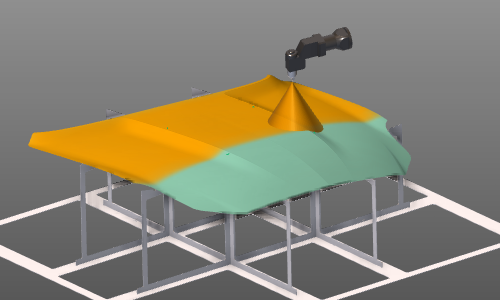
Objet modèle de processus
Le modèle de procédé calcule l’impact sur une surface. L’objet géométrie du processus est une représentation de cette surface basée sur un maillage, construite à partir de nœuds et de facettes triangulaires.
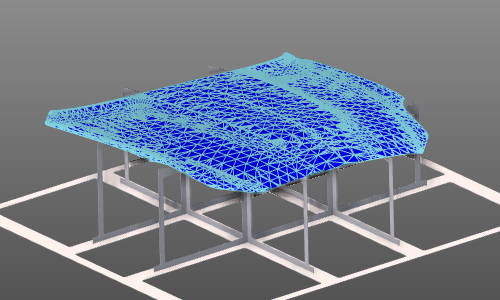
Le générateur de maillage utilise les attributs suivants :
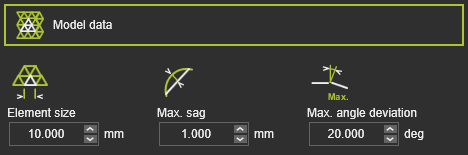
| Attribut | Description | Remarque |
|---|---|---|
| Taille des éléments | La longueur maximale d’arête d’un élément de macerage (facette). | La taille peut varier de chaque côté de l’élément. |
| Max. sag | La déviation maximale par rapport à la géométrie d’entrée associée. | Cela s’applique à la fois à la surface et à la frontière. |
| Déviation maximale d’angle | L’angle maximal entre les éléments du maillage adjacents. | S’applique sur la surface et le long de la tangente de bord. |
Avec ce modèle de processus, certains paramètres physiques peuvent être analysés, pour lesquels leur valeur initiale doit être fixée ici. La valeur initiale est utilisée lorsque la simulation du procédé repart de zéro.
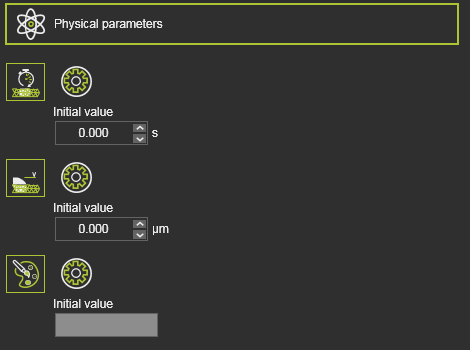
| Paramètre physique | Description | Remarque |
|---|---|---|
| Temps de pulvérisation | Le temps d’impact sur la géométrie du procédé. | |
| Épaisseur du revêtement | L’épaisseur de la couche du matériau déposé. | |
| Couleur de peinture | La vraie couleur de la couche déposée. | Appuyer sur le champ de valeur ouvre un panneau de sélection de couleur pour spécifier la valeur de couleur. |
Flux de données de procédé
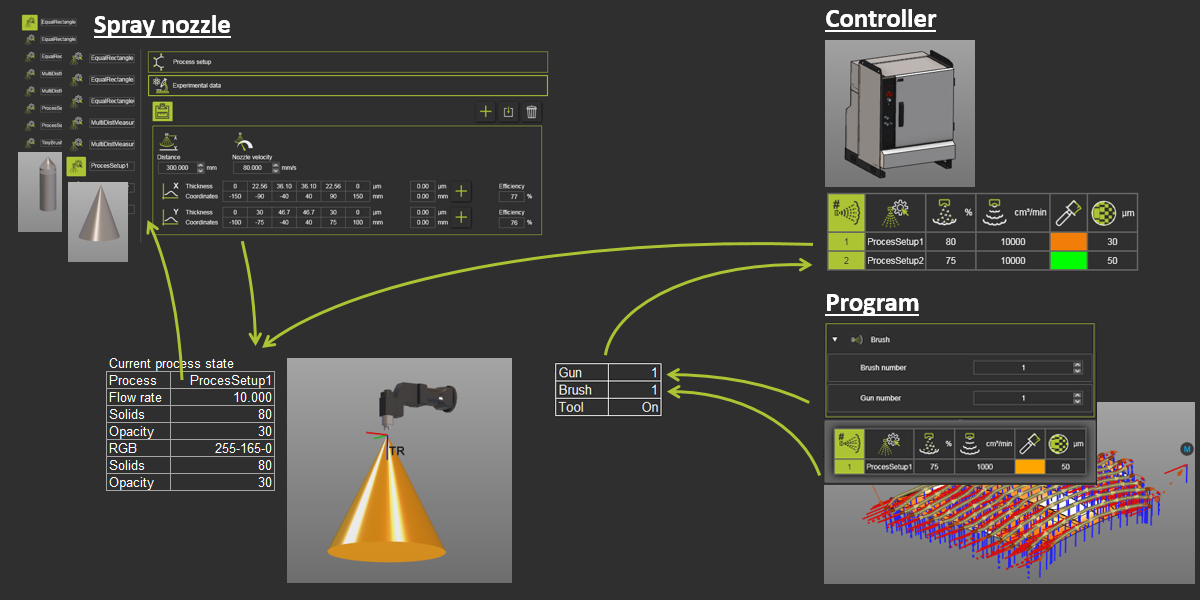
Table de processus contrôleur
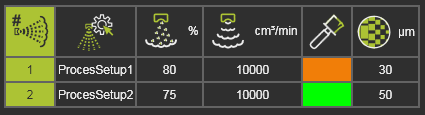
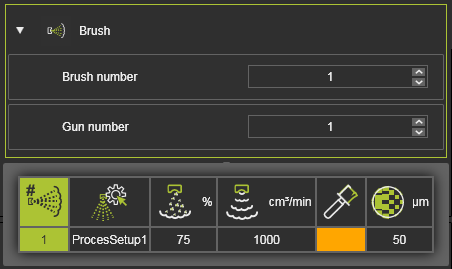
L’état de pulvérisation réel, les conditions de fonctionnement, du pistolet de pulvérisation s’appelle un profil de brosse, dont plusieurs peuvent exister. La table de procédé définit les pinceaux pouvant être utilisés pour la simulation de procédé. Chaque pinceau fait référence à un ensemble de données de motifs de pulvérisation dans la ressource d’outil. La forme et les dimensions du pinceau, c’est-à-dire le cône de pulvérisation, sont générées à partir de ces données expérimentales dans le comportement de l’outil. L’état réel de fonctionnement du pinceau est défini dans ce tableau.
| Attribut | Description | Remarque |
|---|---|---|
| Numéro de brosse | Le numéro du pinceau. | |
| Comportement des processus de l’outil | Le nom du comportement du processus de l’outil. | Le pinceau fait référence aux données expérimentales du comportement de processus de cet outil. |
| Solides volumiques | Le pourcentage de matériau pulvérisateur solide dans le liquide de pulvérisation. | |
| Débit | Le débit volumique de pulvérisation. | |
| Couleur du pinceau | La couleur du matériau du spray. | |
| Épaisseur pour une opacité totale | L’épaisseur minimale de la couche du matériau déposé permet d’obtenir une totale opacité de la couleur du matériau. |
Avec le bouton Add, de nouveaux pinceaux peuvent être insérés dans la liste. La liste sera automatiquement classée selon le numéro de pinceau. Le nombre de brosses est unique ; il ne peut pas y avoir de brosses avec le même nombre. Un pinceau peut être retiré avec le menu en forme de tarte sur la rangée spécifique du tableau.
La table à pinceaux peut également être importée depuis un fichier .csv externe, comme dans l’exemple ci-dessous. Les pinceaux existants seront écrasés lors de leur importation.

Attributs technologiques des outils
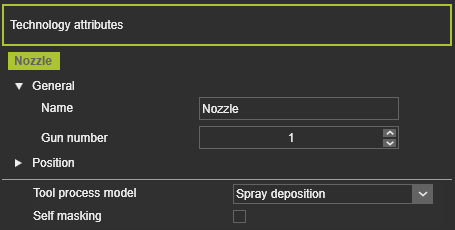
Lorsque la technologie incluant la simulation de dépôt de pulvérisation est assignée à la ressource de l’outil, un référentiel technologique sera créé. Ce cadre représente l’origine du pinceau. Ses propriétés peuvent être modifiées et sa position peut être affinée si nécessaire. Le cadre est obligatoire, donc lorsqu’il n’existe pas encore, il doit être créé à l’avance, sinon la simulation du processus ne sera pas exécutée.
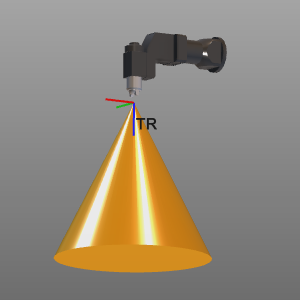
La technologie inclut les attributs suivants :
| Attribut | Description | Remarque |
|---|---|---|
| Numéro du canon | Le numéro d’arme attribué au cadre technologique. | Une ressource d’outils peut avoir plusieurs armes (prises de pulvérisation). |
| Modèle de processus d’outil | Les modèles de procédés disponibles pour la technologie. | Le contenu dépend de la technologie qui a été attribuée à la ressource d’outil. |
| Auto-masquage | Option d’inclure l’effet d’auto-masquage lors de la simulation. | Lorsque l’outil interfère avec le cône de pulvérisation lors de la simulation, cet effet de masquage est calculé sur la géométrie du procédé. |
Ensemble de données de comportement de l’outil
Le comportement de l’outil, le motif de pulvérisation provenant d’un pinceau, est basé sur des données expérimentales. Ces données sont collectées dans une configuration de processus, dont plusieurs peuvent exister. Les configurations de processus peuvent être créées et éditées ici.
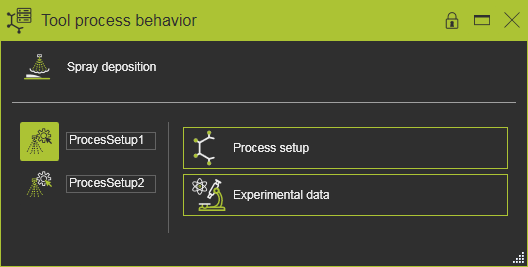
Un ensemble de processus comporte deux conteneurs contenant des informations.
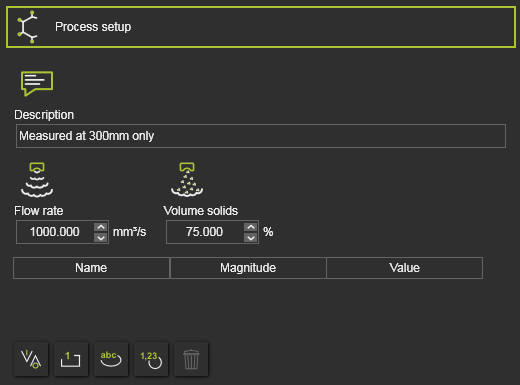
| Attribut | Description | Remarque |
|---|---|---|
| Description | Une brève description de la configuration du processus. | |
| Débit | Le débit volumique de pulvérisation appliqué pendant l’expérience. | |
| Solides volumiques | Le pourcentage de matériaux pulvérisateurs solides dans le liquide de pulvérisation appliqué pendant l’expérience. |
Ces informations peuvent être étendues avec d’autres attributs qui apparaîtront ensuite dans le tableau ci-dessous de ces attributs principaux.
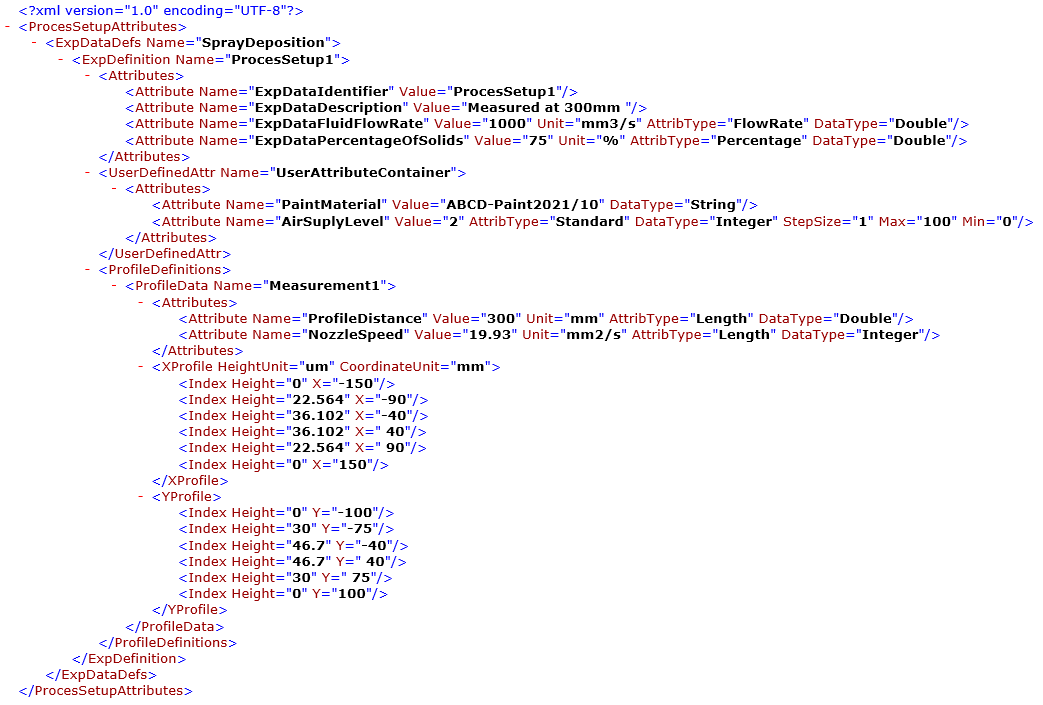
Dans le conteneur Données expérimentales, les résultats exacts des expériences sont localisés.
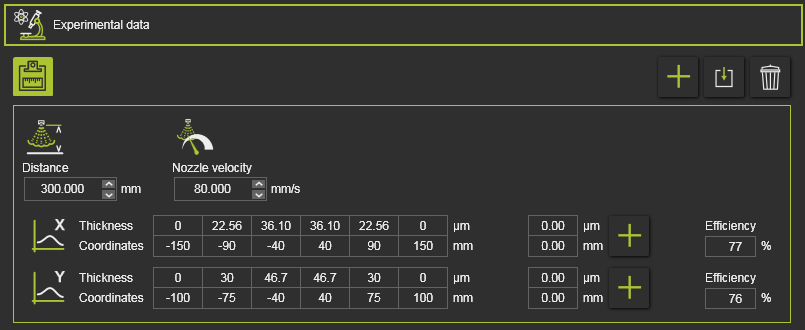
L’expérience comprend au moins un profil de pulvérisation, la description de l’expérience et le résultat.
| Attribut | Description | Remarque |
|---|---|---|
| Distance | La distance de la buse de pulvérisation à la surface cible. | |
| Vitesse de la buse | La vitesse de la buse dans l’expérience. | |
| Profils X et Y | Les valeurs d’épaisseur obtenues lors de l’expérience de pulvérisation, mesurées dans deux directions perpendiculaires. |
Les profils X et Y de l’expérience peuvent être édités individuellement. Avec le bouton Add, de nouvelles positions d’épaisseur peuvent être insérées. Les modèles existants peuvent être supprimés via le menu en pie à cette colonne de position. Le profil doit cependant être défini avec des valeurs de coordonnées croissantes, d’une plage négative à positive. La table de profils sera réorganisée automatiquement sur la ligne de coordonnées.
Les profils X et Y reçoivent tous deux un taux d’efficacité. L’efficacité décrit la quantité de matériau pulvérisateur restante après dépôt par rapport au matériau pulvérisateur total produit à la buse, sans prendre en compte l’air pulvérisateur et les solvants. Idéalement, les valeurs d’efficacité des profils X et Y devraient être identiques. Lorsqu’ils sont différents, on peut conclure que l’expérience définie n’a pas été réalisée de manière cohérente ou que la mesure des deux profils d’épaisseur résultants était inexacte. Une petite différence d’efficacité est marquée par des valeurs de couleur orange, un désaccord avec des valeurs rouges.
Une expérience peut être basée sur plusieurs profils de pulvérisation. Avec la barre d’outils à droite, de nouveaux profils peuvent être ajoutés et ceux existants peuvent être modifiés ou supprimés.
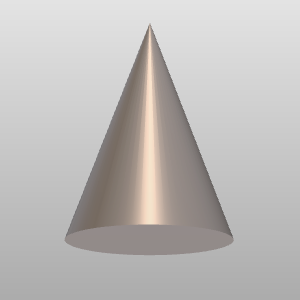
Lors du travail sur l’établi Resource Builder, le cône de pulvérisation correspondant au comportement de l’outil sélectionné est affiché dans l’espace 3D. C’est une forme nominale du pinceau et cela peut être différent du vrai pinceau qui a été programmé et est affiché pendant la simulation.
En plus de créer manuellement les informations de configuration du processus, elles peuvent être importées à partir de fichiers externes basés sur xml. Le format du fichier d’importation ressemble à l’exemple ci-dessous. Les tables et contenus existants seront écrasés sans aucun avertissement lors de leur importation.
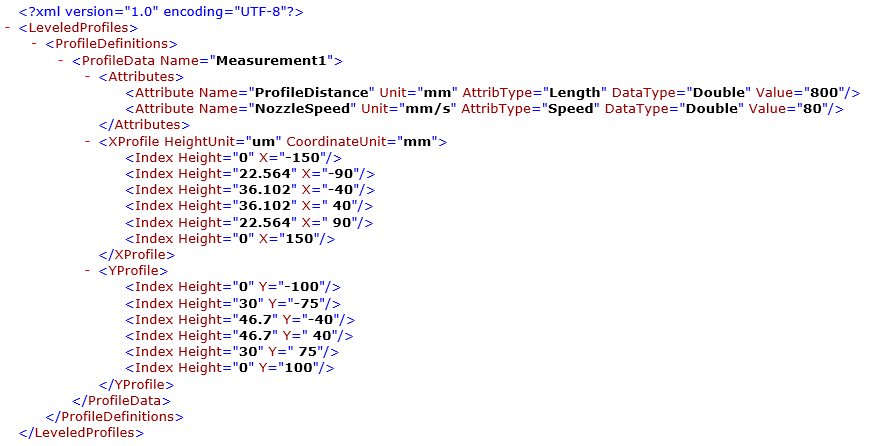
Les profils de données de mesure peuvent également être importés individuellement. Les fichiers basés sur XML ressemblent à l’exemple ci-dessous.
Événements OLP
Dans les événements OLP, il a été indiqué quel pistolet (sortie outil) et quelle brosse (conditions de sortie) sont appliqués le long du trajet d’outil. En survolant l’événement brush, les détails de ce brush sont définis dans la table de configuration du processus contrôleur.
Imagerie des procédés
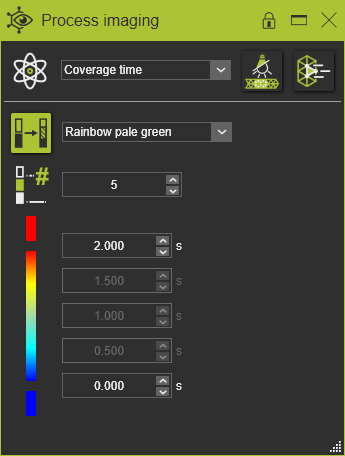
Pour obtenir les résultats de la simulation, le paramètre physique désiré doit être défini dans le tableau de bord d’imagerie de procédé. Le tableau de bord peut aussi afficher les paramètres d’autres modèles de processus disponibles.
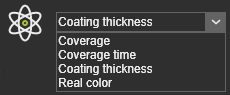
Chaque paramètre peut avoir un schéma de couleurs et des limites de plage différents pour afficher correctement les résultats.

