Paramètres de simulation de collision

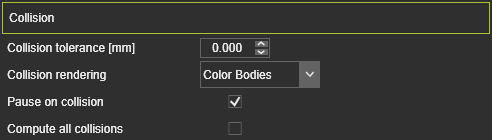
| Tolérance aux collisions (mm) | La tolérance entre deux groupes de lorsqu’une collision est détectée. La valeur est la distance entre les groupes. Une valeur = 0 correspond à un contact. |
| Rendu par collision | Option if the colliding geometry has to be colored or not when collision is detected. 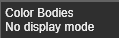 |
| Pause sur collision | Cochez la case pour arrêter une simulation de film à l’endroit où une collision a été détectée. Pour continuer, il faut appuyer à nouveau sur le bouton Lecture. |
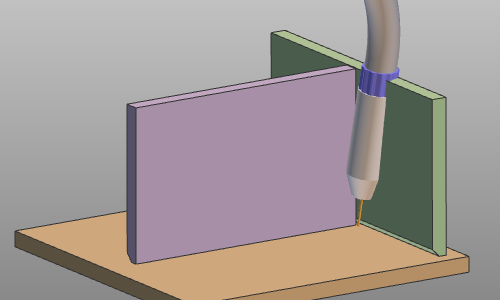
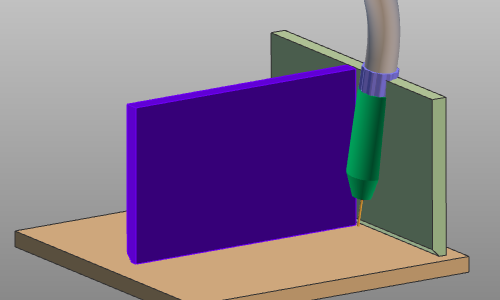
| Calculer toutes les collisions | À chaque étape de la simulation, les vérifications de collision sont effectuées et plusieurs cas de collision peuvent se produire à n’importe quelle position des corps simulés (c’est-à-dire les groupes de collision). Avec cette option désactivée, l’analyse de collision à l’étape de simulation s’arrête dès qu’une situation de collision est détectée, que d’autres collisions puissent se produire simultanément. Avec l’option activée, le calcul de collision se poursuit et affiche toutes les situations de collision qui se produisent à cette étape de simulation. Voir l’exemple ci-dessous. |
| Situation | Calculer toutes les collisions : Désactivé | Calculer toutes les collisions : Sur |
|---|---|---|
 |  | 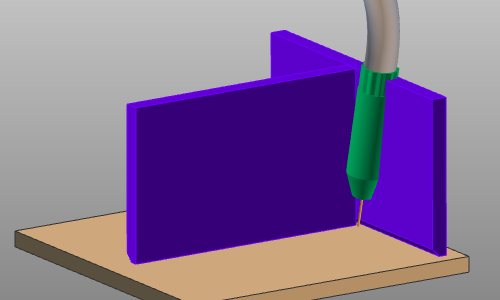 |
Plus d’informations de référence sur les collisions

Was this page helpful?