Définir la stratégie de connexion du point de contrôle des contours

La commande Set the contour connection mode définit quelle stratégie sera appliquée au moteur de recherche. Il ouvre un sous-niveau Pie menu pour sélectionner le mode requis.

 Retour de niveau
 Bords extérieurs de surface
 Arêtes internes de surface
 Distance la plus courte
 Straight
 | Frontière extérieure de surface Recherche la solution la plus courte sur les limites extérieures des surfaces de référence. Voyez le contour blanc sur la photo. | 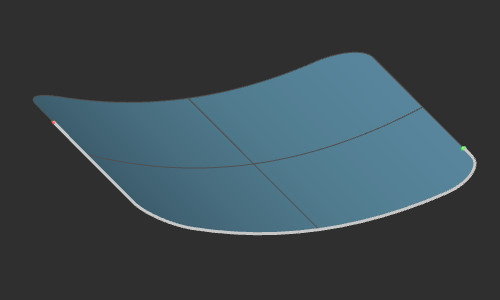 |
 | Arêtes internes de surface Recherche la solution la plus courte sur les arêtes internes des surfaces de référence. | 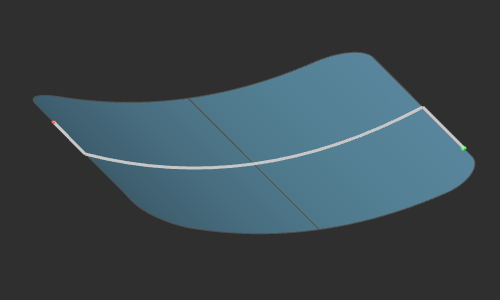 |
 | Distance la plus courte Recherche la solution de la plus courte distance entre les points de contrôle sur les surfaces de référence. | 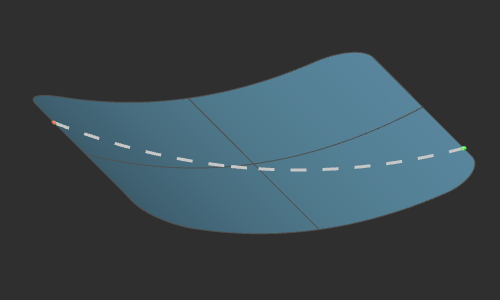 |
 | Straight Construit la connexion droite et linéaire entre les points de contrôle, indépendamment de toute surface de référence. | 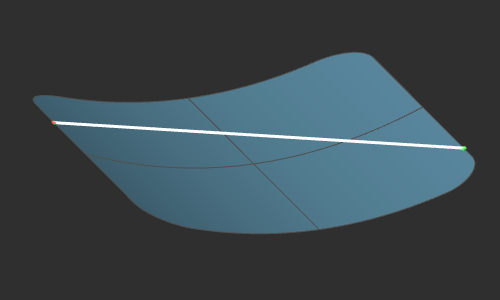 |
Les stratégies illustrées ci-dessus sont listées par ordre de priorité. Au départ, la recherche de la limite extérieure, qui consiste à chercher la trajectoire la plus courte le long de cette frontière, est la stratégie par défaut lors de la création d’un nouveau contour. Cependant, lorsqu’elle ne peut être appliquée ou ne conduit à aucune solution possible, la seconde stratégie en ligne est appliquée. Et lorsque cette stratégie ne mène à aucun résultat, la dernière stratégie est appliquée, où les points de contrôle sont linéaires et connexes, la distance la plus courte possible entre eux.
La stratégie peut être définie individuellement pour chaque élément de connexion.
