Créer une surface de masquage

La commande Create a masking surface est un utilitaire permettant de construire une forme de surface simple qui sera ajoutée à la pièce et qui sera donc prise en compte lors du calcul des plaques de support du luminaire. Avec une telle surface de masquage, les zones de la plaque de support que la géométrie de la pièce ne couvre pas correctement peuvent être ajustées.
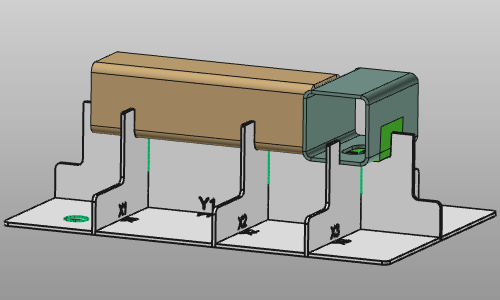
La surface de masquage est construite à partir d’un profil qui sera balayé le long du bord sélectionné. Les attributs et paramètres de la forme du profil sont affichés dans un panneau qui s’ouvrira lors de l’exécution de la commande.
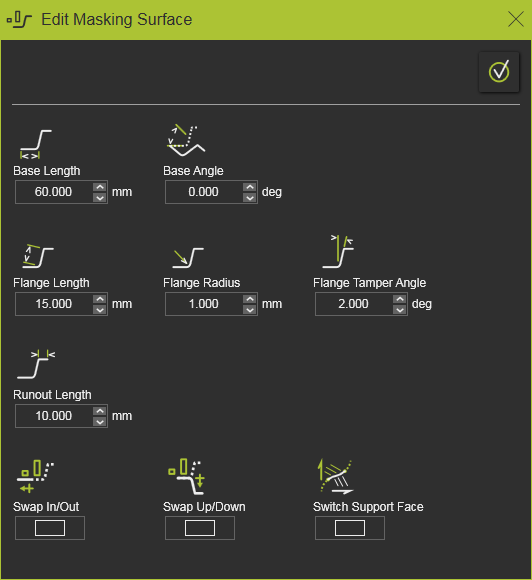
| Attribut | Description | Remarque | |
|---|---|---|---|
| Longueur de base | L’extrapolation tangentielle à partir du bord sélectionné de la face de support. | ||
| Angle de base | La rotation du profil sur son point de départ. | ||
| Longueur de la bride | La longueur, c’est-à-dire la hauteur de la partie à rebord vertical du profil. | ||
| Rayon de rebord | Le rayon entre la base et la bride du profil. | ||
| Angle de tamper de bride | L’angle de la bride du profil. | ||
| Longueur de run out | La longueur de l’horizontale s’étend hors du profil. | ||
| Échange d’entrée et de sortie | Changez la direction de l’extrapolation tangentielle pour orienter le profil. | ||
| Changement de bas, de haut ou de bas | Changez l’orientation verticale du profil. | ||
| Face de support de l’interrupteur | Lorsque l’arête est commune à deux faces non tangentielles, la face de soutien, à partir de laquelle l’extrapolation tangentielle est calculée, peut être inversée. | N’est affiché que lorsque l’option de changement existe. |
Après que la commande a été lancée sur une arête, qui sera la courbe guide pour le balayage de profil, cette courbe peut être prolongée en sélectionnant des arêtes adjacentes avec la touche CTRL.

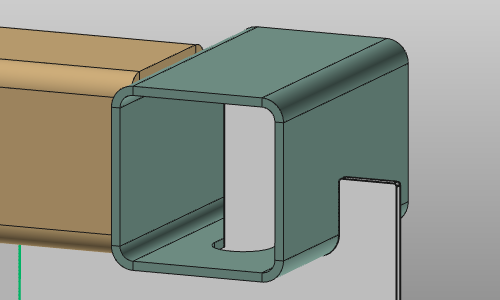
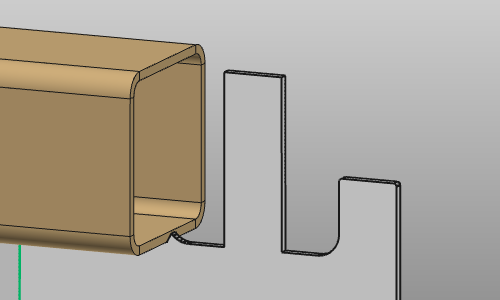
Avec le bouton Accept and apply, la création de la surface de masquage est effectuée, après quoi immédiatement le luminaire est mis à jour en conséquence.
 | ||||
 | 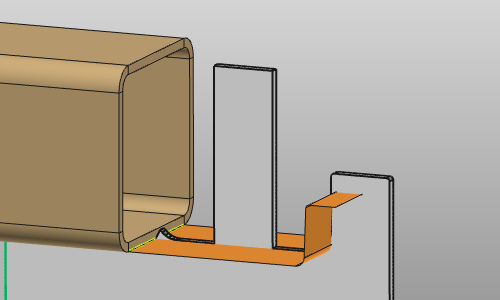 | 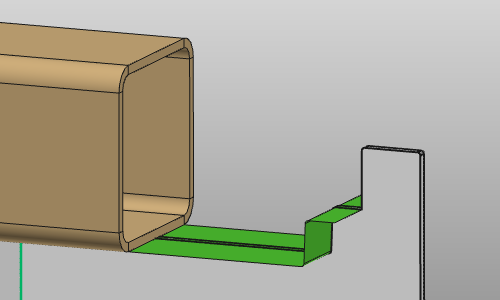 |
Sur la surface de masquage elle-même, un menu en tour est présent.

 Activez le Manipulateur
 Modifier la surface de masquage
 Retirez la surface de masquage