Start teach

Avec la commande Start teach, un parcours d’outil peut être généré par des étapes manuelles uniques, où la ressource est dirigée vers sa ou ses positions souhaitées. La géométrie de procédé n’est pas nécessaire pour cela.
Lorsque la commande est exécutée, le cadre d’outil actif est mis en surbrillance et le manipulateur interactif est placé au-dessus de ce cadre d’outil. Comme dans l’exemple ci-dessous.
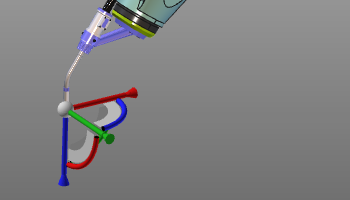
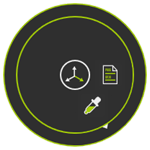
Avec le manipulateur interactif, le cadre d’outil et les ressources pour lesquelles il est défini peuvent être positionnés à la position d’enseignement souhaitée. Ensuite, le menu Pie doit être appelé au centre du Manipulateur pour insérer cet emplacement comme nouvelle position du trajet d’outil.


L’Enseignement peut être arrêté en appuyant sur le bouton  ou en choisissant une autre commande.