Géométrie du contrôleur

La commande Geometry est une commande utile pour maintenir la géométrie d’une ressource ou d’un contrôleur afin de représenter en 3D ce composant de façon réaliste. Lors de la conception de la ressource ou du contrôleur, elle est utilisée en combinaison avec la commande Import.
Après l’importation, la géométrie est devenue visible, mais ne fait pas encore partie du composant. Sauvegarder à ce stade et fermer le document perdra la géométrie.
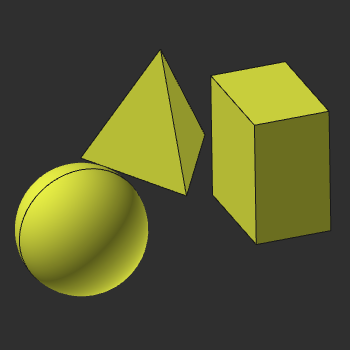
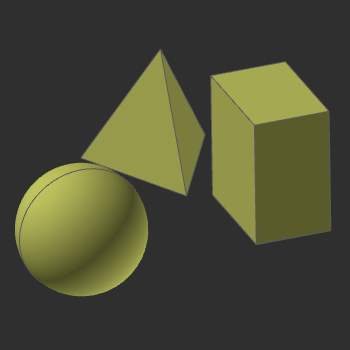
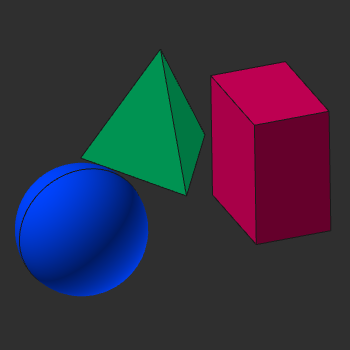
Pour que le composant soit représenté par la géométrie importée et, dans le cas d’une ressource, la géométrie puisse réagir correspondant aux mouvements de la ressource, la géométrie doit être attachée aux joints et aux cadres de la définition du composant. Dans tout établi ou fonction du logiciel, la géométrie importée est affichée normalement, avec ses couleurs originales ou manipulées. Lorsque cette commande est active, l’affichage montre quelle géométrie est ou n’est pas déjà attachée au composant. La géométrie attachée reçoit une nouvelle couleur temporaire, différente selon le cadre ou le joint. La géométrie non attachée est affichée dans un mode gris clair ombragé de la couleur d’origine.
| Affichage normal | Affichage géométrique non attaché | Affichage géométrique attaché |
|---|---|---|
 |  |  |
Les objets géométriques, appelés corps, peuvent être manipulés ici. Le menu en tarte doit être ouvert pour cela.