Bauen Sie die Vorrichtungsklemme auf
Zweck
Die Vorrichtungsklemme wird aus einer externen Datei erstellt, die ihre Geometrie enthält.
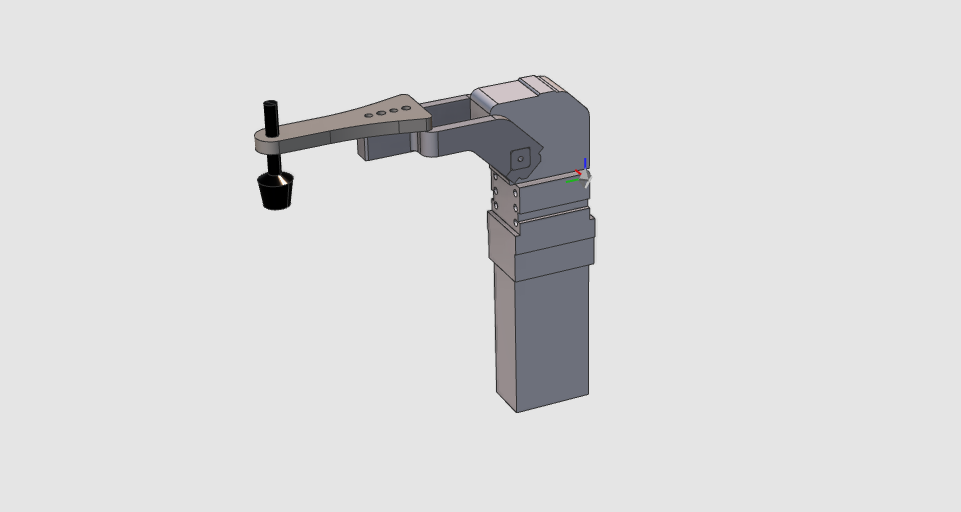
Die Geometrie der Vorrichtung wird aus einer externen Datei importiert, um die Vorrichtungsressource zu erstellen. Die Ressource wird anschließend um eine kinematische Kette und die für die Simulation erforderlichen Informationen erweitert.
Schritte
1. Vorbereitung
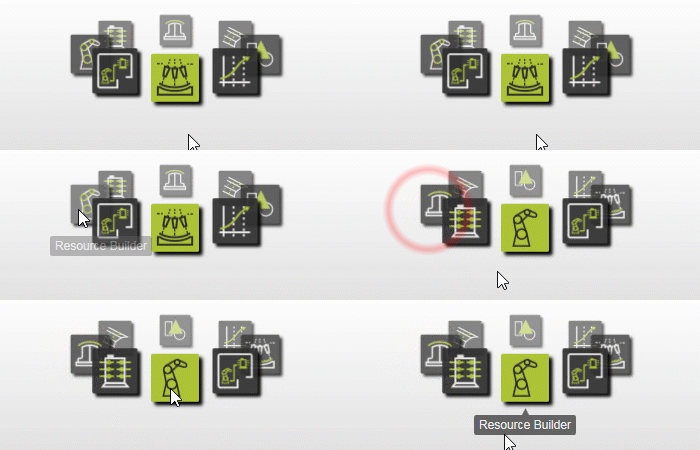
1.1 Wechseln Sie zur Arbeitsumgebung Resource Builder

Wechseln Sie zur RB-Arbeitsumgebung
1.2 Erstellen Sie ein neues leeres Dokument
Wenn bereits ein anderes Dokument geöffnet ist, erstellen Sie vor dem Fortfahren ein neues leeres Dokument.

Erstellen Sie ein neues Dokument
2. Definieren Sie die Eigenschaften der Vorrichtung
2.1 Importieren Sie die Spanngeometrie
Importieren Sie Clamp.stp aus den Trainingsdaten.

Geometrie importieren
2.2 Erstellen Sie eine neue Vorrichtungsressource

Erstellen Sie eine Vorrichtungsressource
2.3 Vergeben Sie der Vorrichtung einen geeigneten Namen

Ressourceneigenschaften
3. Bauform der Vorrichtung erstellen
3.1 Erstellen Sie das kinematische Skelett der Vorrichtung
Das kinematische Skelett ermöglicht es der Vorrichtung, sich während der Simulation zu bewegen.
Erstellen Sie das kinematische Skelett
3.2 Befestigen Sie die Klemmengeometrie am Skelett

Geometrie anbringen
4. Vervollständigen Sie die Vorrichtungsressource
4.1 Kinematische Grenzen für das Gelenk der Vorrichtung festlegen
Geben Sie der Rotationsverbindung einen geeigneten Namen und definieren Sie deren kinematische Grenzen.
Kinematische Grenzen festlegen
4.2 Definieren der Ausgangspositionen

Heimpositionen definieren
4.3 Aktualisieren der Referenzpositionen
Startpositionen aktualisieren
4.4 Definieren Sie das Simulationsverhalten der Vorrichtung

Definieren Sie das Simulationsverhalten der Vorrichtung
5. Speichern
5.1 Speichern Sie die fertiggestellte Vorrichtungsressource

Als Ressource speichern
6. Duplizieren
6.1 Erstellen Sie drei Kopien der Vorrichtung
Aktualisieren Sie für jede Kopie den Namen der Vorrichtung und deren Kinematik, und speichern Sie sie anschließend als neue Ressource.
Ressourceneigenschaften
Nächster Schritt
-> Bauen Sie die Vorrichtungsbaugruppe